Blog
 Public
- 09 Nov, 2026
Automated LLM Tracing Infrastructure for AI Agent Development
Introducing AI agents often leads to a critical bottleneck: the lack of a structured foundation for collecting execution histories needed for evaluation and improvement. Forward Deployed Engineers (FDEs) at AI Shift, a subsidiary of CyberAgent, face this challenge daily while building diverse AI applications for clients. Their mission is to maximize value by deeply integrating into client workflows, but the priority for adding observability instrumentation is frequently low. Since applications function correctly without tracing, and deciding how to instrument each component is complex, FDEs often defer this task. This delay hampers the ability to assess output quality and demonstrate cost-effectiveness to clients, creating a gap between rapid development and necessary operational oversight.To solve this, the team developed a dual-layer tracing architecture that balances automation with business context. The first layer utilizes an LLM Gateway, specifically Agent Router (formerly Envoy AI Gateway), to capture infrastructure-level telemetry. By routing all LLM calls through this gateway, the system automatically records inputs, outputs, model names, and token counts. This data is sent via OpenTelemetry to a collector and then filtered so that only LLM-related traces are sent to Langfuse, an LLM engineering platform. This approach removes the decision-making burden from FDEs: they do not need to manually decide whether to instrument every LLM call, as the gateway handles it automatically at the infrastructure level.However, the LLM Gateway alone cannot capture business-specific semantics or maintain context across complex workflows. Without application-level context propagation, the gateway generates independent, shallow traces for each LLM call, making analysis difficult. To address this, the team developed a custom Tracing SDK. This SDK is not used for instrumenting the LLM calls themselves, which remain the gateway's responsibility, but for attaching business metadata. It allows developers to define traces with specific inputs, user IDs, and session IDs, providing a clear hierarchy of operations. For example, a trace can encompass a "review" process, linking the user context and the specific purpose of the LLM invocation, such as a guardrail check or evaluation, to the resulting output.To further reduce the development load, the team created an AI Skill that allows coding assistants to automatically insert the necessary Tracing SDK instrumentation. This automation ensures that even as development speeds up with AI assistance, the required observability code is consistently applied. The resulting data in Langfuse is highly structured, showing clear traces with attached metadata like user sessions and call purposes. This setup ensures that even if manual SDK instrumentation is missed, the LLM Gateway still records the basic call data, providing a fallback for minimal analysis. This infrastructure enables FDEs to focus on solving client problems while maintaining the data quality required for continuous agent evaluation and improvement.

- Public
- 09 Nov, 2026
Chaos releases V-Ray 7.5 for 3ds Max with advanced AI integration and new lighting tools
Chaos has officially released V-Ray 7 for 3ds Max, Update 5, marking a significant step forward for the production renderer used in architectural visualization, VFX, and motion graphics. This update heavily emphasizes artificial intelligence capabilities, introducing an experimental AI Assistant that goes beyond basic technical support. The assistant can recommend assets from the Chaos Cosmos library by matching them to reference images, and uses a Sky Match feature to suggest appropriate HDRI and LUT combinations for realistic sky rendering. Perhaps most notable is the Render Critique function: the assistant scores renders out of ten based on photorealism, composition, and lighting quality. This is automated aesthetic feedback that may polarize artists regarding the role of AI in creative judgment.Beyond the assistant, V-Ray 7.5 integrates a Model Context Protocol (MCP) server, allowing external AI tools like Claude or ChatGPT to control the software. While the native MCP server is exclusive to the SketchUp and Rhino editions, third-party MCP servers are compatible with the 3ds Max version. The Chaos Cosmos library also receives new AI features, including image-based search and a generative 3D system. Users can now generate 3D models from images using Tencent's HY 3D or Microsoft's Trellis.2 AI models. These additions aim to streamline asset creation and integration, reducing the manual effort required to populate scenes with realistic geometry and materials, thereby accelerating the pre-production and layout phases of complex visual projects.The update also introduces significant non-AI enhancements to the core rendering engine. Two new native light types are available: the Spot Light, which allows for physically accurate spot lighting without modifying plane or disc lights, and the Cylinder Light, designed to mimic real-world fluorescent tubes and linear fixtures. The Spot Light supports light linking and direct atmospheric contribution, though specific controls like cone shape and barn doors are currently limited to CPU rendering. For volumetric work, the new experimental VRayVolume object enables the direct import and rendering of OpenVDB files and simulation caches within the 3ds Max viewport. This is supported by new sampler nodes and a dedicated volume material, improving the workflow for artists dealing with complex volumetric data.V-Ray for 3ds Max now directly supports volumetric data generated by Zenith, the smoke and fire simulation system in the tyFlow add-on, facilitating a more seamless pipeline for effects artists. The update also improves the bundled tools included in certain subscriptions. Veras, the architectural AI tool, gains an agentic modeling system that builds 3D models from sketches or images using GPT-6 Astra or Claude Opus 5.5, along with a new Nodes tab for customizing AI workflows. Anima, the crowd animation system, receives an MCP server and OpenMCP support in version 7.1, while Anima projects can now be imported directly into Vantage, the real-time ray tracing renderer. Both Anima and Vantage remain exclusive to the V-Ray Collection bundle and are not available in the Solo or Premium tiers.V-Ray 7.5 for 3ds Max is compatible with 3ds Max 2021 and later versions on Windows 10 or newer operating systems. The software is available on a rental basis only. A V-Ray Solo subscription costs $89.15 per month or $540 per year. A V-Ray Premium subscription costs $129.90 per month or $778.80 per year. These pricing structures reflect tiered access to features: the Premium and Collection tiers offer access to the expanded toolset, including Veras, Anima, and Vantage. The release positions V-Ray as a central hub for AI-assisted creation, combining traditional rendering power with modern generative capabilities to address the evolving demands of high-end visual production and interactive media development.
- Public
- 09 Nov, 2026
NVIDIA and Korea Expand Sovereign AI Cooperation
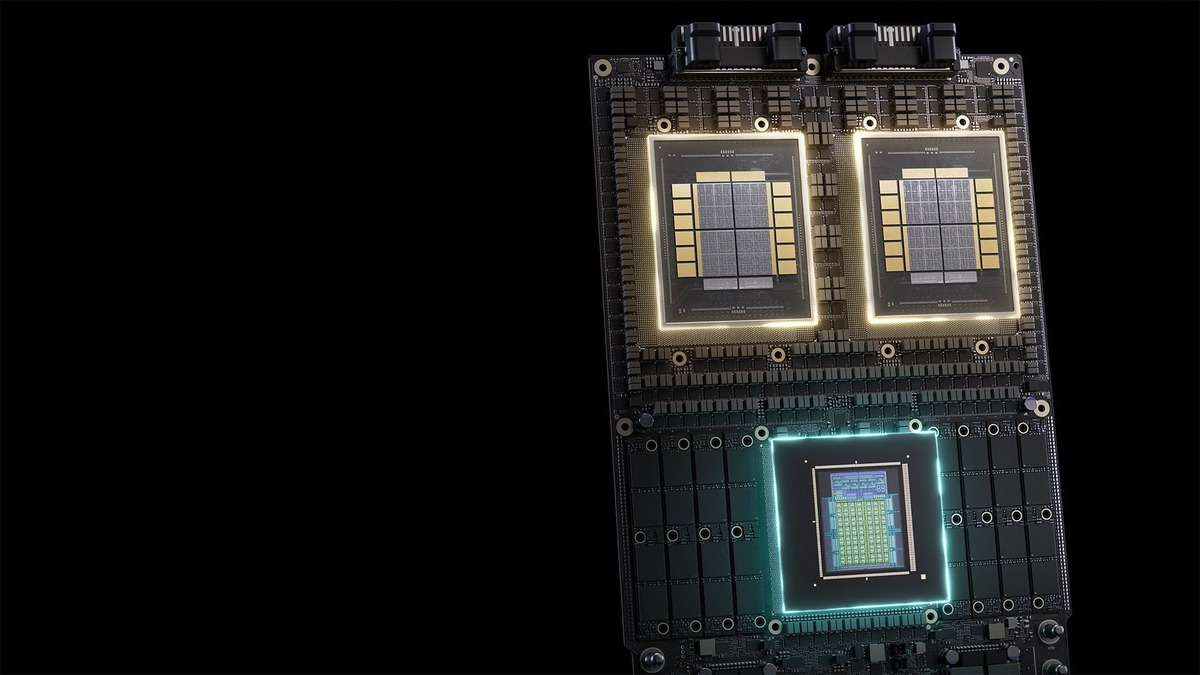
NVIDIA and Korea's Ministry of Science and ICT are broadening their sovereign AI partnership to cover semiconductors, data centers, and talent. The initiative allows Korean NPU and XPU firms to join the NVIDIA NVLink Fusion ecosystem. To improve GPU utilization, the plan includes training, certification, hackathons, and technical seminars for local developers.Under the AI for All initiative, NVIDIA will work with three selected consortia and four leading Korean foundation model builders. They will use NVIDIA Dynamo software to optimize and scale AI inference. Additionally, NVIDIA announced a new collaboration with SK Telecom and Rebellions, supported by MSIT, to advance sovereign AI infrastructure for Korean models and workloads using NVLink Fusion.

- Public
- 08 Nov, 2026
Autodesk Flame 2027.2 Updates: Improved AI Depth Mapping and OpenTimelineIO Integration
Autodesk has launched the Flame 2027 release cycle, the latest annual series of updates for its flagship compositing, finishing, and effects software. The initial Flame 2027 release introduced a comprehensive new annotations system, two distinct AI models for generating depth maps from video footage, and native support for the OpenTimelineIO standard. These foundational updates were refined in subsequent patches; the recent Flame 2027.2 update ensures that the core features are stable and fully integrated into the user workflow. The release also extends these improvements to Flare and Flame Assist, the cut-down editions of the software, so that users across different tiers of the product line can benefit from the new capabilities and improved workflows.The new Annotations system allows users to mark up clips directly inside Flame, eliminating the need to switch to a dedicated shot review platform to add notes. Users can insert text or drawn annotations, including lines, arrows, circles, rectangles, or freehand strokes, directly onto clips in the Player or viewports. These markers and segment markers with annotations are clearly indicated in the timeline, and the annotations themselves can be selected and managed via the Timeline Ribbon. This integration simplifies communication between artists and directors, allowing for immediate feedback and revision tracking without leaving the compositing environment.A significant addition to the AI toolkit includes two new machine learning models, ML Depth Indoor and ML Depth Outdoor, which generate depth data for entire scenes from still images or clips. Unlike the existing Face Analysis model, which is optimized specifically for human faces, these new models are designed to handle complex indoor and outdoor environments. The generated depth data can be used to create mattes within the Selective object or standalone ML Depth nodes. Furthermore, the system supports loading custom depth AI models in ONNX format, providing flexibility for studios that have developed proprietary models. This capability enhances the precision of object separation and scene understanding in complex shots.Workflow improvements in Flame 2027 focus on better preservation of metadata and the introduction of custom tokens. Frame-based metadata from imported clips can now be edited via a new Metadata node and written to the OpenEXR file header when exporting file sequences or publishing content. Additionally, users can create custom tokens to insert readymade text strings into supported text fields, streamlining repetitive tasks. The software now also supports adding Markers in the Effects environment. Pipeline integration has been expanded with support for OpenTimelineIO, the open standard for editorial cut information. OTIO files can be opened in the Conform environment similarly to AAF, XML, or EDL files, though the current implementation supports only basic OTIO sequences and does not yet handle effects and properties from other VFX software.
- Public
- 08 Nov, 2026
Android XR Tools Reach Stable Status: XREAL AURA Launch and Engine Hub Updates
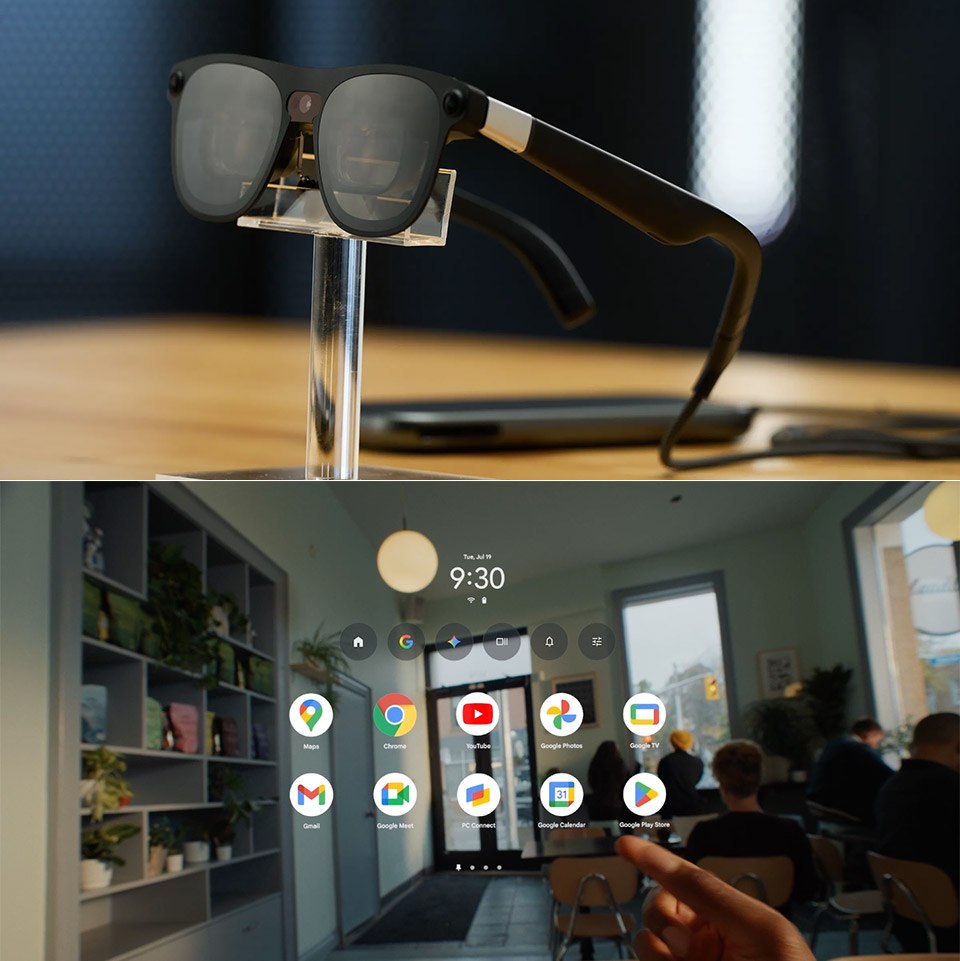
The Android XR ecosystem has reached a significant milestone with the launch of XREAL AURA, the first wired XR glasses on the platform. The devices weigh under 95 grams for comfortable wear, and a portable compute puck lets them leverage a shared Android foundation. This architecture ensures that existing applications work immediately after deployment. It makes entry easier for developers who want to expand their offerings with richer spatial interactions, without extensive code refactoring or complex compatibility adjustments.For developers building native experiences with Kotlin and Compose, production readiness is now anchored in the platform layer. The core Jetpack XR SDK libraries have officially graduated to stable release status, guaranteeing long-term API stability and optimized performance. This stable suite includes Jetpack SceneCore for manipulating 3D scene graphs, ARCore for Jetpack XR for environment perception, and XR Runtime for standardized session management. Additionally, Android XR emulators in Android Studio are now stable. This allows teams to build, iterate, and visually validate layouts across various XR device form factors directly from a laptop, without needing physical hardware.Real-world anchoring capabilities have been enhanced through the stabilization of Geospatial APIs in ARCore for Jetpack XR. These tools allow developers to anchor digital content to real-world coordinates with high precision, using robust local tracking. Combining visual positioning services with local device perception opens the way to contextual and location-aware experiences designed specifically for wired XR glasses. Developers can now design optical see-through interfaces with Jetpack Compose Glimmer and anchor them to specific physical locations, ensuring consistent spatial alignment across different sessions and user interactions.The Android XR Engine Hub has also reached stable status, streamlining setup, configuration, and optimization for Unity, Godot, and Unreal Engine. This hub simplifies project scaffolding by providing pre-configured OpenXR extensions and validated project settings, allowing developers to start building right away. It also offers native profiling tools that let you capture and analyze system traces, thermal limits, and frame budgets for the CPU and GPU directly in the engine interface. This integration helps identify performance bottlenecks early in development, maintaining high FPS and thermal stability in immersive applications.To support the expansion toward audio-centric interactions, new tools have been introduced for building lightweight, multimodal experiences. Developers can now use the ML Kit Gen AI Text to Speech API to generate natural-sounding voices powered by on-device AI. New design guidance focused on sound best practices, including the use of Earcons, helps guide users through audio-first and augmented environments. These capabilities make it possible to create hands-free, conversational applications by combining Jetpack Projected, ML Kit, and on-device Gemini Nano models. This is especially relevant for smart glasses and other form factors where voice and audio input matter more than a visual display.
- Public
- 08 Nov, 2026
Unity releases an e-book on XR development for Meta VR
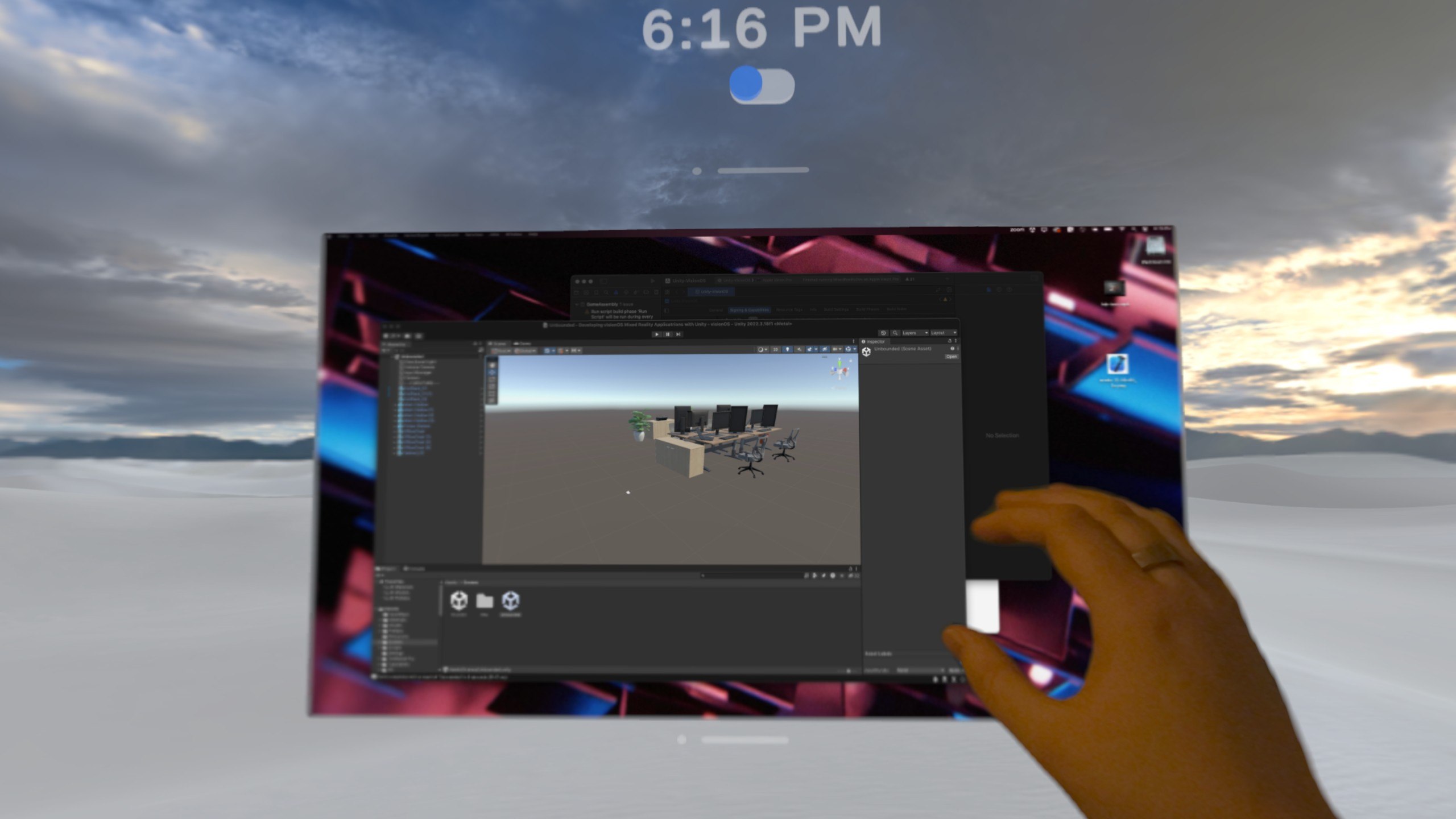
Unity has released a new e-book titled "Build XR with Unity: Meta XR". It is designed for developers who are creating new titles or porting existing applications to Meta VR devices. The guide focuses on the specific capabilities of Meta VR Glasses. These glasses offer more on-chip GPU memory than the Meta Quest 3. This hardware advantage allows the tiled renderer to split frames into fewer tiles, which optimizes performance. The e-book recommends using Unity 6.6 and XR Interaction Toolkit 3.6 or newer. The Unity Hub provides a VR template with sample scenes, assets, and recommended package settings, which streamlines the initial setup.To run the template on a physical device, developers need to enable Developer mode, connect the headset, and switch the build platform to Meta Quest via File > Build Profiles. It is crucial to verify in Project Settings that OpenXR and both the Meta and Android XR feature groups are enabled. This ensures compatibility and preserves the project's portability. For those without a headset, the XR Interaction Simulator inside the XR Interaction Toolkit package is available. It allows testing interactions directly in the Editor. Windows users can use Meta Horizon Link to launch applications on a device straight from the Editor. This eliminates the need for a full build-and-deploy cycle during iterative development.When porting projects from Quest 2 or Quest 3, developers should reevaluate their foveated rendering strategies. On Meta VR Glasses, fixed foveated rendering yields smaller resource savings. Benchmarking is essential to determine the optimal technique. To address bottlenecks in repetitive tasks, the new Unity CLI and the Unity Pipeline package provide a lightweight command-line interface into the Editor. The Pipeline package turns the running Editor into a local background server. It keeps scenes and asset databases "warm" in memory, avoiding cold-start delays. This setup enables AI agents capable of running shell commands, such as Claude Code, Codex, Cursor, Copilot, and Gemini CLI, to control the Editor, build applications, and assist with error resolution.Unity offers official plugins for Claude and Codex. They teach agents to follow standard Unity workflows, installing 29 skills with a single command at launch. To close the verification loop, the Meta XR Operator component allows agents to interact within the running XR app. It can inspect scenes, move the head and controllers, and perform gestures such as pinch, poke, and grab, including gaze-and-pinch for Meta VR Glasses, as well as capture rendered views. As an experimental component, Meta XR Operator is intended for development and testing rather than production dependencies. Developers should continue testing comfort, tracking, and performance on physical hardware to ensure a robust user experience.
- Public
- 08 Nov, 2026
Epic Games makes the Megascans library permanently free and allows AI training
Epic Games has officially made the entire Quixel Megascans library available for free download, ending the previous limited-time free access period. The library comprises over 23,000 high-quality 3D scanned objects and materials, including more than 8,000 scans of real-world items such as plants, buildings, and props, alongside 11,000 scanned materials and textures. This content is widely used in game development, architectural visualization, motion graphics, and visual effects production. The assets are being distributed through Fab, Epic's online marketplace, where individual listings are currently being updated to reflect the new free status.Post on X: https://x.com/quixeltools/status/2118346475528994821The transition to free access is being rolled out progressively, with all assets scheduled to become available without charge by November 12, 2026. Users who purchased commercial Megascans assets after January 1, 2025, will receive refunds, although these credits are applied to the Epic account balance and can only be used for other Epic products. This move follows a complex history: Epic acquired Megascans and Quixel in 2019, initially offering the content for free exclusively within Unreal Engine projects. In late 2024, the assets were briefly made free for other applications before being sold individually on Fab, a strategy that has now been reversed to provide permanent free access.A critical change accompanies the free distribution: Epic has updated the license terms to allow developers to train generative AI models using Megascans and Megaplants content. While the standard Epic asset license remains largely unchanged, the Fab store listings for these assets have been updated to explicitly state "Allows usage with AI: Yes." This modification is particularly significant for developers of generative AI tools, as it provides access to high-quality training data that includes object types, such as detailed 3D plants, which commercial generative tools currently struggle to recreate with high fidelity.This decision positions Megascans as a foundational resource for both traditional 3D workflows and emerging AI-driven pipelines. By removing financial barriers and explicitly permitting AI training, Epic is likely to accelerate the integration of high-fidelity scanned assets into machine learning models. Developers can now leverage the full breadth of the library for both production assets and AI dataset creation without licensing restrictions. The update ensures that teams working on games, VFX, or AI research have consistent, high-quality resources, fostering innovation in both real-time rendering and generative 3D synthesis.
- Public
- 06 Nov, 2026
Optimizing Player-Built Worlds: SEED's Rendering Strategy in Unity
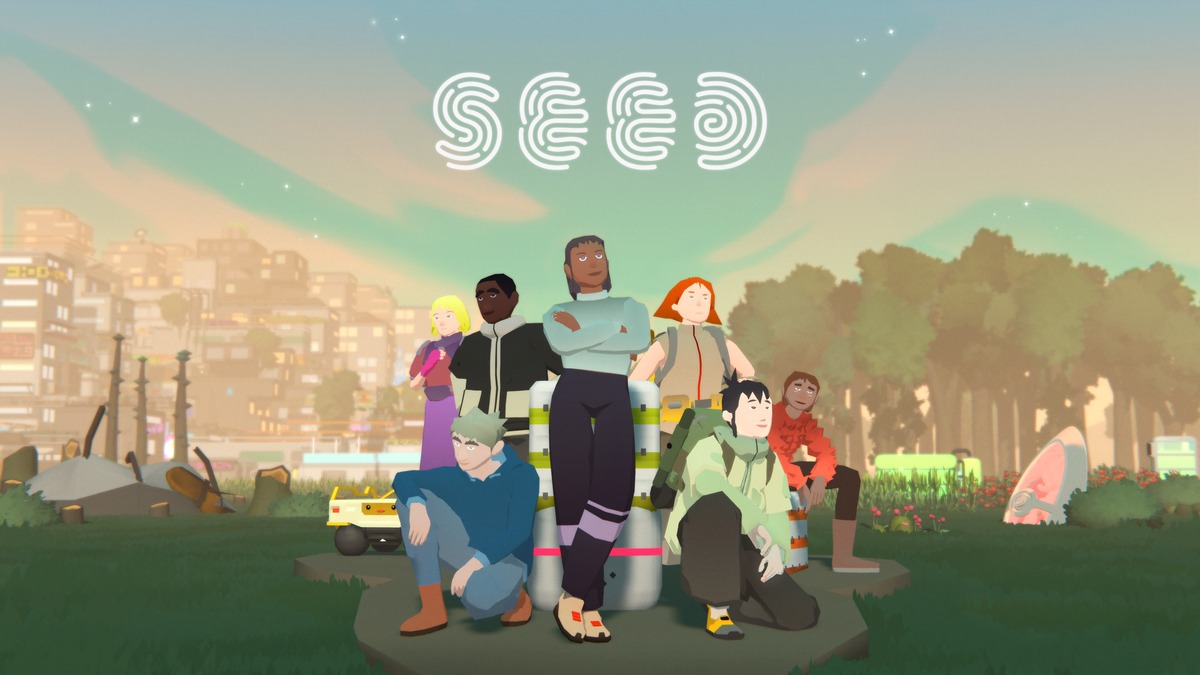
SEED is a persistent MMO sandbox from Klang Games, developed using Unity. It is set on a distant planet where players manage autonomous characters called seedlings. The game features a player-driven economy, society building, and continuous world expansion that persists even when players log off. Every new structure, tree, or character added by players increases the rendering load on the Unity client, which must handle this dynamic state across a wide range of hardware, from high-end PCs to mobile phones. The simulation runs on dedicated servers, while the client is responsible for rendering the streamed state and forwarding player interactions such as clicks and camera movements.The art style of SEED is deliberately stylized and low-poly: most surface data is stored directly in the geometry rather than in textures. This approach reduces shading costs and memory bandwidth usage, which is critical for mobile performance. Buildings are constructed from small brick-like modules on a one-meter grid. Each voxel placed by a player expands into approximately 15 modules, and interiors are generated only when viewed. The largest society on a busy island has 172 buildings, roughly 12,500 voxels, and 190,000 modules. These are rendered using BatchRendererGroup, with jobs running on the C# Job System and compiled with the Burst compiler, which ensures efficiency even with a high object count.Klang Games uses the Universal Render Pipeline (URP) and adheres closely to Unity's default solutions to ensure compatibility with future updates. The game currently runs on Unity 6.3, and the team upgrades roughly once or twice a year to access new rendering features. Custom effects are implemented via custom renderer features rather than by replacing URP, which keeps core mechanisms such as SRP batching and GPU Resident Drawer intact. Shader Graph with the default Lit shader is used for nature assets, while characters use Unlit shaders with a custom lighting pass. This strategy guarantees that creating custom shader graphs does not break the underlying performance mechanisms, providing a stable foundation for a world where players determine the rendering complexity.Interaction with the dense, player-built environment requires precise picking methods. When zoomed in, the game uses pixel-perfect picking: objects are drawn into an off-screen render target with unique IDs, which allows the client to identify the exact object under the cursor. On mobile, where touch input is less precise, the system checks surrounding pixels and shows a selection list if multiple objects are detected. When zoomed out, the system switches to physics raycasts, using Unity Physics to bootstrap and query a massive number of colliders for trees, objects, and building bricks. A continuously running job determines whether objects are inside buildings in order to manage rendering layers and lighting, which makes it possible, for example, to disable GameObjects or adjust visibility depending on the player's location within a structure.Performance optimization relies heavily on realistic data from live server snapshots, which are restored locally to test large-scale societies. This approach showed that on PC the game is often CPU-bound due to draw call submission, despite using GPU Resident Drawer. The issue was traced to animated LOD cross-fading, which prevented objects from being instanced. By disabling the animation portion and using manual transitions, the team restored instancing, which significantly reduced the CPU load. On mobile, the primary constraint is memory, not CPU. Using the Memory Profiler, the team identified issues such as duplicated textures and oversized C# collections. To address geometry memory usage, they replaced classic LOD Groups with Mesh LOD in Unity 6.2. This feature stores all levels of detail in a single mesh, which reduces memory footprint and simplifies asset management for mobile platforms.
- Public
- 06 Nov, 2026
Meta Quest Horizon OS 2.10 PTC: Theater Mode and a Simplified Navigator Interface
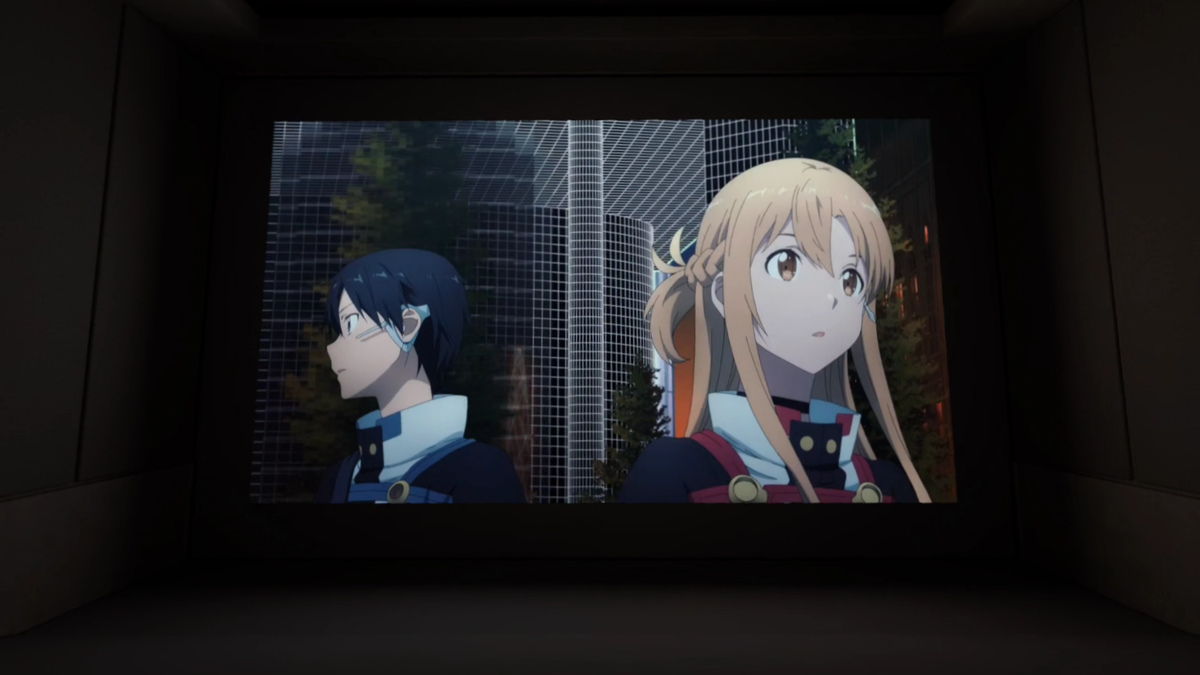
Horizon OS 2.10 (version 210) has begun rolling out to the Public Test Channel (PTC), which serves as the beta stream for pre-release versions of Meta Quest system software. Users who opt into this channel receive early builds of the operating system, though features in the PTC do not always match the final stable release. Some features may be delayed, removed, or rolled out gradually to a limited group of users as experiments. Meta has occasionally described features inaccurately or listed them for releases that were actually planned for later versions, which has caused confusion about the exact timeline of new capabilities.A major new addition in this update is the Theater environment, a dedicated space designed for media consumption. This high-resolution, home-theater-style room is accessed via a new button in the window's Control Bar, distinct from the existing Focus View option. Selecting it switches the system to this immersive environment, while exiting returns the user to the traditional VR Home or Passthrough modes. Theater mode currently supports real-time dynamic lighting based on the content being played, although the previously reported Dynamic Ambiance feature is not yet available and may arrive in a future update. Confirmed compatible apps include the system Media Player, Browser, YouTube, Disney+, and Amazon Prime Video.Another significant change is the reorganization of the system launcher, known as the Navigator, which has undergone several iterations over the past year. This redesign, codenamed Simplified Navigator, consolidates the interface into three main tabs: Search, Library, and Notifications. Several previous buttons have been removed, including Me, People, Quick Controls, Show/Hide Windows, and the Environment/App options, as well as the left-hand filters on the Library tab. Quick Controls are now accessed by pressing the status display at the top of the overlay, which has been reorganized into a grid of larger buttons, including a new option to toggle between VR Home and Passthrough.The Library section has also seen substantial changes: smartphone-style app folders have become the default in Grid View. A dedicated folder labeled Unknown Sources has been added for sideloaded apps. However, a notable regression is the removal of the option to filter the Library to show only installed apps or check for available updates, so the Library now displays all content accessible to the account. This issue is partially mitigated by a new List View, which retains the older filtering options. Additionally, the design of privacy indicators has been revised: active and recently used permissions are now displayed in green instead of muted purple.Among the other changes in this PTC build is improved window resizing behavior, which benefits apps with locked aspect ratios, such as YouTube, by minimizing visual stutters during scaling. Meta also notes that users can now make video calls as their avatar in the Chats app, switching between avatar video and audio-only modes via the video icon in the call bar. This feature, originally introduced as Selfie Camera functionality, may lay the groundwork for upcoming Hologram Calling features. Additionally, the External Microphone toggle has been removed from the Experimental menu, though external microphone support via USB-C appears to still work without the toggle.
- Public
- 06 Nov, 2026
Optimizing AI Inference Through Full-Stack Memory Codesign
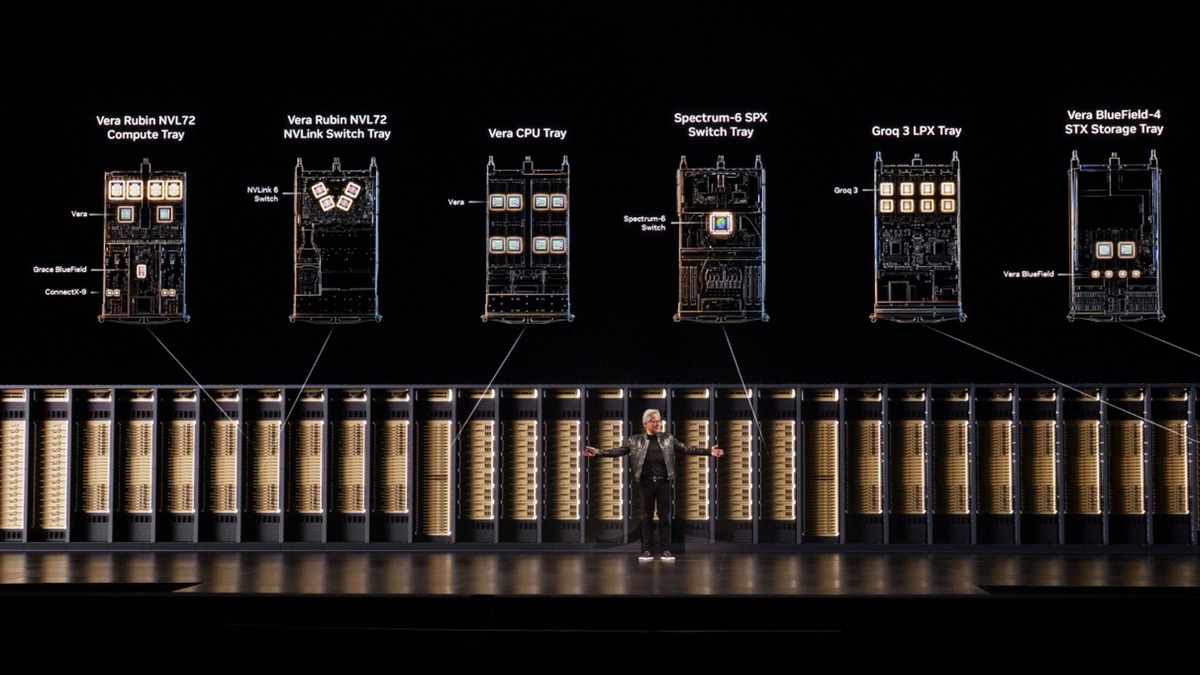
The rapid expansion of large language models, extended context windows, and agentic applications is intensifying pressure on GPU memory resources. As supply tightens and prices rise, the industry faces a critical challenge: how to process more data without simply adding expensive hardware. NVIDIA is tackling this by moving beyond the traditional approach of packing more High Bandwidth Memory (HBM) onto chips. Instead, the company employs a strategy of full-stack codesign, where GPUs, CPUs, networking, storage, and software are engineered in tandem. This holistic approach aims to extract maximum useful work from every byte of memory across the entire AI factory infrastructure, rather than relying solely on raw capacity increases.The core of this strategy lies in managing the memory and storage hierarchy effectively. In an AI factory, HBM serves as the fastest but most expensive and contested tier, holding critical data such as model weights and the Key-Value (KV) cache. Below this tier sit CPU memory, local SSDs, and shared storage, which offer greater capacity at lower cost but with reduced speed. The efficiency of the system depends on how well data is placed and moved between these tiers. By shrinking the footprint of model weights, offloading inactive KV cache contexts to cheaper storage, and compacting Retrieval-Augmented Generation (RAG) embeddings, NVIDIA ensures that the limited HBM space is reserved for active, high-priority operations. This prevents the "memory wall" phenomenon, where compute units sit idle waiting for data because bandwidth is saturated, thereby maintaining low latency for concurrent users.The impact of this codesign approach is evident in recent platform performance metrics. From the Blackwell Ultra generation to the upcoming Vera Rubin platform, HBM capacity per GPU has increased by only about 3%. However, the efficiency gains are substantial. On the SemiAnalysis AgentX benchmark, agentic throughput per dollar has risen by up to 30x. Specifically, the NVIDIA GB300 NVL72 delivers up to 10x higher throughput per dollar compared to the H200 platform at 100 tokens per second per user, despite a doubling of HBM capacity. The Vera Rubin NVL72 is projected to deliver up to 30x higher throughput per dollar than the GB300 NVL72 at 125 tokens per second per user, with HBM capacity increasing by just 3%. This demonstrates that optimizing data flow and storage placement yields far greater returns than simply expanding memory capacity.For operators of AI factories, the primary metric is the number of useful tokens delivered within a specific power budget while meeting strict response-time requirements. Increasing tokens per second per watt translates directly into higher revenue from the same power infrastructure and a lower cost per token. By relieving pressure on HBM from model weights, idle context, and RAG data, full-stack codesign ensures that memory resources are used for active inference rather than passive storage. This method allows systems to handle trillions of parameters and complex agentic trajectories, which can involve processing up to 3 million tokens, without being bottlenecked by memory bandwidth. The result is a more scalable and cost-effective infrastructure capable of supporting the next generation of AI applications.

- Public
- 06 Nov, 2026
The Android Intelligence System and MCP APIs for Agentic Apps
The Android intelligence system serves as the foundational layer connecting AI agents with applications across a diverse ecosystem of devices: phones, wearables, XR glasses, TVs, and automobiles. The architecture is designed to protect user privacy while enabling both prompted and proactive assistance. Developers gain control over app integration through APIs and tools based on the familiar Model Context Protocol standard. The core component, Android MCP, is powered by the AppFunctions Jetpack library and acts as a unified tool-calling framework. It allows direct connection with qualified AI agents on the device, supporting both the system agent and custom on-device in-app agents. For scenarios requiring cross-platform reach, a remote MCP server option is available, complementing the native Android solution.Android MCP is the recommended integration path when the user journey involves end-to-end encryption, sensitive local device data, or the need for device sensors and hardware. It is also essential when execution must happen locally or when no server endpoint is available. To expand agentic capabilities entirely on-device, the ML Kit GenAI APIs have been updated to leverage new features in Gemini Nano 4, such as function calling. Developers can now use ML Kit's direct model access via the Prompt API and the new Agentic API. The Agentic API automates function execution, saves conversation history, manages the orchestration loop, and includes automatic guardrails to ensure safety.For workflows that require a hybrid approach combining cloud and local processing, Firebase AI Logic provides a straightforward solution. This allows developers to call advanced cloud models like Gemini 4 while falling back to on-device inference with Gemini Nano when available. To manage production costs and protect applications, Firebase App Check, new server prompt templates, and Firebase spend caps are available. Additionally, the Jetpack Compose A2UI renderer is now in alpha, enabling agents to stream rich, interactive native Compose UIs directly from a JSON protocol. This capability allows agents to "speak UI," creating dynamic interfaces without manual layout coding.The Connected Apps Platform introduces a way to reach high-intent users across Gemini and Search surfaces. This platform combines Android MCP for native on-device execution with remote MCP servers for broader cross-platform reach. Developers can start building and testing locally today using Gemini Apps Developer Mode. For production deployment, a preview waitlist is available, currently limited to selected production-ready apps in supported categories, with broader self-serve access planned for later. This shift reflects a broader change in user behavior: from asking questions to taking direct actions through integrated app experiences.