Blog
 Public
- 04 Nov, 2026
Realistic Cloth Simulation on a Dancing Skeleton in Blender
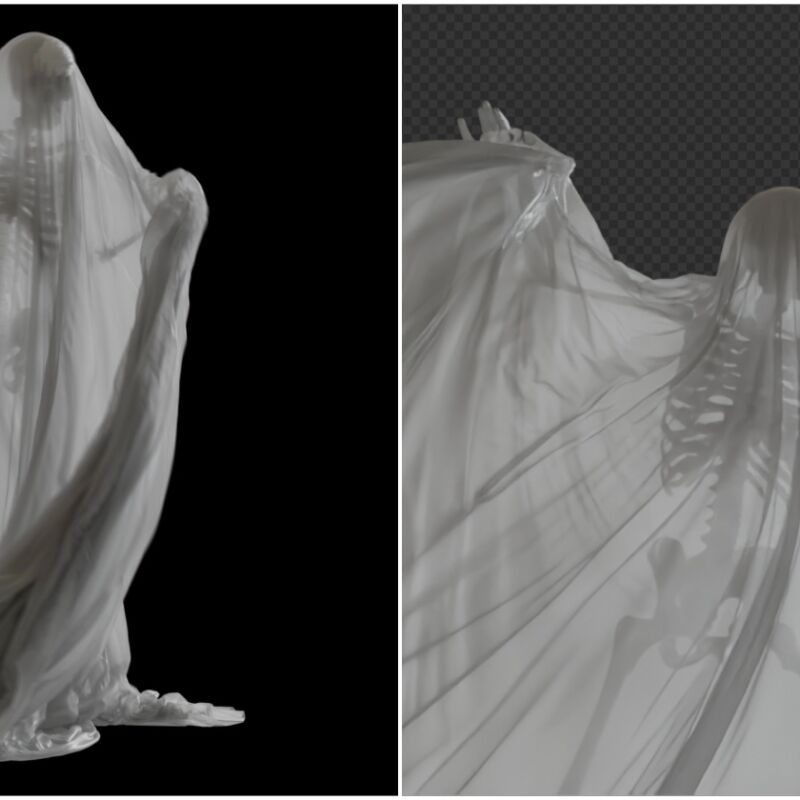
The project began as a concept for a dancing ghost but evolved into a revival of a previous skeleton model. The artist rigged the character using AccuRIG and combined dance animations from Mixamo, ActorCore, and Action Forge via Blender's Action Mixer tool. After baking the animation into keyframes, the bones were removed to leave a clean mesh ready for simulation. The primary goal was to create fabric thin enough to reveal the skeleton's silhouette when backlit.For the cloth physics, the open-source ZOZO Contact Solver was employed. This GPU-accelerated engine handles complex interactions between cloth and solids. To ensure accuracy, a highly subdivided circle made of triangles was created. A sheer fabric material preset in .toml format was loaded into the solver before running the simulation. The high mesh density significantly impacted performance, requiring nearly two hours to solve the simulation. Despite the long wait, the resulting motion was deemed satisfactory for the final look.The visual presentation relied on a procedural sheer shader material sourced from BlenderKit. Lighting was carefully constructed using an HDRI and an area light to enhance the silhouette effect through the translucent cloth. The scene was rendered in Cycles at 100 samples. The rendering process took between 30 and 40 minutes on a system equipped with an AMD 9950X CPU, 64 GB of RAM, and an RTX 5070 Ti GPU with 16 GB of VRAM.This workflow demonstrates the practical application of specialized physics add-ons in Blender. The combination of baked keyframes and high-density mesh simulation allows for detailed cloth behavior without real-time constraints. The use of open-source tools like ZOZO provides accessible alternatives for complex simulations. The final output showcases how technical setup, including mesh density and solver presets, directly influences the realism of fabric movement in animated scenes.

- Public
- 04 Nov, 2026
Siri AI Developer Preview Now Open to All Apps in iOS 27.3 Betas
Starting with the iOS 27.3, iPadOS 27.3, macOS 27.3, and visionOS 27.3 betas, a new Developer Preview enables any developer to integrate their app with Siri AI. This update provides businesses and developers with new ways to reach and serve customers by allowing apps to bring their content and actions directly into the assistant. Siri AI is designed to be deeply integrated into Apple's operating systems, offering a more capable, conversational, and personal experience. Thousands of developers have already built integrations for tasks like managing to-do lists or sending messages. The system supports English, French, Japanese, Korean, Portuguese, and Spanish, with plans to expand to Traditional Chinese, Norwegian, Turkish, and Vietnamese soon.The core mechanism for this integration is the use of App Intents, which allows any app to tap into Siri AI's newest capabilities. These include personal context understanding, onscreen awareness, and natural language processing. Users can ask for help in their own words, and Siri AI will carry out custom actions such as checking a delivery, booking a reservation, or placing an order. For complex requests, developers can introduce skills to teach Siri AI how to combine several actions into a single experience. Additionally, Siri AI can now surface any entity in the Spotlight semantic index, not just those that fit an existing schema, providing end users with a more flexible and comprehensive data retrieval system.Apple has begun rolling out these new capabilities across many of its own apps, including Calendar, Files, Finder, Journal, Mail, Maps, Messages, Music, Notes, Photos, Preview, Reminders, Safari, Shortcuts, and Weather. These implementations serve as examples for developers to reference, demonstrating how users can perform specific tasks like finding a coffee shop visited last week or archiving files not opened in over a year. By examining these first-party applications, developers can understand the scope of actions available and how to structure their own App Intents for optimal performance and user interaction within the Siri AI ecosystem.This developer beta offers an early look at Siri AI app intents, allowing developers to explore and build before the feature ships to customers in a few months. App Store submission for these integrations will open in the spring, providing a window for developers to test, refine, and shape their experiences. Apple will follow up with more details regarding the terms and usage policies for experiences enabled through Siri AI. New documentation is available to learn about the APIs, usage methods, and evaluation techniques for app experiences. Developers can also connect with Apple engineers in the Apple Intelligence Group Labs on November 4-5 to ask questions and receive advice on implementation strategies.
- Public
- 04 Nov, 2026
JetBrains Renames Its User Group Support Program to Developer Communities Program
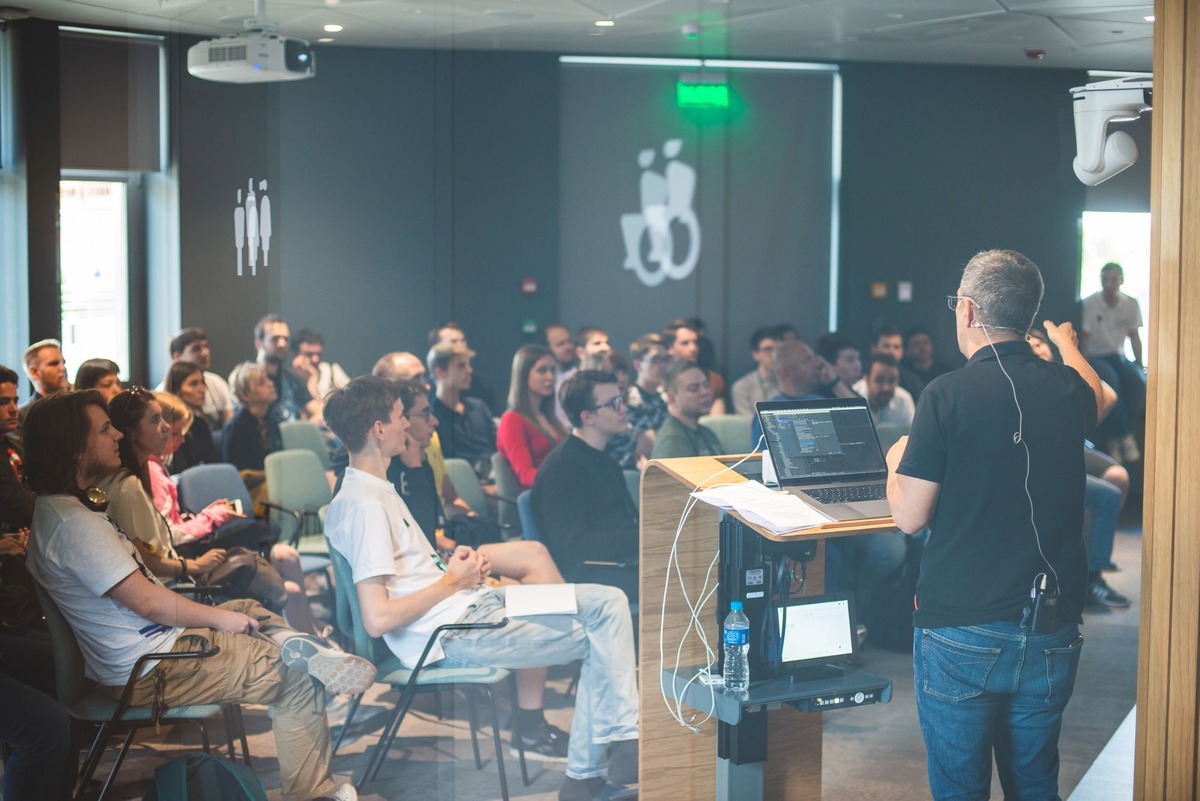
JetBrains has officially announced the transformation of its long-standing User Group Support Program into the Developer Communities Program. This rebranding marks a significant shift in how the company supports the global developer ecosystem. The original program, launched thirteen years ago, was designed with a straightforward goal: to help local developer groups grow by providing IDE subscriptions for organizers and small community giveaways. While that foundation remains, the landscape of developer interaction has shifted dramatically over the past decade. Communities no longer rely solely on physical meetups; they have migrated extensively to digital spaces.Today, many developer communities thrive on platforms like Discord and Slack, or they operate in a hybrid model that blends in-person gatherings with virtual events. Workshops, livestreams, and hybrid formats have become standard components of community life. Recognizing this evolution, JetBrains decided that its support structure needed to adapt to reflect these modern realities. The new Developer Communities Program is designed to accommodate this broader spectrum of activities. It welcomes a much wider range of community types, ensuring that support reaches groups regardless of their primary mode of operation.The scope of support under the new program has expanded significantly. In addition to the traditional provision of JetBrains IDE subscriptions for organizers and community giveaways, the program now offers a wider array of resources. However, the specific support package is not one-size-fits-all. JetBrains emphasizes that every community is unique, so the assistance provided will be tailored to individual needs. Organizers will work directly with the company to determine the most useful forms of support based on their specific activities, target audience, geographic location, and available resources. This personalized approach aims to maximize the impact of the program for each participating group.Transitioning to the new structure is seamless for current participants. All existing members of the User Group Support Program will automatically become part of the Developer Communities Program without the need to reapply. This ensures continuity and stability for established community leaders. It is important to note that student communities, including school, college, and university clubs, are not covered by this specific program. Students seeking free access to JetBrains tools should refer to the separate JetBrains Student Pack. Looking ahead, JetBrains views this program as a long-term collaboration. Starting in 2027, the company plans to conduct annual check-ins with participating communities to discuss their progress and identify future support needs, fostering a closer relationship with the developer ecosystem.
- Public
- 03 Nov, 2026
NVIDIA AICR validates Kubernetes support for Vera Rubin NVL72
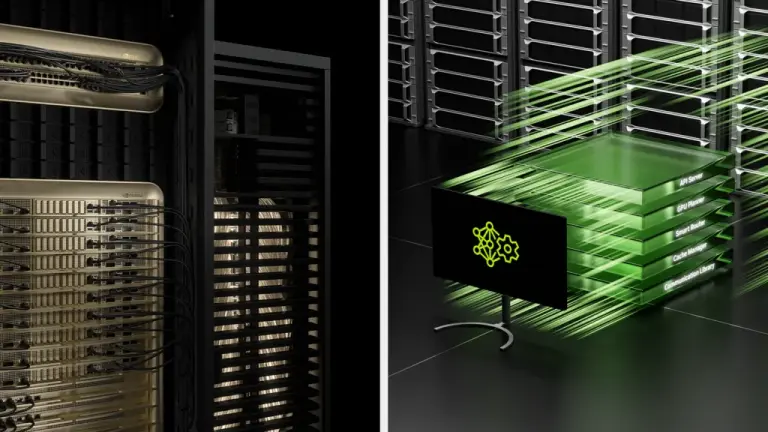
Configuring Kubernetes for new GPU hardware like NVIDIA Vera Rubin is complex and error-prone, requiring precise alignment of drivers, kernels, runtimes, and schedulers. NVIDIA AI Cluster Runtime (AICR), part of the DSX AI Factory Platform, simplifies this by capturing tuned configurations in reusable recipes. It generates bundles for deployment tools and validates running clusters, ensuring environments are ready for Vera Rubin NVL72 compute trays on Day 1. This approach helps platform teams design, build, and operate efficient AI factories with open source, modular software components.Figure 1. AICR validation on Vera Rubin produces signed, publicly verifiable evidence and feeds results back to the upstream components.For teams currently running GB200 NVL72, Vera Rubin NVL72 is the third generation of the MGX rack-scale architecture, with several user-visible changes. To validate support end-to-end, the AICR runtime bundle was deployed on Vera Rubin clusters using GPU Operator v26.7.0, DRA driver v0.5.0, and a host-installed R615 driver. Both training and inference recipe variants passed end-to-end validation. The training variant includes a performance gate: a cross-node NCCL all-reduce over the NVLink fabric via an IMEX ComputeDomain, gated on a bus-bandwidth floor. Early validation faced a temporary hardware/fabric issue in one cluster, but reseating the hardware resolved it, allowing all GPUs to join a single fabric clique.AICR captures platform-specific decisions as a versioned recipe, making configurations explicit and reproducible. The new Vera Rubin recipe family (service: rke2, accelerator: vr200, OS: Ubuntu) ships as a Preview, without full production support while the platform is pre-release. The first deployment targeted a novel combination: arm64, Ubuntu 26.04, a 64k-page kernel, RKE2, and Vera Rubin, which produced a healthy runtime within hours. A second cluster reproduced this result the next day, demonstrating the recipe's repeatability. This versioned approach ensures that the specific decisions made during bring-up are preserved and can be verified across different clusters.The AICR workflow, executed with the v1.0.0 toolchain, begins with offline recipe generation. The command aicr recipe resolves criteria against the catalog, producing a YAML file that layers five overlays into 14 components. Key components include the GPU Operator, DRA driver, DraNet for ConnectX-9 device allocation, and NodeWright for exclusive RDMA netns mode. The bundle generation command aicr bundle creates a set of ordered Helm charts and a deploy script. This bundle includes NodeWright, KAI Scheduler, NVSentinel, NFD, and the Prometheus stack, with all component versions pinned to the configuration validated on Vera Rubin hardware.Validation involves capturing the cluster state and checking readiness constraints. The command aicr snapshot saves the state, while aicr validate runs the deployment, conformance, and performance phases. The deployment phase checks the OS version and kernel details, while the conformance phase verifies component health. The performance phase runs an NCCL all-reduce as an in-cluster job, checking bus bandwidth against the floor defined in the recipe. The validator provisions the ComputeDomain and IMEX ResourceClaimTemplate itself, requiring no operator prerequisites. The inference variant, which uses the Dynamo platform, passes the same deployment and conformance checks on the identical cluster.A critical end-to-end test involves a two-node ComputeDomain where IMEX channels are claimed by pods on each compute tray. For host-managed IMEX images, the host's static nvidia-imex service must be disabled and masked, as it is mutually exclusive with DRA-managed ComputeDomains. GPU Operator v26.7.0+ ships a stricter CRD requiring that numNodesbe explicitly set, which affects fresh cluster installs but not upgrades. Applying the test manifest results in two running pods, each with an IMEX channel injected, taking about 12 seconds. The entire sequence from recipe generation to validation completes in roughly five minutes, with the performance phase adding the runtime of the NCCL job.
- Public
- 03 Nov, 2026
Canva Launches Free Affinity for iPad with New Sketch Studio
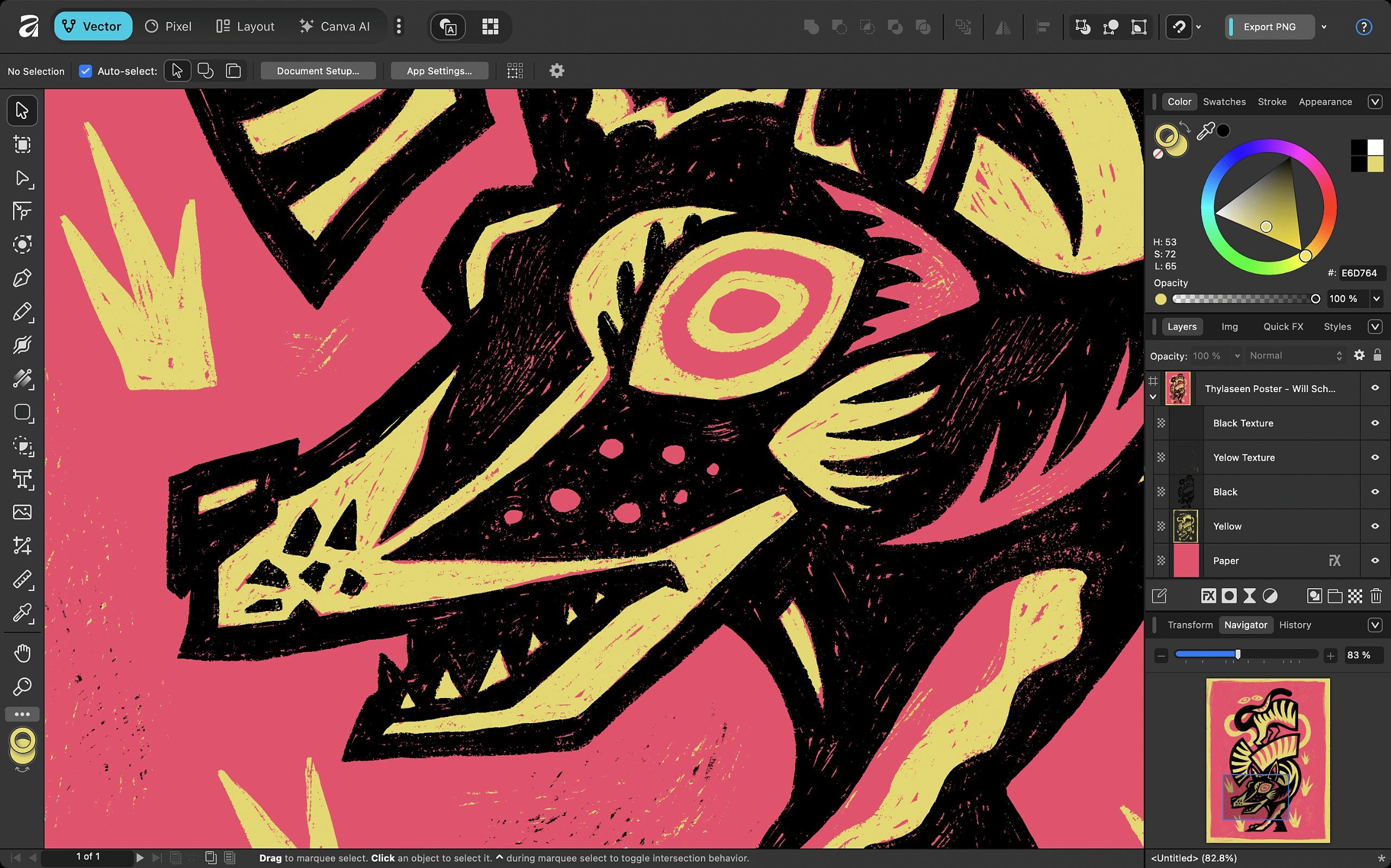
Canva has officially launched Affinity for iPad, delivering the long-awaited tablet version of its unified creative suite. This release consolidates the previously separate functions of Affinity Photo, Designer, and Publisher into a single application. While the desktop version of Affinity was released almost a year ago, the new iPad edition expands the platform's reach by adding a unique fourth workspace. The app is designed to replace the fragmented ecosystem of standalone tools, giving users a streamlined environment for professional creative work on the go.The standout feature of the iPad edition is the inclusion of Sketch Studio, a digital sketching toolset that distinguishes it from the desktop counterpart. This addition places Affinity in direct competition with established tools like Procreate. Canva positions this studio as a utility for roughing out concepts rather than a full-fledged digital painting engine for final illustration. Despite its focus on sketching, the toolset is robust, featuring over 350 editable brushes that respond to pressure, tilt, and barrel roll inputs from the Apple Pencil, offering a versatile experience for artists who need to capture ideas quickly.Interoperability is a key strength of the new release. The app supports the native Affinity .af file format, allowing seamless project exchange between the iPad and desktop versions of the software. This solves a significant limitation of the older standalone iPad apps, which could not open files saved from the new unified desktop edition. Furthermore, the application can import project files from major Adobe products, including Photoshop PSD, Illustrator AI, and InDesign INDD and IDML files. While the import process generally preserves layers and structure, users should note that advanced formatting elements in InDesign files, such as GREP styles and anchored objects, may require manual adjustment after import.The user interface has been specifically rearchitected for tablet use, prioritizing accessibility by placing tools within easy reach and reducing visual clutter. Canva asserts that performance remains robust even when handling complex files with thousands of editable layers, ensuring that adjustments, filters, and effects update live without slowing down the workflow. The core application is completely free and requires only a Canva account for access. Paid Canva subscriptions, such as Pro or Business plans, unlock AI-driven features like Generative Fill and Generative Expand. The company commits to providing ongoing free updates and new features, mirroring the support model established for the desktop version.Affinity for iPad is compatible with devices running iPadOS 18.0 or later. Users can download the free core application from the App Store, though registration with a free online account is mandatory. For those interested in AI capabilities, Pro subscriptions are priced at $144 per year, while Business subscriptions cost $250 per year. This release marks a significant step for Canva in the creative software market, offering a powerful, cost-effective alternative for designers, photographers, and illustrators who rely on iPad hardware for their daily creative tasks.
- Public
- 03 Nov, 2026
New App Store Age Rating Descriptors for Dating and Shared Location Features
Starting November 16, 2026, App Store Connect will introduce new content descriptors to ensure app age ratings accurately reflect features and comply with local regulations. Developers must declare whether their apps include Dating and Relationships or Shared Location features when completing the age rating questionnaire. These declarations are required when submitting an app update or modifying the age rating questionnaire. All apps must have these new declarations completed by January 12, 2027. Failure to provide this information may affect the app's availability or rating accuracy.The implementation of these descriptors directly impacts minimum age ratings. Apps that include Dating and Relationships features will automatically receive a minimum age rating of 18+. For apps including Shared Location, the impact on the minimum age rating may vary by region. In Brazil, local regulations specifically mandate an A16 rating for Shared Location and an A18 rating for Dating and Relationships. If an app's location sharing is designed specifically for parents and children, developers may request a lower official rating from Brazil's Ministry of Justice and Public Security. Once verified, this official rating will be displayed on the App Store in Brazil.
- Public
- 03 Nov, 2026
Meta confirms end of new feature development for Quest 2 and Quest Pro starting January 2027
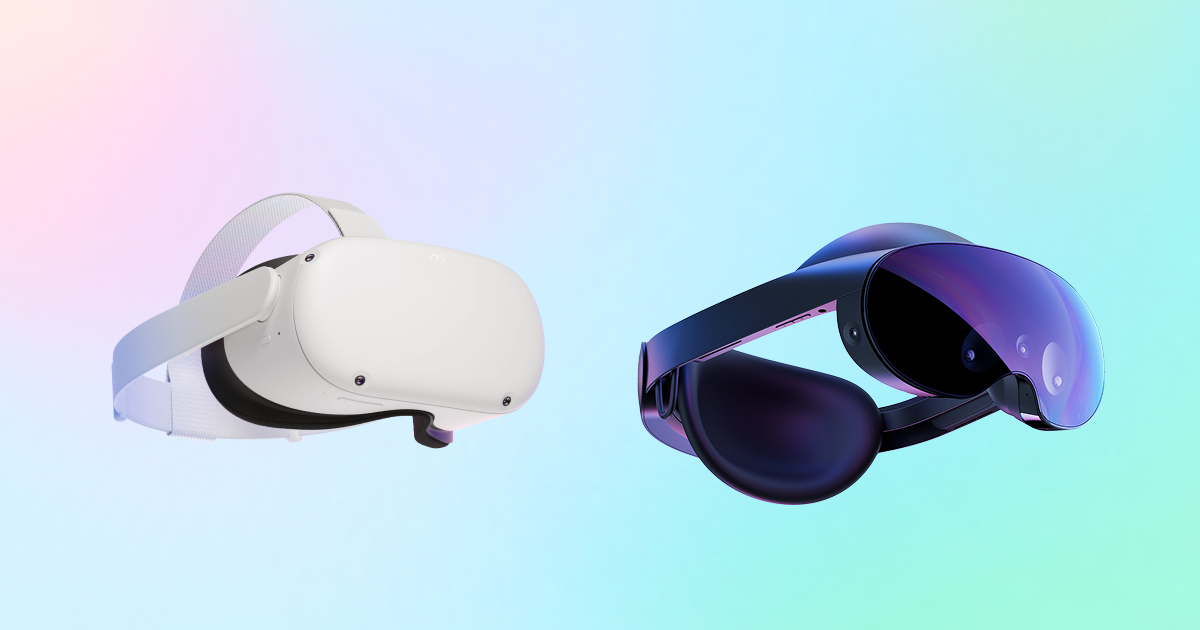
Meta has officially announced that the Meta Quest 2 and Meta Quest Pro will transition to end-of-feature status beginning in January 2027. This milestone marks the conclusion of major software development for these two standalone headsets. Horizon OS 2.13 is designated as the final operating system release for both devices. The rollout for this OS version is scheduled to start in January 2027 and is expected to reach all compatible hardware by March 2027. Concurrently, Meta VR OS SDK v213 will be the last supported software development kit for these platforms. While feature development ceases, Meta commits to providing quarterly security patches and critical bug fixes through the end of 2027.Developers should be aware that any new OS features, platform capabilities, or APIs introduced in releases following Horizon OS 2.13 will be exclusive to the Meta Quest 3, Quest 3S, and future devices. Meta will no longer test new OS or SDK releases against the Quest 2 and Quest Pro hardware. This separation ensures that the older devices remain stable but frozen in their current functional state. Existing applications and games will continue to function fully on the affected headsets. Users can still browse, purchase, download, and play their installed titles. Furthermore, cross-play remains intact: users on Quest 2 and Quest Pro can join multiplayer sessions with users on Quest 3 and Quest 3S, provided the specific game supports such cross-platform functionality.For developers, the submission window for new applications targeting Quest 2 and Quest Pro will close in December 2027. Updates to existing apps are permitted, but new submissions will no longer be accepted after this deadline. A critical compliance requirement obliges developers to notify users at least 180 days before ending support for these devices. This notice is required if discontinuing support would result in users losing access to content or essential services. To manage this transition, developers can use device targeting features to freeze a final build specifically for Quest 2 and Quest Pro. Additionally, the app submission flow allows developers to stop offering an app for sale on these devices, effectively removing it from the store for new customers on older hardware.The Meta Quest 2, which launched in October 2020 as the Oculus Quest 2, achieved significant commercial success, outselling all its predecessors combined within six months of release. By March 2023, internal data suggested that Meta had sold nearly 20 million Quest headsets. In contrast, the Meta Quest Pro, launched in October 2022 at a price of $1,500, was technically impressive thanks to its pancake lenses and eye tracking, but is widely considered a commercial failure. Meta cut its price to $1,000 just four months after launch. The original plan for a direct successor, codenamed La Jolla, was canceled due to cost concerns. Instead, Meta is prioritizing the Meta VR Glasses, scheduled for spring 2027 at $1,300, which serve as a spiritual successor with a different form factor.This end-of-feature timeline mirrors the deprecation path of the original Oculus Quest, which stopped receiving OS updates in February 2023 and ended security updates in August 2024. The transition of Quest 2 and Quest Pro marks the end of an era for Meta's older standalone VR devices. It paves the way for a new generation of hardware with distinct form factors and capabilities. Developers should plan their support strategies accordingly, ensuring that their applications remain compatible with the frozen SDK v213 and Horizon OS 2.13, while preparing for the exclusive availability of future features on the Quest 3 series and the upcoming Meta VR Glasses.
- Public
- 02 Nov, 2026
Pancake Manta Ray: Advanced Jiggle Physics in Blender
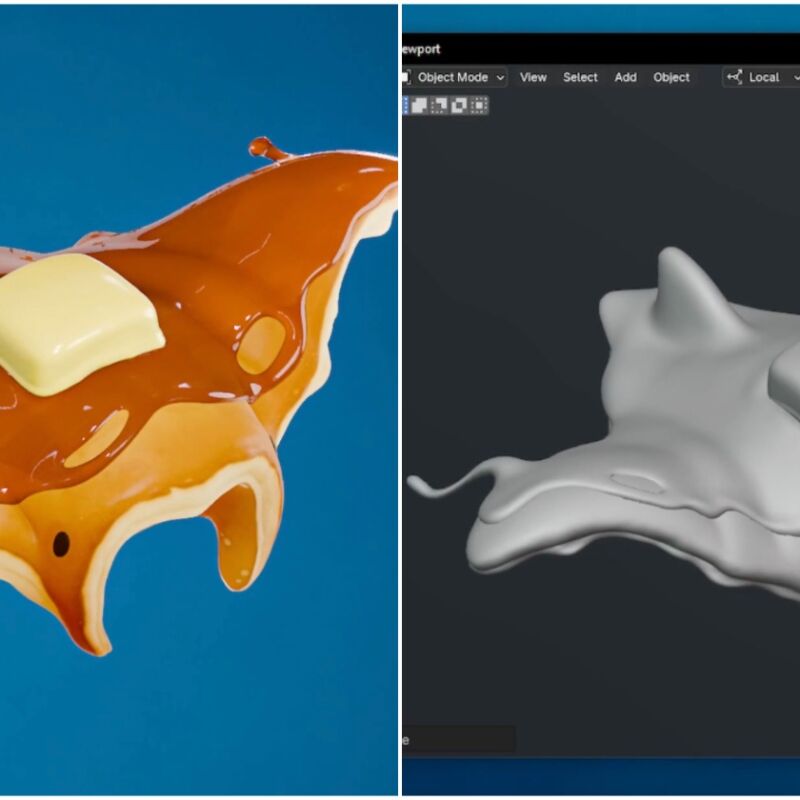
A new 3D character project features a manta ray designed to resemble a giant pancake, based on a concept by Rappenem. The visual identity relies heavily on texturing work performed in Substance 3D Painter. Achieving this specific aesthetic required extensive layering and iterative testing to match real-world material references. The result is a creature with a distinct, appetizing surface detail that stands out in the portfolio of senior 3D artist Paul Thureau.The character is fully rigged and demonstrates satisfying secondary motion, often referred to as jiggle physics. The effect is implemented with the Wiggle Bones add-on, a popular tool for adding organic movement to rigs. The system allows precise control over physical properties: stiffness, gravity, and damping. All parameters are adjustable, which lets artists fine-tune how the mesh responds to movement and create a more lifelike interaction with the environment.The Wiggle Bones tool has received a significant update and is now available for free on Blender Extensions. The latest version supports Blender 5.0 and resolves a number of long-standing technical issues. Importantly, the updates did not change the original physics behavior, which ensures stability for users who have relied on the add-on in previous projects. This makes it a reliable choice for developers who want to enhance their character animations with realistic secondary motion.Post on X: https://twitter.com/ThureauPaul/status/2115474865193156979The pancake manta ray also appears in a demonstration of the 1 Click Camera toolset. This collection of Blender utilities is designed to streamline the workflow for artists who need to control cameras directly from the viewport. The toolset is available for free download and offers a practical solution for common camera-related tasks. It serves as a complementary resource for those working on similar 3D character projects or scene compositions in Blender.Post on X: https://twitter.com/ThureauPaul/status/2115129114638327948
- Public
- 02 Nov, 2026
VRChat abandons mandatory labeling of AI content after user backlash
VRChat is facing significant user backlash after deciding against implementing mandatory labels for AI-generated content. Earlier this month, the platform conducted a survey of more than 21,000 users to gauge their views on adding such labels to combat low-quality content. According to reports from the Japanese outlet Automaton, approximately 95% of respondents supported the initiative. Despite this overwhelming support, the studio announced last week that it will not proceed with the change, arguing that mandatory labeling could cause more harm than good to the community ecosystem.Courtesy ValveThe studio's statement explains that while some creators would honestly label their work, others might try to pass off generative or AI-assisted work as completely hand-authored. VRChat expressed concern that mandatory labels could trigger "sleuthing" behavior, where users try to identify AI content or harass creators who are not using AI tools. The company fears this dynamic could create negative behavioral spirals. Instead of a broad labeling system, VRChat has committed to banning "AI-generated inaccurate thumbnails" used to advertise worlds. Additionally, the platform is introducing new features that let users like or dislike worlds and provide direct feedback on them within the application.Although a mandatory "AI-generated" label is off the table, the studio is still considering an optional "Human-authored" mark. If implemented, this badge would be optional, displayed only on the world's detail page, and would not affect discovery ranking. VRChat emphasized that a missing mark would never be treated as an accusation or a reportable offense. The team leans toward this positive identification approach, noting that labeling AI use can feel like a confession. This nuanced approach aims to balance transparency with avoiding the stigmatization of creators who use AI as one of many tools in their artistic workflow.The decision has led to a surge of negative reviews on Steam, where users have engaged in review bombing. As of this writing, VRChat holds a "Mostly Negative" rating from approximately 4,000 recent users, resulting in a 33% positive score over the past 30 days. This recent drop has pushed the game's overall lifetime rating from "Mostly Positive" to "Mixed." While this is a significant hit, it pales in comparison to the 2022 controversy over anti-cheat software, which generated over 33,000 negative reviews in July alone. The current backlash highlights the tension between ease of content creation and the value the platform's community places on human craftsmanship.The debate reflects a broader industry challenge regarding AI in creative tools. Easier generation allows more people to create content without deep technical knowledge of Unity or Blender, but it also floods platforms with low-quality material. For long-term VRChat users, the platform's identity is tied to the human effort behind avatars and worlds. While some view AI as a legitimate tool, others feel it devalues the authenticity of human-made content. As AI integration becomes ubiquitous, VRChat must navigate these complex social dynamics without prematurely defining a stance that may become obsolete as the technology evolves.
- Public
- 01 Nov, 2026
Schell Games Announces Second Round of Layoffs in 2026 Amid Industry Consolidation
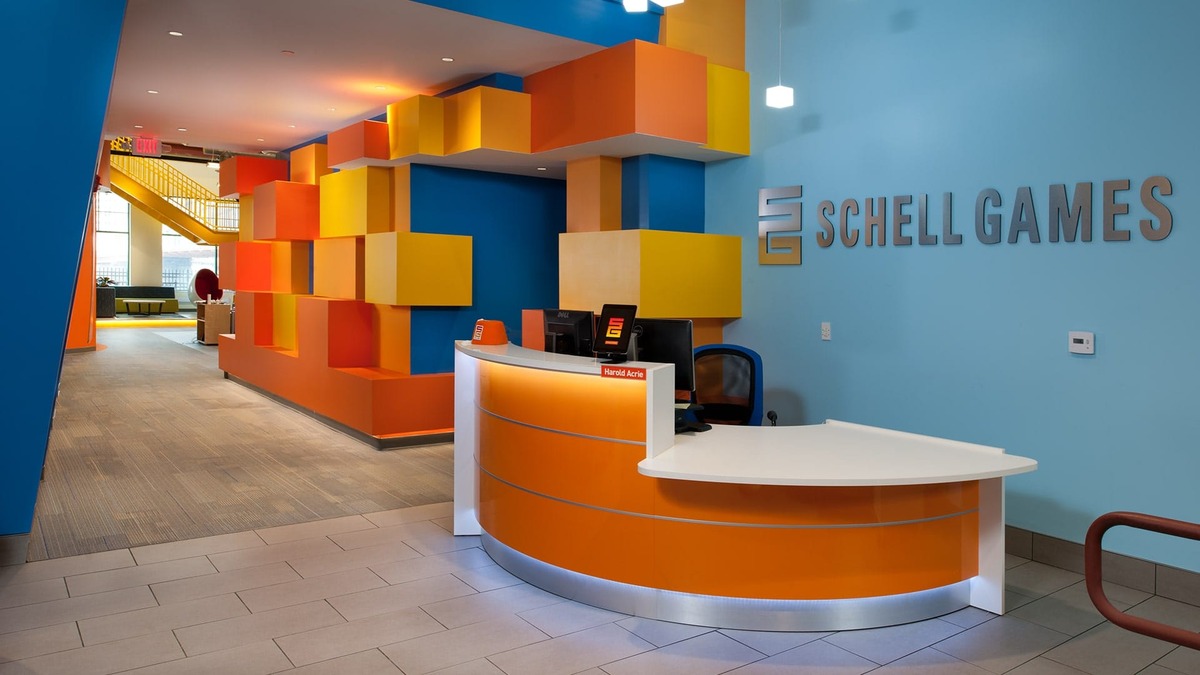
Schell Games has officially confirmed a new round of layoffs. This is the second such event of 2026 for the veteran VR studio. The statement was published on LinkedIn following initial reports on social media about affected employees. This highlights the ongoing instability in the virtual reality sector, where the studio cited the industry "hemorrhaging" as a key factor. The situation mirrors recent trends at other companies, such as Mighty Coconut, which also announced its second round of cuts this year. This points to a systemic challenge for established teams in the space.The broader VR landscape in 2026 has seen significant contraction. Several tenured teams have faced layoffs or permanent closure. Alongside Schell Games, the studios Mighty Coconut, Kluge Interactive, Survios, Camouflaj, and Combat Waffle have also reduced staff. Other companies, such as Sanzaru Games, Twisted Pixel, Armature, Polyarc Games, Vertigo Games Amsterdam, and two internal nDreams studios, have shut down entirely. Despite these challenges, Schell Games continues development work on Dragon Grove, a cozy 3D puzzler announced at Meta Connect. The game is scheduled for a spring 2027 launch on Meta VR Glasses and Quest 3, following previous projects such as the I Expect You To Die series and Among Us 3D.
- Public
- 31 Oct, 2026
NVIDIA Introduces gds-diag: An Open-Source Diagnostic Tool for Configuring and Optimizing GPUDirect Storage
NVIDIA GPUDirect Storage (GDS) accelerates data transfer between GPUs and storage targets, significantly increasing bandwidth while reducing latency and CPU and system memory overhead. While extensive documentation exists for configuring GDS across various architectures, finding the optimal settings for a specific deployment remains a complex task for developers and system administrators. To address this challenge, the GPUDirect Storage team developed gds-diag, an open-source command-line utility that simplifies assessing environments, identifying configuration problems, and suggesting targeted improvements for production systems.Figure 1. High-level diagram of the GPUDirect Storage data path with gds-diagThe gds-diag tool runs on Linux systems with Python 3.8 or newer and is distributed in the NVIDIA Magnum IO GitHub repository with no additional dependencies. Note that while GDS itself requires an NVIDIA datacenter-class GPU and CUDA Toolkit 12.2 or newer, gds-diag does not need these components to run its diagnostic checks. The tool is a single Python script with multiple subcommands, which can be browsed via the --help flag. The subcommands are organized into four categories, so users can choose diagnostic tasks based on their current deployment stage or the specific issues they are investigating, such as environment validation or performance tuning.Figure 2. Table of gds-diag subcommands grouped by categoryThe output of most gds-diag subcommands presents findings grouped into sections, each marked with a status badge indicating the severity or nature of the issue. Every finding includes a detailed explanation and a recommended mitigation plan. Crucially, gds-diag is designed as a diagnostic aid rather than an automated fixer: it does not make changes or modify the system configuration on its own. Instead, it enables users and administrators to make informed decisions about system improvements. A notable exception to the standard output format is the support-matrix command, which displays a table of supported platform combinations, using color coding to distinguish between fully supported, conditionally supported, and unsupported configurations.Figure 3. Screenshot of an example gds-diag output with annotationsFor users preparing new or modified GDS configuration files for production, the config-audit subcommand provides a robust verification mechanism. When executed, it audits the current effective configuration, taking into account both static configuration files and dynamic environment variable modifiers. The tool can identify subtle errors, such as misspelled entries, and confirm validity once corrections are applied. Additionally, gds-diag offers a --static option for reviewing general data and a --live option that incorporates real-time system information, ensuring that diagnostics reflect the actual state of the hardware and software stack.Figure 4. Screenshot of the gds-diag support matrixBeyond the command-line interface, gds-diag includes an optional agent skill that introduces a natural-language interface and orchestration layer for the tool. This skill activates automatically when the repository is opened in coding assistants like Claude or Codex. It interprets user intent, selects the appropriate subcommands, and coordinates multi-step diagnostic workflows. Unlike the deterministic checks of the CLI, the agent skill applies model-guided reasoning to interpret results and propose remediation steps. It can even inspect system scripts, such as container launch configurations, to identify issues and offer to modify them, adhering to local settings and site policies for user confirmation.