Optimizing Player-Built Worlds: SEED's Rendering Strategy in Unity
 Public
- 06 Nov, 2026

SEED is a persistent MMO sandbox from Klang Games, developed using Unity. It is set on a distant planet where players manage autonomous characters called seedlings. The game features a player-driven economy, society building, and continuous world expansion that persists even when players log off. Every new structure, tree, or character added by players increases the rendering load on the Unity client, which must handle this dynamic state across a wide range of hardware, from high-end PCs to mobile phones. The simulation runs on dedicated servers, while the client is responsible for rendering the streamed state and forwarding player interactions such as clicks and camera movements.
The art style of SEED is deliberately stylized and low-poly: most surface data is stored directly in the geometry rather than in textures. This approach reduces shading costs and memory bandwidth usage, which is critical for mobile performance. Buildings are constructed from small brick-like modules on a one-meter grid. Each voxel placed by a player expands into approximately 15 modules, and interiors are generated only when viewed. The largest society on a busy island has 172 buildings, roughly 12,500 voxels, and 190,000 modules. These are rendered using BatchRendererGroup, with jobs running on the C# Job System and compiled with the Burst compiler, which ensures efficiency even with a high object count.

Klang Games uses the Universal Render Pipeline (URP) and adheres closely to Unity's default solutions to ensure compatibility with future updates. The game currently runs on Unity 6.3, and the team upgrades roughly once or twice a year to access new rendering features. Custom effects are implemented via custom renderer features rather than by replacing URP, which keeps core mechanisms such as SRP batching and GPU Resident Drawer intact. Shader Graph with the default Lit shader is used for nature assets, while characters use Unlit shaders with a custom lighting pass. This strategy guarantees that creating custom shader graphs does not break the underlying performance mechanisms, providing a stable foundation for a world where players determine the rendering complexity.

Interaction with the dense, player-built environment requires precise picking methods. When zoomed in, the game uses pixel-perfect picking: objects are drawn into an off-screen render target with unique IDs, which allows the client to identify the exact object under the cursor. On mobile, where touch input is less precise, the system checks surrounding pixels and shows a selection list if multiple objects are detected. When zoomed out, the system switches to physics raycasts, using Unity Physics to bootstrap and query a massive number of colliders for trees, objects, and building bricks. A continuously running job determines whether objects are inside buildings in order to manage rendering layers and lighting, which makes it possible, for example, to disable GameObjects or adjust visibility depending on the player's location within a structure.
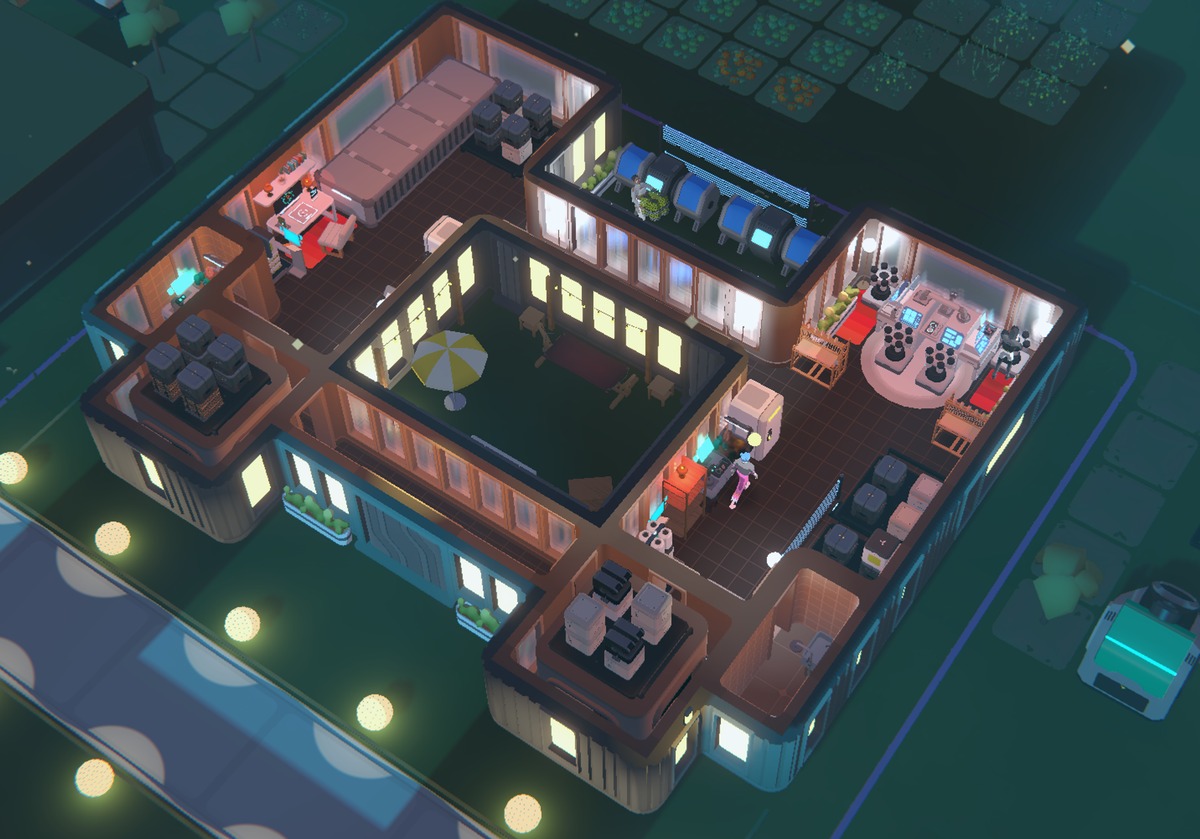
Performance optimization relies heavily on realistic data from live server snapshots, which are restored locally to test large-scale societies. This approach showed that on PC the game is often CPU-bound due to draw call submission, despite using GPU Resident Drawer. The issue was traced to animated LOD cross-fading, which prevented objects from being instanced. By disabling the animation portion and using manual transitions, the team restored instancing, which significantly reduced the CPU load. On mobile, the primary constraint is memory, not CPU. Using the Memory Profiler, the team identified issues such as duplicated textures and oversized C# collections. To address geometry memory usage, they replaced classic LOD Groups with Mesh LOD in Unity 6.2. This feature stores all levels of detail in a single mesh, which reduces memory footprint and simplifies asset management for mobile platforms.