Blog

 Public
- 17 Oct, 2026
Apple Updates App Review Guidelines to Combat Nonconsensual Imagery and Deception
Apple has issued substantial updates to its App Review Guidelines to reinforce the safety and trust of the App Store ecosystem. These changes address the growing concern of nonconsensual intimate imagery, including content generated by artificial intelligence tools. The updated guidelines explicitly prohibit apps from hosting or generating sexually explicit images of real individuals without their consent. This category includes so-called nudification apps. Developers are now required to implement proactive measures to prevent and remove such objectionable material from their platforms, ensuring that user-generated content is filtered effectively. Failure to adhere to these new standards, or to remedy violations after receiving notice, places developers in violation of the Developer Code of Conduct and exposes them to the risk of complete removal from the App Store.A critical focus of the new rules is the elimination of bait-and-switch tactics, where apps misrepresent their purpose during the review process to gain approval and then reveal harmful capabilities later. Section 2.5.19 of the guidelines clarifies the longstanding prohibition against adding features or functionality that were not included in the version submitted for review. Apps found engaging in this deceptive conduct face immediate removal from the App Store, and their developers are terminated from the Apple Developer Program. This measure targets malicious actors who exploit the review process to conceal harmful features, such as nudity generation tools, until after the app has been approved and is live for users.Section 5 of the guidelines has also been strengthened to address apps that facilitate human trafficking or the exploitation of children, including those distributing child sexual abuse material. The update makes it clear that any app containing such content will not only be removed from the App Store but will also be blocked from alternative distribution channels. This comprehensive approach ensures that dangerous content is eliminated across all potential distribution vectors. Apple emphasizes that these updates are part of an ongoing effort to evolve its standards as new risks and novel user experiences emerge, maintaining a safe environment for both users and legitimate developers who innovate responsibly.To enforce these stricter standards, Apple has highlighted the scale of its enforcement actions over the past year. The company reports preventing over 150,000 apps with safety issues from reaching customers and terminating more than 193,000 developer accounts for engaging in fraud and abuse. These figures underscore the prevalence of coordinated fraud operations designed to conceal harmful content until after approval. Apple states that it continues to evolve its tools and resources to detect and prevent such behavior more rapidly. The commitment to removing bad actors is absolute, with no hesitation in removing apps and terminating the developers behind them when these critical safety guidelines are violated.

- Public
- 17 Oct, 2026
OpenXR SDK 1.1.65 Released with Spatial Containers Demo
OpenXR SDK version 1.1.65 has been released. The Hello XR sample app now includes an alternate mode that demonstrates the XR_EXT_spatial_containers extension. This will help developers understand how to integrate this feature into their projects. The update serves as a practical example for testing and implementing spatial containers in the OpenXR ecosystem.The release also addresses technical issues to improve stability. It includes a loader robustness fix, which helps prevent crashes during initialization. There are also fixes for API layers, along with correctness and compatibility improvements. The registry has been updated to support new extensions, allowing the supplied layers to generate code that handles the new features. This ensures better support for upcoming standards and compatibility across different hardware and software configurations.
- Public
- 16 Oct, 2026
Soft Crunch Games: Designing Foxy Dumplings for Consistency Across All Platforms
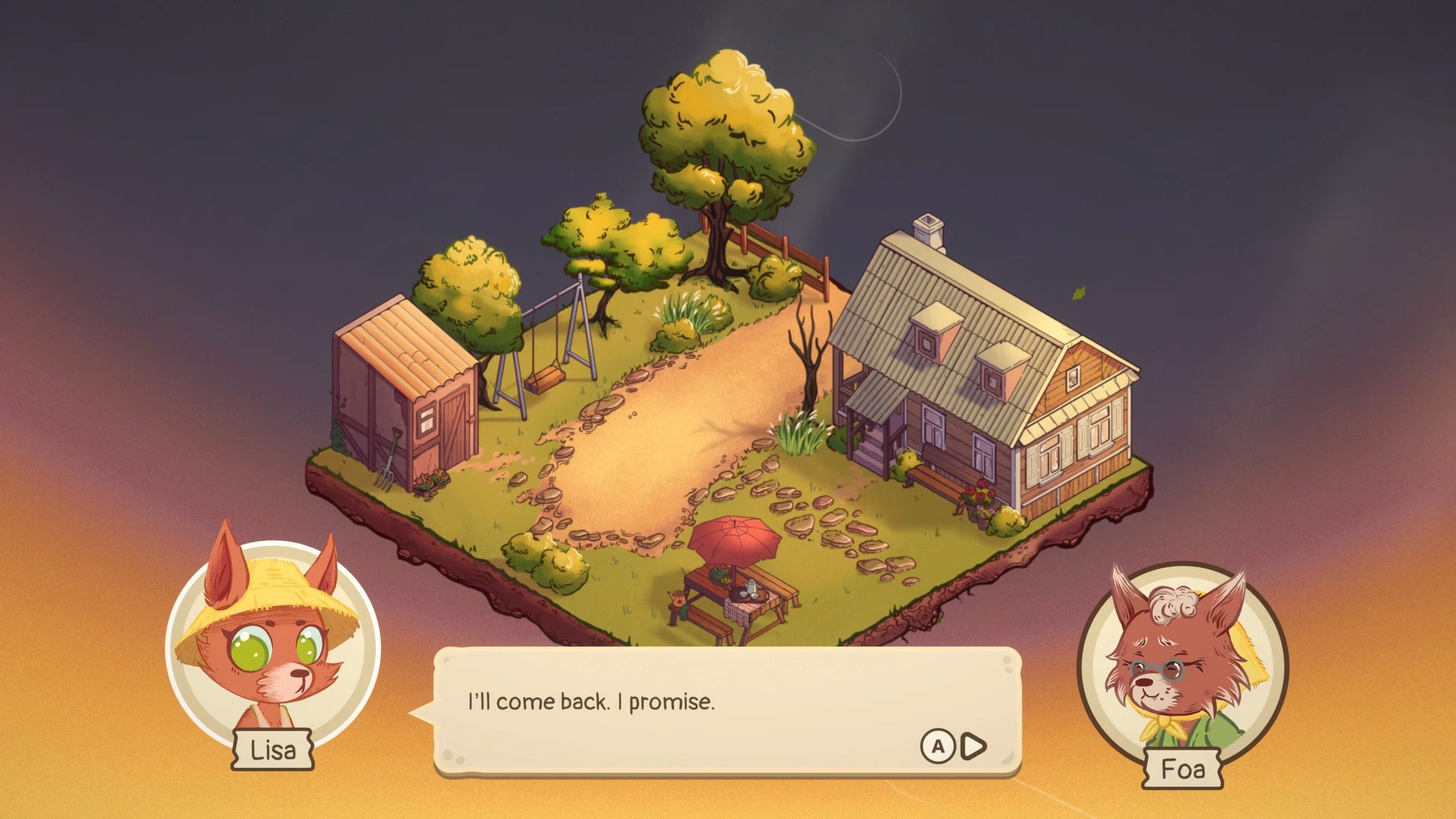
Soft Crunch Games, a four-person studio, faced the significant challenge of releasing Foxy Dumplings simultaneously on Windows, macOS, Linux, Nintendo Switch 2, PlayStation 4 and 5, Xbox Series X|S, iOS, and Android. To manage this complexity, the team established a core architectural rule: every platform receives the exact same game from the same commit. This approach eliminated separate branches, delayed mobile editions, and content-restricted versions. The sole programmer, Grzegorz Wątroba, designed the system so that no compromises were made on feature parity. This ensures that players on any device experience the full scope of the cozy cooking and management simulation without waiting for platform-specific updates or dealing with incomplete content sets.The technical foundation relies on a single Unity project and branch, where gameplay logic is strictly separated from platform-specific code. Platform interactions are confined to the edges of the system, handling tasks such as saving, user accounts, achievements, cloud synchronization, and system dialogs. A facade pattern provides a single entry point for gameplay, with a factory selecting the correct platform provider at startup. For instance, when the game requests an achievement unlock, it does not know whether the call is routed to Steam, PlayStation Network, or ignored entirely. This abstraction allows the core game to remain agnostic of the underlying hardware, ensuring that adding a new platform does not require rewriting the central gameplay mechanics or logic flows.Input handling is designed to be fully independent for each control scheme, allowing players to complete the game using only a controller, touchscreen, or mouse without requiring a keyboard. The team utilized the Unity Input System with one set of actions and three distinct control schemes: gamepad, keyboard and mouse, and touch. The game switches schemes live based on the last used input, and the user interface adapts automatically. A single button-prompt Prefab is used in nearly 200 places, dynamically displaying the correct icon for the active input method. This capability-based design, rather than device-based detection, proved crucial for compatibility with devices like the Steam Deck, where a touchscreen might emulate a mouse, and for older Android hardware with varying input capabilities.Performance optimization was critical for a 2D game using Spine characters and unlit materials, particularly on lower-end hardware. The team identified that rendering effects into 4K render textures was unnecessary for 1080p or 720p displays. By adjusting render textures to match the actual screen resolution and disabling unused HDR and depth textures, they significantly reduced pixel fill rates on devices like the Steam Deck, dropping render texture memory from 32 MB to 4 MB. Additionally, memory spikes caused by localization were addressed by regenerating fallback font atlases from 4096x4096 to 2048x2048 pages, reducing memory usage for languages like Japanese from 48 MB to 4-8 MB per font. These optimizations ensured smooth performance across the wide range of supported devices.Cross-platform progression is managed through a portable save system where progress is stored as a single encrypted binary file with an identical format on all platforms. This allows a save written on mobile to be read directly on PC without conversion. Synchronization operates on two layers: the platform's native cloud save and Unity Cloud Save, which handles cross-ecosystem progress. Merge logic compares save slots by timestamp, with deleted slots marked to prevent resurrection from the cloud. Unity Authentication code linking connects console and PC accounts, making cross-progression opt-in while keeping the game fully playable offline. The team emphasized that while storage is straightforward, identity management is complex, requiring separate trust mechanisms for Steam tickets, PlayStation tokens, and Xbox tokens.The development workflow was heavily automated to manage the workload of a small team. A central build menu with over 70 entries handles all configurations, including build types, demos, and output settings, eliminating manual Project Settings adjustments. Compile checks are run across roughly 40 platform and store configurations to catch errors before QA. Scope management involved rejecting features that would multiply platform work, such as text input fields, online multiplayer, and in-game purchases. The team also utilized Unity 6.3 LTS, which offered improved stability, Vulkan fixes for older Android devices, and 10-15% faster IL2CPP build times. This structured approach allowed the team to maintain high quality and consistency across all platforms, with external QA focusing on platform-specific layers like certification and suspend/resume behavior.

- Public
- 16 Oct, 2026
XREAL 1 Pro+ for $599: Brighter Displays and 3D Conversion at 60fps
XREAL has officially launched the XREAL 1 Pro+, a hardware refresh of its One Pro flagship AR glasses, available immediately for $599. The main changes focus on the displays: peak brightness has increased from 700 to 1,200 nits, and AI HDR technology improves image quality. The device retains the core specifications of the original: the X1 chip, 3DOF tracking, a 57-degree field of view, and 1,920x1,080 per-eye resolution on Sony micro-OLED panels. Despite marketing images showing the glasses without cables, the 1 Pro+ remains a tethered device, requiring a USB-C connection with DP Alt Mode support to laptops, phones, or consoles.XREAL 1 Pro+ | Courtesy of XREALBeyond the display upgrades, the 1 Pro+ introduces a newly designed ergonomic nose pad system intended to improve stability and comfort while helping users maintain a consistent field of view. A key functional improvement is the increased frame rate for automatic 2D-to-3D content conversion, which now runs at 60fps instead of 30fps, making the converted 3D visuals smoother. The physical body of the device appears largely unchanged from the older One Pro model, with the focus on internal optimizations and comfort adjustments. The XREAL 1 Pro+ is available for purchase right now directly from XREAL.com, with availability expanding to global retail stores in the near future.XREAL 1 Pro+ | Courtesy of XREAL

- Public
- 16 Oct, 2026
Immersive Magic Show: You Are Here at the Magic Castle on Apple Vision Pro
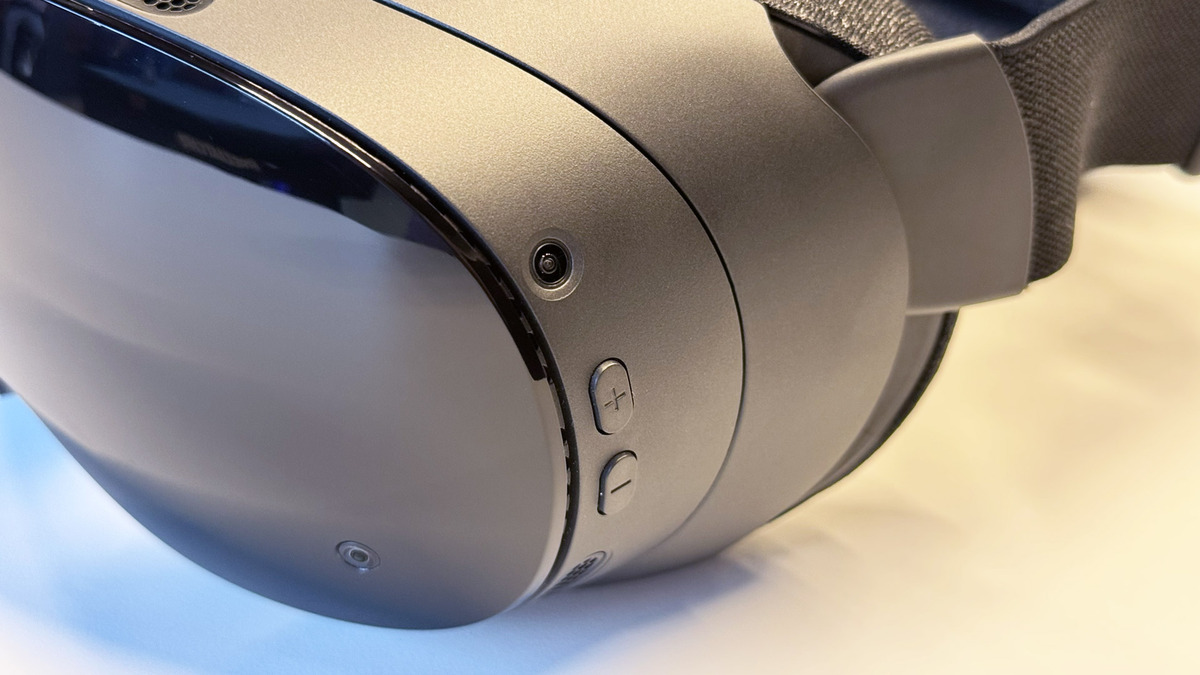
The Magic Castle, a private club and home to the Academy of Magical Arts, sits on a hill overlooking old Hollywood. It hosts members and invited guests for some of the best magic in the world, yet access is notoriously difficult for non-magicians. You Are Here: At the Magic Castle with Siegfried Tieber offers a solution by allowing users to experience live-captured magic within the castle's rooms using an Apple Vision Pro headset. This application provides a unique window into an exclusive venue that is otherwise inaccessible to the general public, bridging the gap between high-end performance and consumer immersive technology.Quality magic relies on the audience's feeling that the impossible has occurred, rather than just a series of tricks. The live-captured immersive format allows viewers to witness unedited performances and re-experience specific moments. Users can observe the reactions of nearby audience members and the magician, Siegfried Tieber, enhancing the sense of presence. The production utilizes minimal camera setups, with at most two cameras in the Close-Up room and simpler captures elsewhere. This approach prevents distraction and allows for pausing, rewinding, and rewatching uninterrupted shots without revealing the methods behind the illusions.The experience invites users into the Close-Up Gallery, often considered the toughest room to enter, and the Library Bar. Viewers are positioned just a few feet from the magic, sometimes right next to Tieber. The natural camera placements create a strong sense of presence, with the magician occasionally glancing at the viewer as part of the performance. This proximity allows users to see the transition in audience members from disbelief to shock and awe. The live capture is crucial because it prevents the magic from being dismissed as programmed digital effects, a common issue in fully virtual environments where mentalism is typically preferred.A still from You Are Here: At the Magic Castle with Siegfried TieberBeyond the performances, the narrative incorporates the history of magic and The Magic Castle, as well as insights into the life of a magician. This immersive access to significant magic destinations, such as The Magic Castle, offers a planned story while allowing users to look around and take in details of interest. The experience consists of two parts, totaling about 40 minutes. While the narrative connection between the parts is not direct, watching both is recommended to fully appreciate the range of magic performed. Some elements, such as shots taken outside the castle, feel slightly disjointed compared to those filmed inside the venue.
- Public
- 15 Oct, 2026
OLED prototype "Plano" found in Steam Frame kernel source code
Valve's Steam Frame has barely launched, yet data mining has already uncovered evidence of a significant hardware evolution. A codenamed "Plano" entry appeared in Valve's publicly released Steam Frame kernel source code, describing a "Deckard" device equipped with OLED panels. This suggests that an OLED version is already in development, mirroring the trajectory of the Steam Deck, which transitioned from LCD to OLED after its initial release. The presence of this code indicates that Valve is actively exploring display upgrades for its latest VR headset.Photo by Road to VRThe technical specifications for "Plano" look ambitious. The code lists a per-eye resolution of 3,552 × 3,840 pixels with a refresh rate of up to 90Hz, along with an experimental 120Hz mode. This contrasts sharply with the current Steam Frame, which uses 2,160 × 2,160 per-eye LCD panels with a 72-120Hz refresh rate. However, reports indicate that Plano's default operating resolution may be halved to 1,776 × 1,920. This adjustment would allow the device to maintain performance on par with the standard model, since the code confirms that Plano uses the same Snapdragon 8 Gen 3 chipset as the current headset.Courtesy Steam Frame HubDevelopment activity in the repository continued through October 2, 2026, weeks after Steam Frame pre-orders opened on September 14. This timeline suggests the project remained active after launch, though it does not confirm whether Plano is a distinct product or merely an experimental configuration. Valve may be following the Steam Deck playbook, but other explanations exist. The OLED configuration could have been tested and abandoned, or it may be internal testing that will never become a product. The appearance of the "Deckard" codename in 2021 for the original device suggests that "Valve Time" often delays such transitions, making a rapid release unlikely.Current market conditions complicate any immediate refresh. Steam Frame backorders already stretch into 2027, indicating high demand that Valve must satisfy before introducing new hardware. For an OLED refresh to follow the Deck model, the company would need to ramp up production, clear existing reservations, and build strong consumer appetite for the current model. Since the device is still relatively new and few units are in the wild, its long-term popularity remains unclear. Until production catches up with demand, the release of a new Steam Frame variant is likely to remain speculation.
- Public
- 15 Oct, 2026
Java and Kotlin by IntelliJ IDEA extension for VS Code and Cursor reaches stable version 1.0
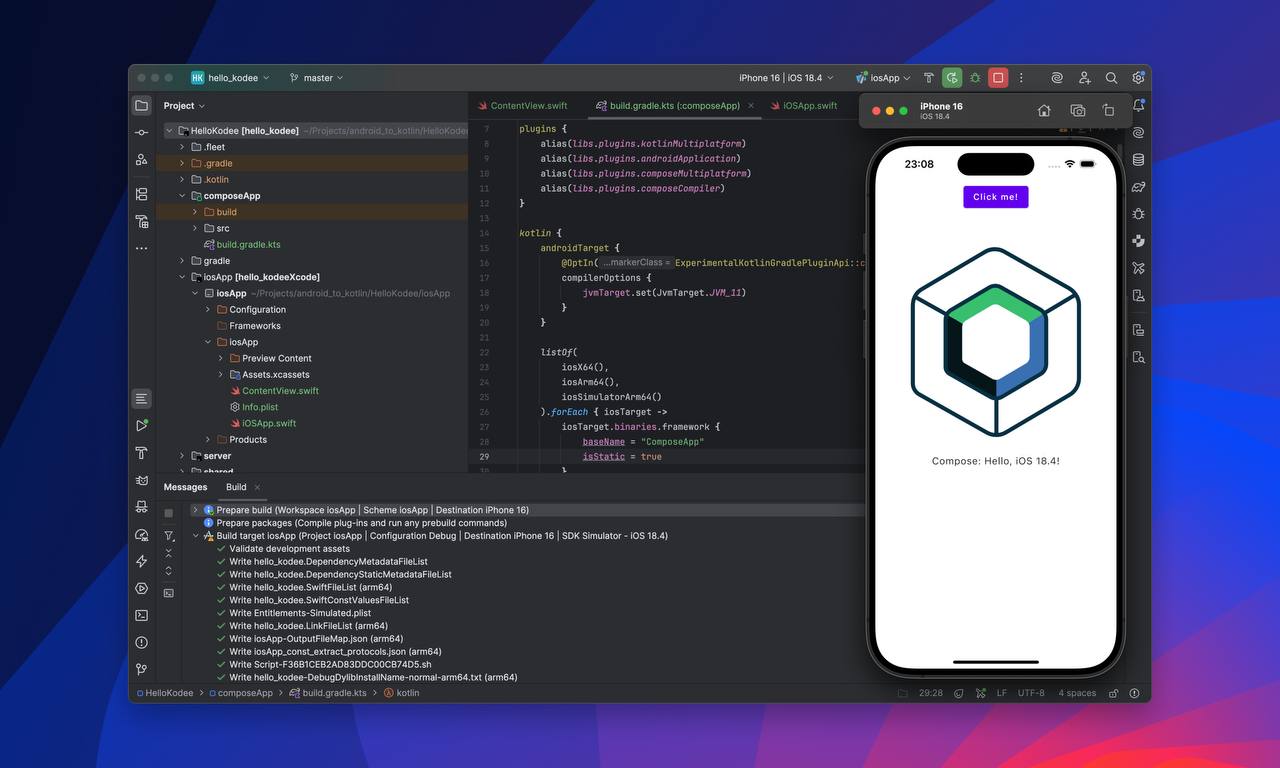
JetBrains has officially released version 1.0 of Java and Kotlin by IntelliJ IDEA, marking the transition from a free preview to a stable product. This LSP-powered extension brings the core language intelligence of the IntelliJ IDEA desktop IDE directly into Visual Studio Code and Cursor. The release is the result of close collaboration with the Cursor team, who worked alongside JetBrains to ensure that Java and Kotlin developers get a seamless, first-class environment within Cursor. By leveraging the Language Server Protocol, the extension allows the same underlying technology used in the main IDE to power language features in other editors, ensuring consistency and reliability for professional development workflows.The extension is designed to support the shifting landscape of agentic development, where developers spend less time on manual code editing and more time orchestrating AI agents. When manual editing is required, the extension provides a focused set of essential features, including navigating to declarations, finding references, code completion, and refactoring operations like renames. These capabilities are implemented via the Language Server, which can be called directly by agents. This direct integration allows agents to produce faster and more deterministic results while consuming fewer tokens, a significant advantage in automated coding scenarios. The underlying Debug Adapter also ensures that debugging capabilities remain robust and aligned with the IntelliJ IDEA experience.For users working in Cursor, the extension offers dedicated support for the Agents Window. This feature allows the window to utilize its own instance of the Language Server to provide advanced analysis capabilities based on IntelliJ IDEA's inspections. This includes specific support for nullability annotations using JSpecify and detailed understanding of Spring Framework specifics. Upon opening a project, the extension automatically analyzes its structure and imports the project based on detected Maven, Gradle, or Bazel build files. This automatic setup enables immediate access to Java and Kotlin language features without requiring complex manual configuration, streamlining the onboarding process for new projects in external editors.To avoid conflicts and duplicated behavior, developers are advised to disable other Java extensions, such as those from Red Hat or Oracle, when using this extension. However, it is designed to work harmoniously with other tools, including Spring Tools from the Spring Team. With the move to version 1.0, the extension exits its free preview phase. Usage now requires an IntelliJ IDEA Ultimate subscription, although a 30-day trial period is available to test the full feature set at no cost. The license covers the extension across all supported environments, including the IntelliJ IDEA desktop IDE and VS Code-based editors, providing a unified licensing model for developers who work across multiple platforms.Looking ahead, the 1.0 release is considered a milestone rather than the final destination. In upcoming releases, agents orchestrated in the Agents view of Cursor or VS Code will be able to call the LSP directly when writing code, potentially leading to even faster and more cost-effective results. In parallel, JetBrains is experimenting with applying this LSP and DAP-backed intelligence to fully agentic, terminal-based workflows, such as those used by Claude Code or Codex. While the current license is designed for human use, updates regarding licensing models for purely agentic use are expected soon, reflecting the growing importance of AI-driven development in the software engineering ecosystem.
- Public
- 15 Oct, 2026
Cinema 4D 2027.0: Advanced Scattering System, Liquid FX, and Nodes for AI
Maxon has officially released Cinema 4D 2027.0, the latest version of its professional 3D software suite for motion graphics, visual effects, and visualization. The update marks a significant step forward for layout artists and architectural visualization professionals by introducing a dedicated scattering system. Maxon describes this feature as one of the most requested among its users. It allows efficient population of complex environments with assets such as vegetation, rocks, debris, and even crowds. The system is built directly into the MoGraph toolset, providing a faster and more intuitive alternative to previous methods that relied on the Cloner object and Fields.The new scattering system comprises two primary components: the Scatter Generator and the Scatter Tag. The Scatter Generator lets users distribute objects across surfaces, along splines, or according to UV layouts. Artists can fine-tune the distribution using texture maps for scatter and density, while Filters and Proximity settings allow precise restriction of objects to specific areas of the scene. Additional controls handle clustering and introduce random variations in position, scale, and color. The Scatter Tag complements this by allowing per-object overrides of scattering settings, offering granular control. This dedicated approach significantly simplifies the workflow compared to the manual setups required in earlier versions.Liquid simulation capabilities have also been substantially enhanced with the addition of dedicated Liquid FX features. While liquid simulation was introduced in version 2025.3, it had limitations when working with large-scale scenes. The new update addresses these issues by adding tools for generating spray, foam, and bubbles. The Liquid FX Emitter analyzes existing simulation particles and emits new ones at fast-moving curved areas, creating realistic foam at wave crests and bubbles where air is trapped. The Liquid FX Modifier works throughout the liquid volume, directly converting existing particles into Liquid FX particles. This is particularly useful for effects such as rising bubbles in a glass.The Scene Nodes system receives critical updates that bridge 3D creation with artificial intelligence. New Scene Nodes Field and Effector objects allow users to build custom fields and MoGraph setups from node graphs. Maxon highlights that the Field object is more efficient than the Python Field and more powerful than the Formula Field. Crucially, both new node types are compatible with the MCP Server introduced in Cinema 4D 2026.4. This compatibility enables control of these nodes by third-party AI tools such as Claude Desktop or ChatGPT Desktop, opening new possibilities for automated and AI-assisted animation workflows.Workflow and pipeline integrations are further improved with support for importing a wider range of CAD data formats, including 3MF, 3DXML, IFC, and files from Autodesk Inventor, Siemens NX, Solid Edge, and PTC Creo. Motion designers can now paste cameras, lights, primitives, planes, text, and nulls directly into Autograph, Maxon's free motion graphics application. The software ships with Redshift 2027.0, which includes a new Fur procedural, updates to Redshift Live, and ACES 2 support. Cinema 4D 2027.0 requires Windows 11 or macOS 15.0+ and is available for rent at $109 per month or $839 per year.
- Public
- 15 Oct, 2026
Valve confirms a Steam Frame headstrap with hot-swappable batteries and BMR audio
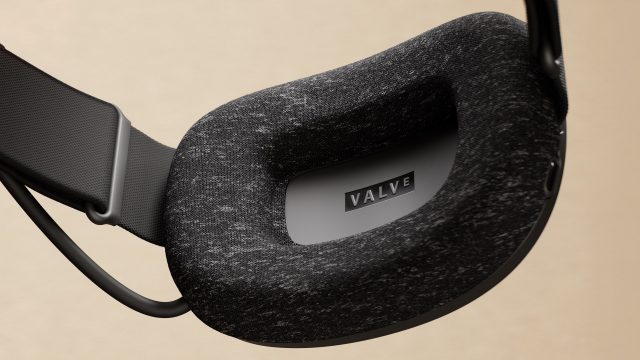
Valve has confirmed a new headstrap for the Steam Frame. The accessory is meant to address the headset's battery life and audio quality limitations. It will feature hot-swappable batteries, letting users play longer without waiting for a full charge. The strap will also include Balanced Mode Radiator drivers, as in the Valve Index. Since its release in 2019, the Index has set the standard for VR audio, and the new strap should bring that level of sound to the Steam Frame.The standard Steam Frame headstrap | Courtesy ValveThe current Steam Frame offers roughly one to one and a half hours of mixed use battery life. Many users find that too short for extended sessions. The built-in audio is generally well received, but it lacks deep bass. The new headstrap is likely to use the existing mechanism that detaches the display from the facial interface. The "swap-in" design promises simple installation, though Valve has not yet shared details on the installation process or compatibility requirements.Valve Index | Courtesy ValveFor now, users rely on workarounds for better audio, since the Steam Frame has no 3.5mm headphone jack. Alternatives include a USB-C adapter with a DAC or Bluetooth headphones. Valve has not announced a release date or price for the new headstrap. Given that Steam Frame backorders have stretched into 2027, the timeline for this accessory remains unclear. Developers and enthusiasts should follow official channels for updates on availability and technical specifications.

- Public
- 15 Oct, 2026
Foundry Releases Mari 8.0: More Than 50 New Nodes and an Updated VFX Reference Platform Specification
Foundry has released Mari 8.0, the latest version of its professional 3D texture painting software. A public beta was available starting in July 2026, and the final release focuses heavily on expanding the Node Graph, the node-based environment for authoring materials. The update includes more than 50 new nodes designed to streamline complex workflows. Most of them are dedicated to mathematical operations, but the release also includes specialized nodes for A/B comparisons, advanced color grading, and hex tiling textures. These enhancements give artists greater precision and flexibility when creating high-fidelity surface details for production assets.A standout feature of this version is the new Tri-Planar Tiled node, which addresses common problems with UV distortion and seam placement. Unlike the existing Triplanar Projection node, which requires up to three separate images, Tri-Planar Tiled projects a single 2D texture onto a 3D model along the X, Y, and Z axes. This is particularly useful for models with serious UV issues or those with no UVs at all. The node offers extensive blending controls, including a Smart blend mode to preserve high-frequency details, noise-driven blending options, and customizable falloff ranges and curves. In addition, the new Hex Tile node minimizes visible texture repetition by tiling and blending textures in a hexagonal grid rather than a standard rectangular one. This hex tiling capability is now also supported in other key VFX tools, such as Houdini, Redshift, and RenderMan.Further improvements to the Node Graph include a Compare node for A/B wipe comparisons between different node streams, allowing for easier iteration on material looks. The Color Remap node centralizes color grading adjustments, providing a single location for hue, saturation, exposure, and gamma changes. New Transform nodes offer mathematical and spatial control for procedural materials, including a Coordinate Transform node for driving inputs and a UV Radial Transform node for manipulating UV coordinates. The release also adds 49 new math nodes covering basic arithmetic, trigonometry, conditional logic, and advanced randomization. Mask generation has been significantly enhanced: it is now possible to create color ID masks from active canvas selections or Selection Groups. New Color Mask and Multi Color Mask nodes allow isolating a single color or stacking multiple target colors from surface colors, and a mask port can now be added to any node in the graph.Workflow improvements in Mari 8.0 include trackball rotation-style navigation for the virtual camera, offering an alternative to the standard Orbit tool. Archived projects are now clearly identified in the library with visual indicators on thumbnails, and the Shelf search box supports logical operands for more precise term inclusion or exclusion. The software has also moved to the CY2025 specification for the VFX Reference Platform, a step forward from the previous stable release, which was five versions behind. Additionally, Mari 8.0 now includes read-only support for cameras in USD files. The software is compatible with Windows 11 and Rocky Linux/RHEL 9. Mari remains available on a rental-only basis, with individual subscriptions priced at $86 per month or $689 per year. Team subscriptions cost $1,289 per year, a $60 increase since the release of Mari 7.5.

- Public
- 15 Oct, 2026
ZBrush 2027.0: New UV Editor Based on Cinema 4D and Selection Sets for Desktop and iPad
Maxon has released ZBrush 2027.0, the latest version of its digital sculpting software. It remains a standard tool for concept art, creature design, game development, and visual effects. This update significantly improves the workflow in the desktop edition, primarily by expanding the ability to manage UVs and selections directly within the sculpting environment. The goal of the release is to streamline the creative process by reducing the need to switch between different content creation applications. This allows artists to iterate on their sculpts more efficiently while maintaining control over the technical aspects of their assets.The centerpiece of the desktop update is the new UV Editor, which uses the same underlying technology as the recently revamped editor in Cinema 4D. This integration enables artists to perform more tasks inside ZBrush, minimizing the back-and-forth with other DCC applications. The editor offers three options for automatic UV unwrapping, including a feature unique to ZBrush, "Unwrap by Polygroup". Beyond unwrapping, it provides tools for manual UV layout editing, adjusting UV packing, and controlling texel density. It also supports UDIM-based workflows, which are crucial in VFX pipelines, as well as trim sheet workflows that are particularly useful for game artists.Another major addition is support for Selection Sets. This feature allows users to store and toggle between different states of an asset. In ZBrush, this goes beyond simple vertex or face selections: it stores alternate versions of SubTool Polygroups, masks, Polypaint states, UVs, and morph targets. This is highly beneficial for tasks such as switching between Polygroup layouts for UV work versus posing a character, or toggling between different color schemes during client reviews. Additionally, the update includes minor improvements to existing features, such as a new Delete option for clearing stored images in the Spotlight projection texturing system and the ability to bake the current 3D Layer.ZBrush for iPad 2027.0 also receives updates, bringing it closer to feature parity with the desktop version. The iPad edition now supports Spotlight for projection painting and 3D Layers, which allow for the organization of sculpts and non-linear editing. Regarding system requirements, the desktop version of ZBrush 2027.0 is compatible with Windows 11 and macOS 15.0 or later. The software is available on a rental-only basis: $49 per month or $399 per year, which includes access to ZBrush for iPad. The iPad version requires iPadOS 17 or later and runs on devices with A12 Bionic processors or newer. The base app is free, but a paid subscription of $9.99 per month or $89.99 per year is required for the full feature set.