Blog
 Public
- 20 Oct, 2026
The Remote Compose alpha library lets you create interactive gaming widgets on Android
Android developers can now create highly interactive gaming widgets using a new alpha library called Remote Compose. While Jetpack Glance remains the standard for most widget implementations due to its backward compatibility and tooling, it relies on the legacy RemoteViews system. This legacy system has significant limitations: the inability to use mathematical expressions for continuous animations and strict system controls over update size and frequency. Remote Compose addresses these gaps by providing a flexible framework for creating animations and complex interactions that were previously impossible or required unsupported hacks within the RemoteViews ecosystem.The architecture of Remote Compose separates UI definition from execution. Your application runs declarative code annotated with @RemoteComposable to serialize layouts and animation expressions into a compact binary format known as a Remote Document. This document is sent to the host process, such as the home screen launcher. Within the host, a Remote Compose player handles all interactions, resizing, state changes, and animations locally. This design is analogous to a web browser rendering an HTML document. Because the player manages updates independently within its own process, the main application does not need to remain awake. This mechanism drastically reduces Inter-Process Communication (IPC) round-trips, leading to lower latency and reduced battery consumption compared to traditional RemoteViews widgets where the app must push UI updates.To implement this technology, developers must add specific dependencies to their project, including remote-core, remote-creation, and remote-creation-compose from the androidx.compose.remote group, currently at version 1.0.0-alpha21. The widget class must inherit from RemoteComposeWidget, which extends AppWidgetProvider. Developers define the UI using Remote Composables such as RemoteBox, RemoteColumn, RemoteRow, and RemoteText. The onUpdate method compiles the layout into a serialized Remote Document and sends it to the launcher via updateRemoteView. Although Remote Compose reuses the RemoteViews payload as a transport mechanism, developers do not interact with this transport layer directly. The system registers the widget through the standard AndroidManifest.xml receiver configuration with the APPWIDGET_UPDATE intent filter.State management in Remote Compose offers two distinct approaches: host-local state and app-side persistence. Host-local state resides within the Remote Document on the host device, making it suitable for ephemeral session data like a game score that can reset when a new document is emitted or the launcher restarts. App-side persistence is required for state that must survive across document updates and launcher restarts, such as user inventory or progress. Since Android does not notify the app when the launcher restarts in the background and instead replays the last cached document, critical data must be stored in the app's storage. For example, a virtual pet widget might share coin currency with the app store, while a side-scroller game keeps its score entirely within the Remote Document.The core power of Remote Compose lies in expression graphs with dynamic references. These graphs are mathematical formulas represented as connected nodes, where some nodes contain variables called dynamic references. The host player directly updates these references, allowing the widget UI to update on every device frame without waking the app process. Developers create these graphs indirectly through code. For instance, a tap counter can be implemented using MutableRemoteInt and valueChange functions. When a user taps the widget, the host updates the dynamic reference locally. This mechanism ensures that even complex, frame-by-frame animations run efficiently on the host device, keeping the application process suspended and conserving system resources.
- Public
- 20 Oct, 2026
Steam Next Fest: 42 PC VR Demos Available Until October 26
Steam Next Fest is officially live and runs until October 26. A substantial library of PC VR demos is available for immediate download. The catalog includes 42 distinct virtual reality titles, giving developers and players a broad selection of upcoming games. This is a critical period for testing gameplay mechanics and gauging community interest before full releases.Courtesy ValveAmong the available titles, several stand out for their specific genres and mechanics. PAYDAY: Aces High by Fast Travel Games offers a co-op heist experience, while Outlanders VR from Mucho Games presents a town-builder strategy challenge. Additionally, DRIFTERS: Blackout Crew by Salmi Games provides a co-op extraction gameplay loop. These diverse options allow users to explore different VR interactions and narrative structures within the festival period.Participants can access direct links for each game, which include their respective release dates, facilitating better planning for upcoming launches. The full list of Steam Next Fest demos is accessible through the platform, ensuring transparency regarding availability. This structured approach helps developers track engagement and players manage their time efficiently across the 42 available demos.
- Public
- 20 Oct, 2026
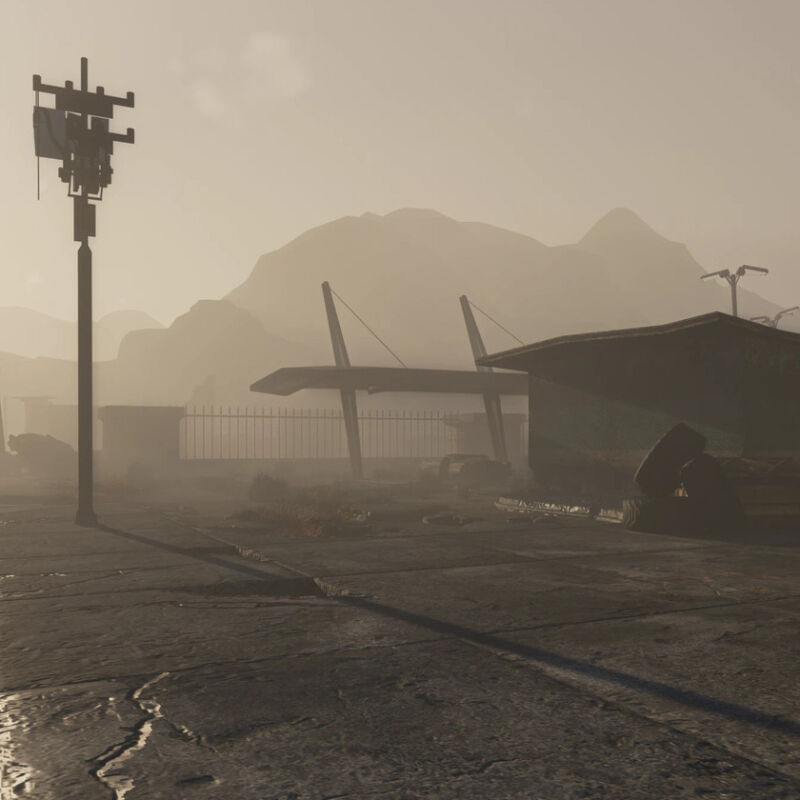
The New Vegas RTX mod brings full path tracing to Fallout: New Vegas
New Vegas RTX is a mod for Fallout: New Vegas created by Kim2091. It introduces full path tracing built on the NVIDIA RTX Remix platform. The project features a new renderer with custom volumetric clouds and physically based rendering, including parallax effects. A key feature is the conversion of every engine light into a real light source. This includes dynamic lights such as muzzle flashes, torches carried by NPCs, and the Pip-Boy light in both first and third-person views. The improved lighting system adds soft shadows and accurate reflections that show what is actually present in the environment, even behind the player.The mod completely revamps the weather system and environment visuals with a physically based sky. The sky includes atmosphere, volumetric clouds, stars, and the moon, all of which follow the in-game time. The system syncs with the game's native weather changes and blends seamlessly with them. Importantly, the system recognizes weather added by other mods by type, so third-party weather mods continue to work correctly within the new visual framework. This integration provides a cohesive atmospheric experience without breaking existing mod setups.Visual upgrades extend to the Pip-Boy interface. The game world remains live and interactive behind the Pip-Boy, as well as behind the barter, container, and repair menus, rather than freezing into a static sepia-toned image. Screen readability has been improved for bright sunlight conditions, using a simulated CRT glass effect to maintain clarity. These changes make the UI feel like part of the environment rather than a separate overlay, enhancing immersion during gameplay.The mod is currently a work in progress, with performance and features expected to improve as bugs are fixed. The developer notes that the DLCs have not yet been tested, and weather presets are not fully configured for the DLC worldspaces. Despite these limitations, the mod remains compatible with other mods, making it a significant addition for players who want to enhance the visual quality of Fallout: New Vegas using modern GPU capabilities.
- Public
- 20 Oct, 2026
Plasticity 2026.2 Released: New Assets System and Curvature Analysis Tools
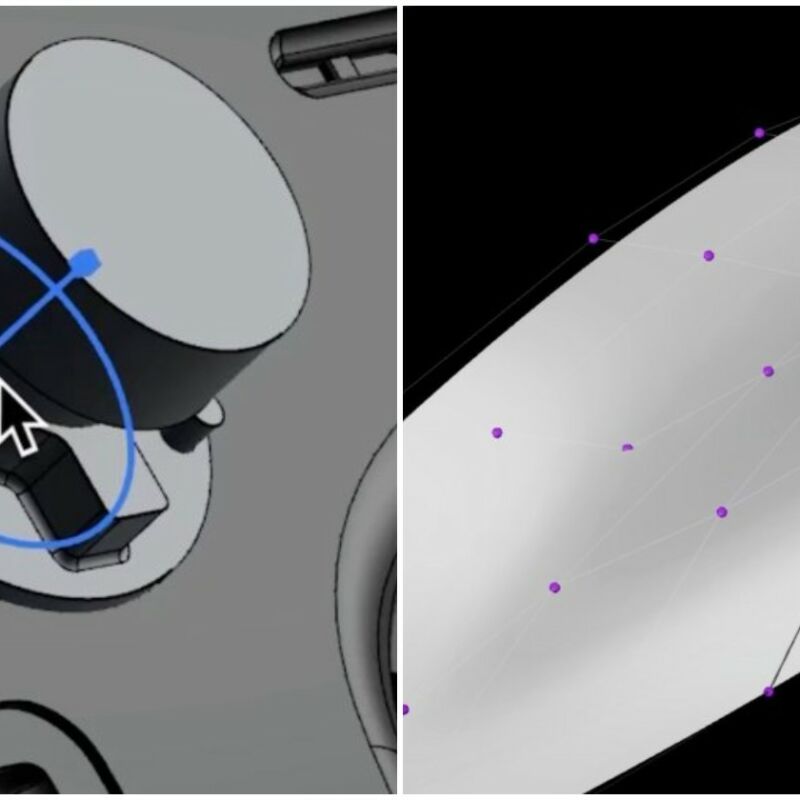
Plastic Software, developed by Nick Kallen, has released version 2026.2 of Plasticity, a streamlined NURBS modeling application often described as CAD for artists. The update introduces a significant new Assets system that allows users to group model components into shareable, reusable libraries. Artists can now drag these assets directly into the viewport from a dedicated tab in the Outliner. This streamlines repetitive tasks, such as adding bolts to mechanical models. The feature is particularly useful for teams: asset libraries can be shared with other collaborators on the same project, ensuring consistency and speeding up the production workflow.Another key addition is the Curvature Analysis shader, designed specifically for troubleshooting surface geometry issues. The tool offers three modes to help users identify problems: Gaussian mode highlights sudden changes in curvature, Mean mode confirms overall surface smoothness, and Max mode spots potential problem areas that could arise when thickening or offsetting surfaces. Additionally, a new Project Align command has been introduced to assist with modeling. It aligns control vertices along the edge of a target surface to a reference surface, allowing users to follow either a specific vector or the surface normal for precise positioning.For users of the Studio edition, the release includes a new surfacing constraints system. This feature controls how connected surfaces change during transformations, enabling artists to preserve G0, G1, or G2 continuity across chains of edges and surfaces. The update also includes minor improvements to fifteen existing commands, including Edge Align and Vertex Align, as well as refinements to the snapping workflow, the Outliner, and the viewport. Furthermore, the native .plasticity scene format now supports importing meshes, images, and instances, making file management more robust for complex scenes.Plasticity 2026.2 is available for Windows 10 and later, Ubuntu 22.04 and later Linux distributions, and macOS 12.0 and later. The software is positioned as an affordable, artist-friendly alternative to tools like MoI and Fusion. It features a clean interface with context-sensitive widgets and key bindings familiar to Blender users. Licensing is available as perpetual node-locked options: the Indie license costs $175, while the Studio license, which supports a wider range of CAD file formats and includes the xNURBS surfacing toolset, costs $299. The official online documentation also refers to this release as Plasticity 26.2.
- Public
- 20 Oct, 2026
Plasticity 2026.2: Advanced CAD Features and Curvature Analysis
Plastic Software has officially released version 2026.2 of Plasticity, its specialized software for 3D modeling and CAD. The update introduces a dedicated Assets tab in the Outliner. It lets users mark, export, and share reusable mechanical parts, such as bolts. These assets can be dragged directly into the viewport, which significantly speeds up assembly. The release includes two features exclusive to the Studio edition: a Constraint System and a new Project Align command. The Constraint System generates constraints based on the commands used. They remain enforced as geometry is transformed, though they are not yet saved with the file. Project Align offers a precise method for aligning control vertices along the edge of a target surface to a reference surface, enhancing accuracy in complex designs.Post on X: https://twitter.com/getPlasticity/status/2112224702190227661Beyond workflow improvements, version 2026.2 adds a Curvature Analysis shader with Gaussian, Mean, and Max modes for visualizing surface quality. The Edge Align tool gains a new Collinear solver option for Class A style modeling. It provides Symmetric and Asymmetric behaviors, allowing users to control how alignment occurs between two surfaces. A new Skew boundary option has also been added, which manages how much boundary edges tilt during alignment. The update also includes PolySpline CV editing in Point Selection Mode, mesh snap visualization, customizable edge colors, and tintable matcaps. Throughout the interface, including the Outliner, panels, and gizmos, refinements have been made to improve usability and precision for professional 3D modeling.
- Public
- 20 Oct, 2026
OpenXR adds spatial containers for cross-platform multitasking
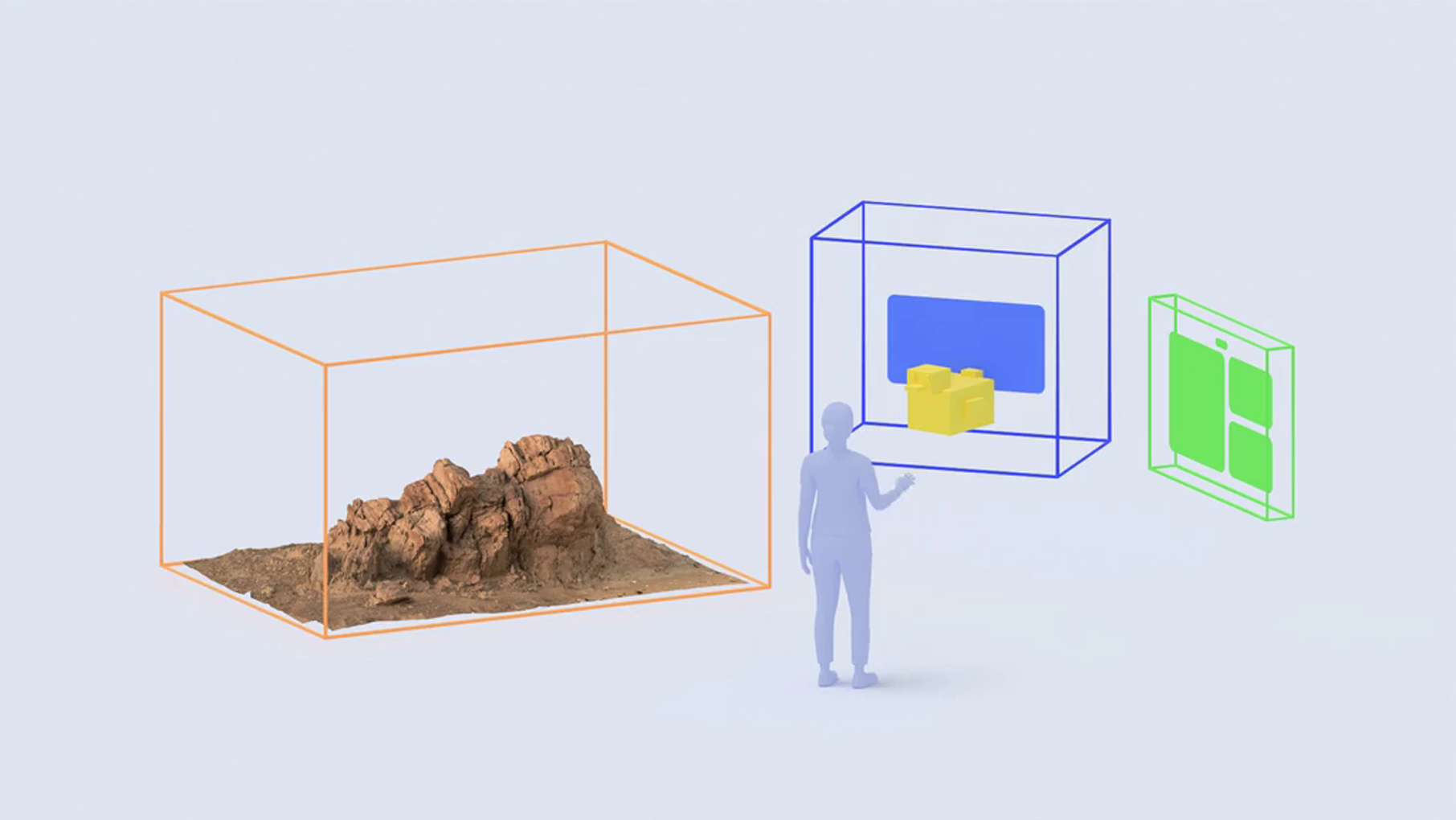
The Khronos Group has announced the ratification of new OpenXR extensions that introduce a spatial app framework with system-managed containers. These spatial containers function similarly to desktop windows: they allow XR applications to display content within defined boundaries rather than exclusively in full-screen immersive mode. This architectural shift clearly separates bounded multitasking environments from immersive experiences, giving developers the flexibility to design applications that can exist side by side with other content. The new standard aims to unify this functionality across the OpenXR ecosystem, providing a consistent interface for handling spatial layouts without relying on platform-specific proprietary APIs.Based on materials from The Khronos GroupThis development closely parallels the Shared Space feature in Apple's visionOS, which has allowed multiple 3D applications to coexist and be manipulated by the user since the Vision Pro launched in 2024. In contrast, current implementations on Meta Quest devices restrict users to running only one spatial application at a time, while system-level elements like the dashboard and browser operate as separate 2D overlays. The new OpenXR extensions are now published, with hardware and software implementations expected to begin rolling out across the ecosystem during 2026. While immediate universal support is unlikely, developers can anticipate these features arriving on OpenXR-compatible headsets, including Meta Quest, SteamVR-compatible PC VR hardware, Steam Frame, Android XR devices, Varjo, Magic Leap, and XREAL glasses.
- Public
- 19 Oct, 2026
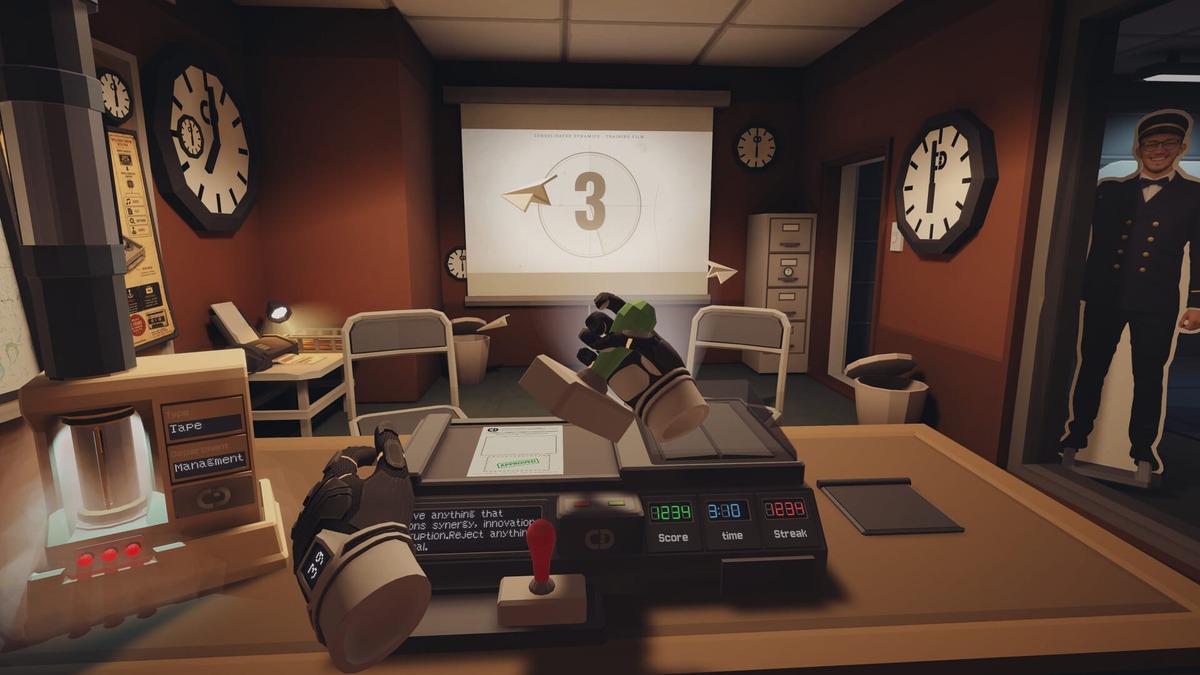
Good Morning [Employee Name] VR: a seated psychological thriller set in a 1960s office
Shababeek Labs, a small studio based in Abu Dhabi, has unveiled Good Morning [Employee Name] VR, an upcoming psychological job simulation set in an unsettling office. The player becomes a new hire at Consolidated Dynamics, a fictional 1960s company from an alternate history where technology developed differently. The gameplay revolves around rotating through desk stations. Handlers guide you over the phone and through a PA system that plays training films for every task. The developers describe the project as a slow-burn psychological mystery rather than horror. The focus is on the strangeness and unsettling nature of the workplace throughout the player's employment.The game is designed to be played entirely seated, with no need to move around in physical space, which makes it accessible to a wider audience. The story spans the first 12 days of employment at Consolidated Dynamics. On the surface everything looks fine, but there is an underlying sense of dread. The total playtime is estimated at 4-6 hours, allowing for a detailed exploration of the mystery. Shababeek Labs is targeting a release toward the end of 2026 for Meta Quest and PC VR via Steam. You can already add the game to your wishlist on Steam to track its progress and get updates closer to launch.

- Public
- 19 Oct, 2026
Fabula Rasa: AI-Powered Medieval Improv Escape Game Launches on Meta Quest in November
Arvore Immersive, known for the Pixel Ripped trilogy, Yuki, and The Boys: Trigger Warning, is bringing its award-winning interactive game Fabula Rasa to Meta Quest on November 12. The project stands out for using Large Language Models to drive real-time conversations with NPCs, moving away from canned branching scripts. This approach lets characters respond dynamically to player actions, similar to the mechanics of AstroBeam's Stellar Cafe.The story centers on a prisoner trapped in a cage at the center of a medieval town, who must avoid being dropped into a monster pit. To survive, players must convince nine distinct locals to help with the escape, and every playthrough is unique thanks to individual choices.Fabula Rasa images courtesy of ArvoreTo encourage replays, the game includes costumes that change how the AI-driven characters react. The team consulted with improv comedians to keep the comedic tone consistent. Fabula Rasa has already won awards: the XR Experience Audience Award at the SXSW Film & TV Festival and the Best of Tech award at Miami Filmgate Interactive. The combination of open-ended dialogue, physical escape mechanics, and role-playing creates an unpredictable narrative. You can already add the game to your wishlist on the Quest store ahead of its official launch.
- Public
- 19 Oct, 2026
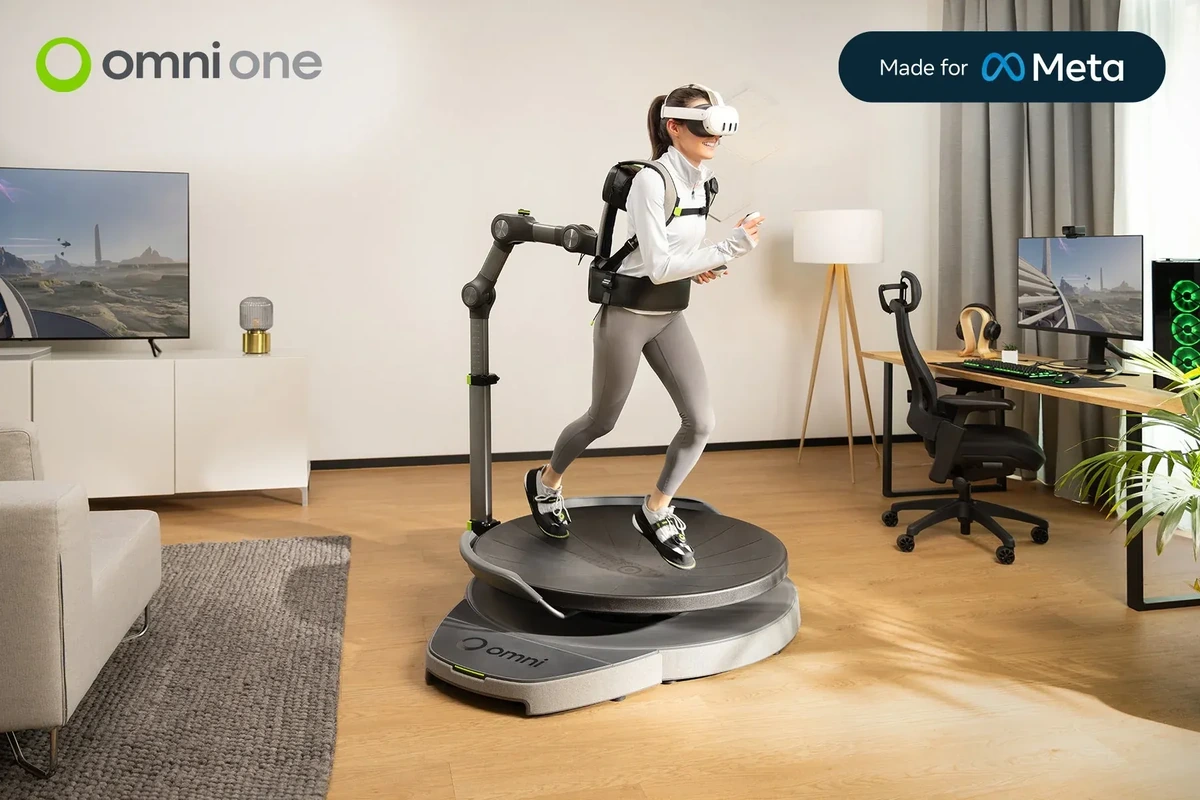
Virtuix and Meta agree to sell bundles pairing the Omni One treadmill with Quest headsets
Virtuix has become an official Meta reseller, introducing bundles that pair the Omni One full-body VR system with Quest 3 or 3S headsets. This partnership builds on the June launch of Omni One for Quest, an omni-directional treadmill designed for Meta hardware. The device currently supports more than 75 available and upcoming Meta Quest games, along with over 100 PC VR titles. Since the release of the Quest-compatible version, Virtuix reports that Omni One sales have increased approximately three times compared to the same period last year.The Omni One for Quest allows players to physically walk, run, crouch, and move backward in 360 degrees within compatible virtual environments. Virtuix also positions the device as a fitness tool, describing it as a "Peloton for gamers." The standalone Omni One for Quest treadmill is priced at $2,595. Bundling the kit with a Quest 3 adds $599, while a Quest 3S bundle adds $349. For users seeking PC VR connectivity, a Bluetooth adapter is available for an additional $49. Furthermore, the Omni One Core, intended for PC VR players who already own a headset and controllers, is priced at $2,495.
- Public
- 18 Oct, 2026
Maxon Unveils Redshift 2027.0: Native Fur, ACES 2, and a Significant Performance Boost
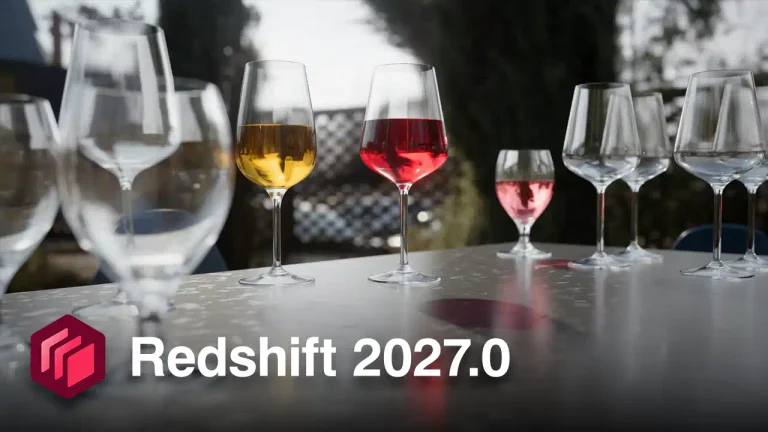
Maxon has released Redshift 2027.0, the latest version of its GPU-accelerated renderer designed for VFX, motion graphics, and visualization. The update brings significant technical improvements: a new native fur procedural, support for the ACES 2 color management standard, and optimized memory management that reduces render times by up to 15%. The release also makes Redshift compatible with NVIDIA RTX Spark, a new superchip for laptops and mobile workstations, joining other major DCC applications that support this hardware.The core renderer now features the Fur Object, a render-time solution for hair, fur, and grass that prioritizes speed. It offers standard controls such as Density, Gravity, Curl, and Taper, along with options to randomize hair properties. This feature is currently available for users of 3ds Max, Cinema 4D, Houdini, and Maya. Additionally, Redshift now supports ACES 2, the current industry standard for color management. In Cinema 4D, the ACES 2 OCIO config is used by default, while users in Houdini and Maya can configure it manually. Under the hood, a reworked memory-management system has significantly reduced the time to first pixel, with architectural scenes showing a 15% decrease in render duration.Redshift Live, the real-time render engine that replaced Redshift RT in version 2026.4, has also been updated. It now supports true ray-traced depth of field and light spread. While it includes ray-bending refraction for transmission through transparent materials, it does not yet support dispersion. These updates bring the real-time engine closer to feature parity with the final-quality renderer, although key limitations remain for volumetrics, hair, and point clouds. The integration updates also include native support for tyFlow volumetric simulations in 3ds Max, allowing for fire and smoke effects from the popular particle add-on.Specific enhancements for individual host applications further refine the user experience. Cinema 4D users gain a new Auto Focus Distance setting for Depth of Field, which automatically sets the focal distance to the center object, along with overhauled shader balls and new Material Tag options for hex and triplanar tiling. Houdini users receive a new shelf icon for the Redshift Object Lister, while Maya now utilizes the same optical camera and backplate system as other hosts, plus support for the native Maya Light Lister. ArchiCAD also joins the list of officially supported CAD applications, following earlier integrations for Vectorworks and Revit.System requirements for Redshift 2027.0 include Windows 10+, glibc 2.28+ Linux, and macOS 15.0+. Plugin compatibility spans 3ds Max 2018+, Cinema 4D 2023+, Houdini 19.0+, Katana 5.0+, Maya 2018+ (2022+ on Linux), Revit 2024+, Vectorworks 2026.4+, and ZBrush 2023+. The software remains rental-only, with subscription costs set at $49 per month or $289 per year. This release, also referred to as 2026.10 in release notes, continues Maxon's strategy of integrating cutting-edge hardware support and industry-standard color pipelines into its rendering ecosystem.
- Public
- 17 Oct, 2026
Junie Local gets stable Windows support and NVIDIA RTX Spark integration from day one
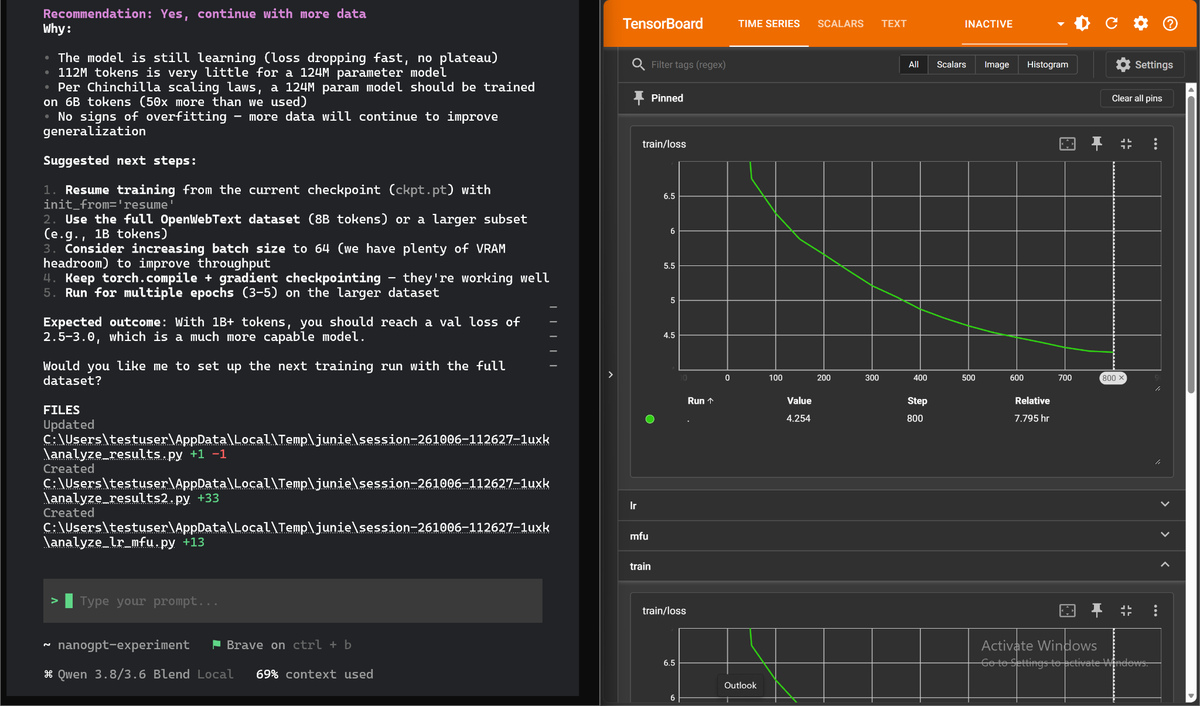
Junie Local is now fully supported on the NVIDIA RTX Spark platform from day one, marking a significant milestone for local AI development on Windows. This update transitions Windows support from an experimental state to a stable release, allowing developers to run a comprehensive coding agent directly on their hardware. The RTX Spark combines a Blackwell RTX GPU with a Grace CPU, creating a powerful environment for running larger local AI models in slim laptops and compact desktops. By leveraging this specific hardware architecture, Junie Local brings advanced AI coding capabilities to everyday workflows, eliminating the need for cloud-based processing and ensuring that all code remains entirely on the user's machine.Junie Local runs in parallel with LLM training on the same RTX Spark laptopThe technical implementation on the RTX Spark involves significant optimizations to adapt both setup and inference processes to the unique hardware constraints. Junie Local automatically adjusts the context window size to fit the available GPU memory, allowing the system to retain more code, tool outputs, and conversation history during active sessions. For inference, the software utilizes Blackwell's Tensor Cores to perform efficient FP8 computations, which significantly speeds up context processing. Additionally, the system employs speculative decoding, a technique that drafts several tokens ahead and verifies them in a single pass, thereby accelerating overall generation speeds. These optimizations are designed to maximize the compute capacity of the GPU while maintaining high performance for complex coding tasks.Performance testing on the RTX Spark has demonstrated generation speeds of up to 55 tokens per second, establishing an initial baseline for the platform. While this figure represents the current state, further inference optimizations are already in development to improve these metrics. The transition to stable Windows support also means that users with NVIDIA RTX cards featuring 24 GB of VRAM, such as the RTX 3090, 4090, or 32 GB 5090, can now run Junie Local reliably. This expands the hardware compatibility beyond the initial requirement of an M5 Mac with 64 GB of memory, making the tool accessible to a broader range of developers who own modern NVIDIA graphics cards.To get started, users must ensure they have NVIDIA driver version 581 or newer installed, along with approximately 20 GB of free disk space to accommodate the model files. The installation process involves running a specific PowerShell command that sets the necessary environment variables and downloads the required components. Once installed, launching Junie and running the /model command allows users to select a model, after which the local engine starts and switches the session to local processing. Junie Local remains completely free to use, with no registration, subscription, or credit requirements. The team is currently working on expanding the choice of local models and improving coding performance to reduce the time and memory needed to complete tasks.