ZBrush 2027.0: New UV Editor Based on Cinema 4D and Selection Sets for Desktop and iPad
 Public
- 15 Oct, 2026

Maxon has released ZBrush 2027.0, the latest version of its digital sculpting software. It remains a standard tool for concept art, creature design, game development, and visual effects. This update significantly improves the workflow in the desktop edition, primarily by expanding the ability to manage UVs and selections directly within the sculpting environment. The goal of the release is to streamline the creative process by reducing the need to switch between different content creation applications. This allows artists to iterate on their sculpts more efficiently while maintaining control over the technical aspects of their assets.
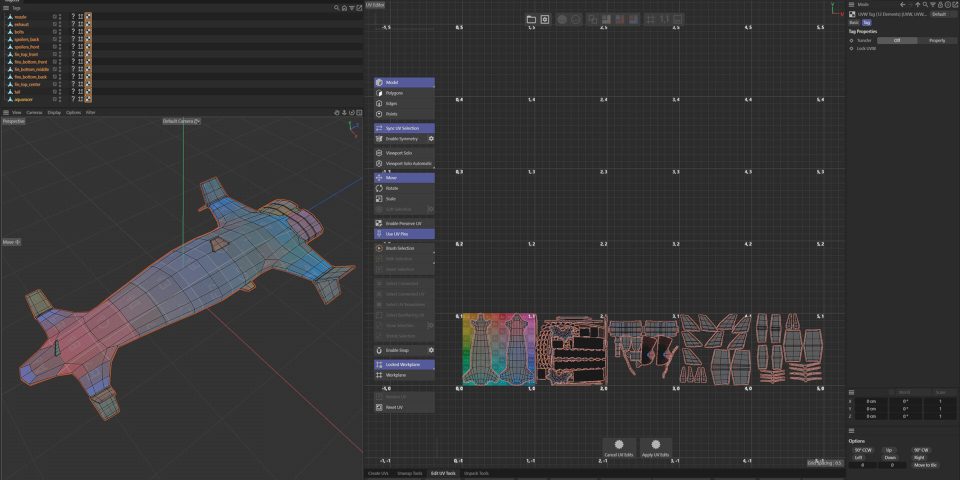
The centerpiece of the desktop update is the new UV Editor, which uses the same underlying technology as the recently revamped editor in Cinema 4D. This integration enables artists to perform more tasks inside ZBrush, minimizing the back-and-forth with other DCC applications. The editor offers three options for automatic UV unwrapping, including a feature unique to ZBrush, "Unwrap by Polygroup". Beyond unwrapping, it provides tools for manual UV layout editing, adjusting UV packing, and controlling texel density. It also supports UDIM-based workflows, which are crucial in VFX pipelines, as well as trim sheet workflows that are particularly useful for game artists.
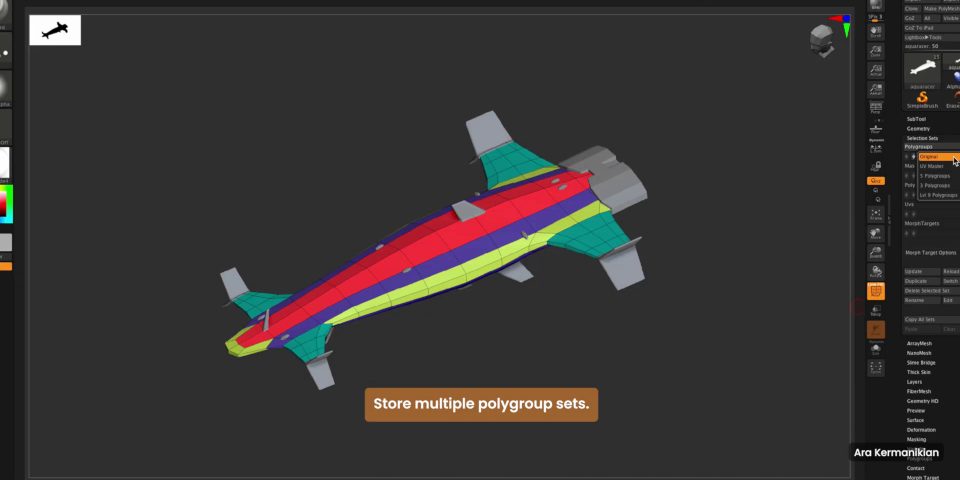
Another major addition is support for Selection Sets. This feature allows users to store and toggle between different states of an asset. In ZBrush, this goes beyond simple vertex or face selections: it stores alternate versions of SubTool Polygroups, masks, Polypaint states, UVs, and morph targets. This is highly beneficial for tasks such as switching between Polygroup layouts for UV work versus posing a character, or toggling between different color schemes during client reviews. Additionally, the update includes minor improvements to existing features, such as a new Delete option for clearing stored images in the Spotlight projection texturing system and the ability to bake the current 3D Layer.
ZBrush for iPad 2027.0 also receives updates, bringing it closer to feature parity with the desktop version. The iPad edition now supports Spotlight for projection painting and 3D Layers, which allow for the organization of sculpts and non-linear editing. Regarding system requirements, the desktop version of ZBrush 2027.0 is compatible with Windows 11 and macOS 15.0 or later. The software is available on a rental-only basis: $49 per month or $399 per year, which includes access to ZBrush for iPad. The iPad version requires iPadOS 17 or later and runs on devices with A12 Bionic processors or newer. The base app is free, but a paid subscription of $9.99 per month or $89.99 per year is required for the full feature set.