Blog
 Public
- 20 Nov, 2026
How to plan controls for a phone and computer game before your first prompt
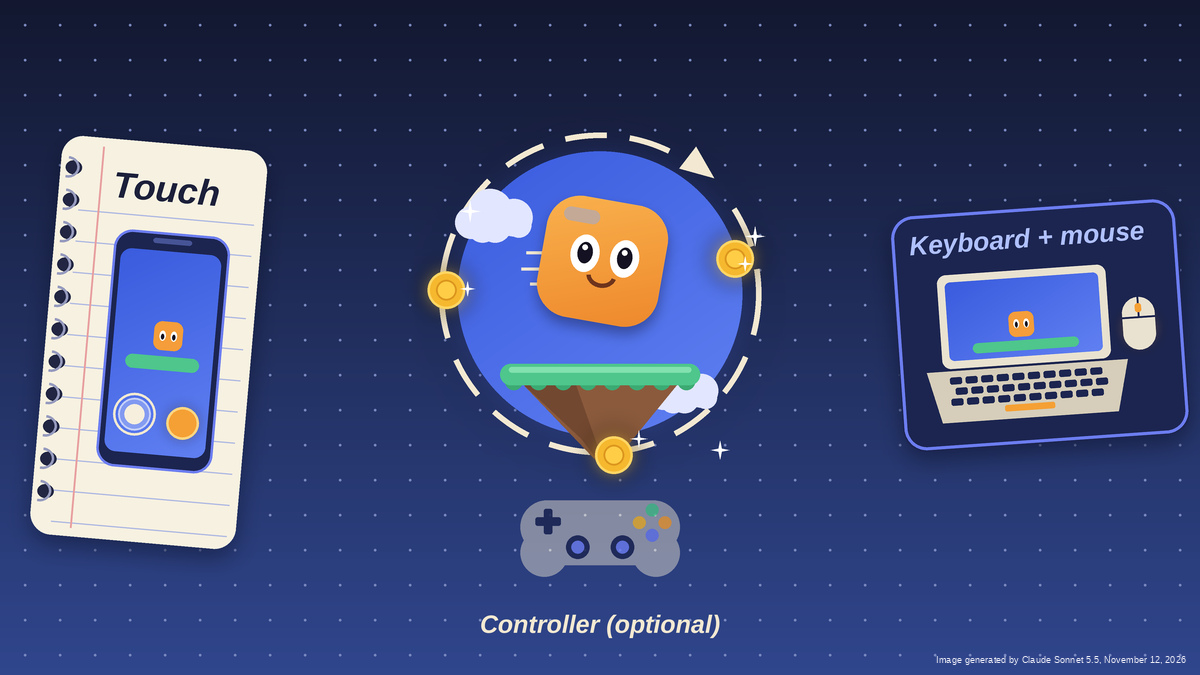
Controls are how players talk to a game, and they set the limits of what players can do in it. The same jump across a gap between floating platforms becomes a thumb tap on a phone, a spacebar press on a laptop, or a face button press on a controller. Each device changes how the action feels, what can be asked of the player, and how long a session lasts before hands get tired. Unity Spark, Unity's AI-native, browser-based game creation platform, lets creators describe a game in plain language without writing input code, but control decisions still have to be made up front.Spark games run in a browser, so players will arrive on a phone, a desktop, or a laptop. That means two setups matter: touch, and keyboard plus mouse. A controller is an optional bonus: players must own one, and they still have to connect and set it up. The recommended first step is to list three to five actions, such as move, jump, aim, pick up, confirm, and only then assign devices. This mirrors the Unity Engine's Input System, which separates an action like "Jump" from the controls that trigger it and groups actions by context, for example walking versus driving.Touch suits taps, drags, and short sessions, but thumbs cover the screen. The Xbox Accessibility Guidelines suggest touch targets of at least 15 mm by 15 mm on a phone, with enough spacing and empty margin that a slip doesn't trigger a neighboring button. Supporting both portrait and landscape orientation helps players who keep their phones mounted in a fixed position. Keyboards offer many keys and a mouse points precisely, so this pairing suits games with many actions or fast aiming. But keys have to be learned, so it's best to keep the list short. Anything done with the mouse should also be available from the keyboard. And it's better not to require fast, precise pointer movement: many people play on a laptop with a trackpad. If you support a controller, don't make players use both thumbsticks at once - even a shooter can offer a single-stick option.Pick the main device, write it on the first line of the design brief, design for it, and then verify that the game works on the other one too. The Game Accessibility Guidelines recommend supporting more than one input device. Each action should be written once and mapped twice - for touch and for keyboard and mouse - and then checked for gaps: a pinch has no keyboard equivalent, and a hover has no touch equivalent. The Xbox guidelines recommend that a game can be operated without multi-point gestures, so every pinch needs a simple replacement, such as a zoom button. Button remapping helps but doesn't remove every barrier. One example is actions that require holding a button: a toggle that keeps a car from letting off the gas is equally useful for sprinting, firing, and repeated jumping.Players will miss, slip, and tap the wrong thing, and a control that looks fine on paper can feel awkward in the hand. When testing the game on a phone and on a computer, track two types of problems separately: accidental inputs, where the game does something unintended, and missed inputs, where it doesn't respond to the player's action. To find the cause, change only one control at a time and replay.The whole plan fits into a single sentence for the design brief: "In my game, players use ___ on a phone and ___ on a computer to ___." If you include this line in the first Spark prompt, the request will be clearer. After that, the result should be played on both devices to find the first control worth changing.
- Public
- 19 Nov, 2026
Maya 2027.3 adds agentic AI, an MCP server, and a DLSS-accelerated Arnold viewport
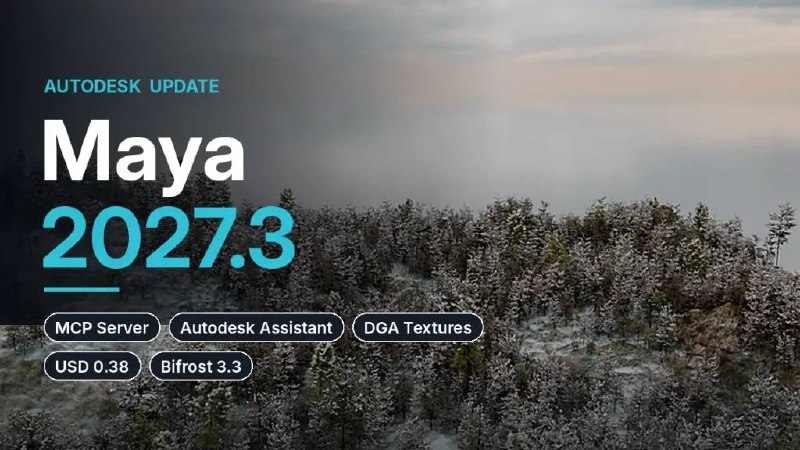
Autodesk has released Maya 2027.3, bringing experimental agentic AI workflows to its 3D modeling and animation software. Scenes can now be changed with natural-language prompts in two ways: through the built-in Autodesk Assistant, or through a new MCP server that connects Maya to third-party AI tools such as Claude or ChatGPT. The cut-down Maya Creative edition gets a matching 2027.3 update.The Assistant, introduced back in Maya 2027, works in three modes. "Help me" answers technical questions. "Analyze my scene" inspects a scene without changing it, for example to find broken texture paths. The new "Do work for me", still a tech preview, modifies the scene by running MEL or Python scripts. It is typically used for repetitive tasks like renaming character joints or fixing broken textures. Scripts must be previewed and approved before running. Safe Mode (on by default) blocks scripts that act outside a scene, and each Assistant action can be undone in a single step. Prompt history and generated data are stored in the cloud for 45 days for debugging and service optimization, but are not shared with third-party AI developers.The MCP server offers similar safeguards: scripts can be previewed, run in a sandbox, or write access can be disabled entirely. It is also a tech preview and works only in interactive sessions, not in batch or headless mode. Autodesk publishes a comparison of the capabilities and costs of the two options in its documentation, along with a list of their current limitations.For lighting and look development, Arnold gets a new Accelerated Viewport mode: it renders at a lower resolution, then upscales the image and denoises it using NVIDIA DLSS. As a result, feedback is much faster and more accurate. The mode debuted in Arnold 7.5.3, and in Arnold 7.5.4 it gained support for motion blur and Cached Playback. Maya 2027.3 bundles MtoA 5.6.4, so everything works out of the box. Dynamic Geometry Attributes analyze how each mesh vertex changes during deformation. They now get a pointValues node for outputting results to viewport shading, and an Options window where you can create and connect the needed DGA nodes for visualization or texture output from one place.Bundled plugins are updated too. LookdevX 2.3 adds a Material Browser for libraries in USD, MaterialX and Arnold formats. Substance 3.1.1 supports OpenPBR. Bifrost 3.3 gets MaterialX support and plays back dynamic USD caches with simulation more smoothly. USD for Maya 0.38 adds the USD Composition Editor, which opens from the Outliner or viewport. It shows how a prim is assembled: from which layers, references, payloads, variants and opinions (in USD terminology, opinions are values set on individual layers). With it, you can find the layer where a value is authored, see overridden opinions and check which variants are active.Maya 2027.3 runs on Windows 11, RHEL and Rocky Linux 8.10/9.7, and macOS 14.0 and later. The software can't be purchased, only rented: $255/month or $2,010/year. Maya Indie costs $330/year and is available in many countries to artists who earn less than $100,000/year and work on projects with a similar budget. Maya Creative 2027.3 has the same features except Bifrost 3.3. It is sold via Autodesk Flex from $3/day, but with a minimum spend of $99/year.
- Public
- 19 Nov, 2026
Meta launches Forum in Indonesia, a dedicated app for Facebook Groups
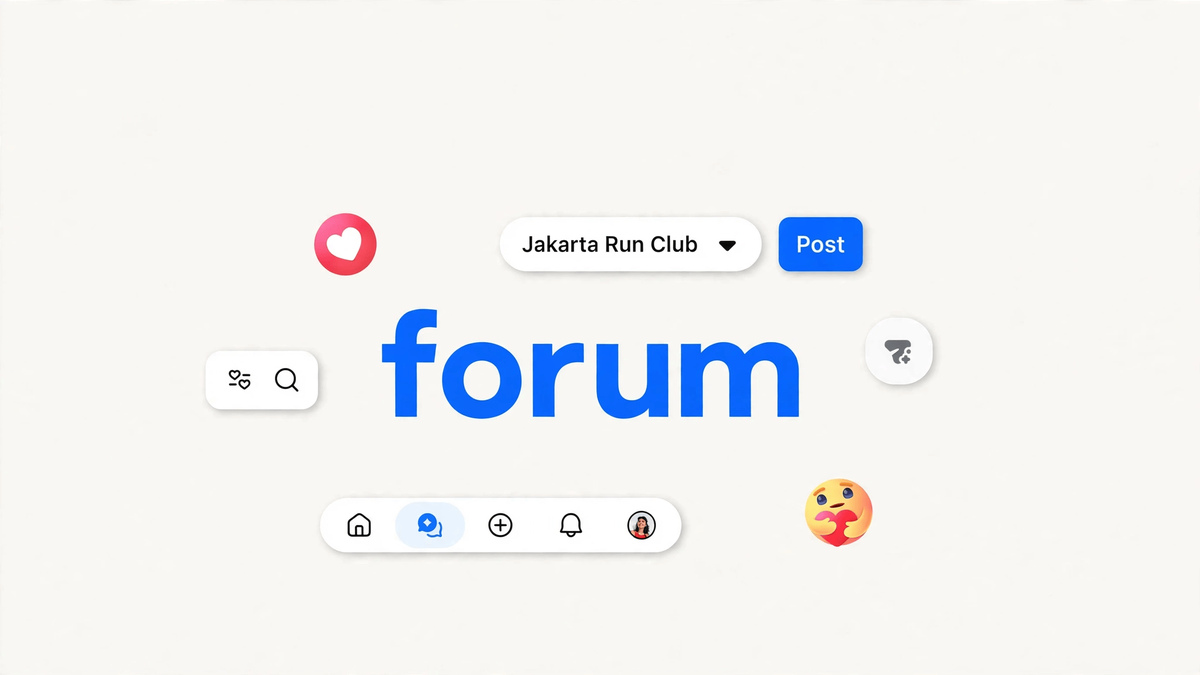
Meta has made Forum available in Indonesia. It is a dedicated app built around Facebook Groups and meant for people who want to engage with their communities more deeply. Forum gathers all of a user's groups in one place, which makes it easier to join conversations, find answers and follow discussions. The app is already out on Android, and an iOS version is coming soon. To see their groups and discover new ones, users simply sign in with their existing Facebook account.The Forum feed shows the most active local conversations from a user's groups. It also includes discussions from related groups that match the user's interests. Posts are synced between Facebook groups and Forum, so content isn't split across the two apps. A Forum profile collects a user's posts, comments and reactions from different groups in one place, so it's easy to return to earlier conversations.The Ask feature helps users find answers based on community members' firsthand experiences. It uses AI to surface existing posts and comments from groups the user has joined and from public groups they haven't joined. In Your Algorithm, users can add topics they want to see more often and reduce topics they want to see less. A new Top voice role recognizes members who consistently contribute value to their communities. It replaces the previous Contributor badges and the Group Expert role.Forum also adds an admin AI feature for group administrators. It helps them come up with discussion topics and keep track of what members are talking about. One early-testing admin, who runs the Piring Meleleh group, said the dedicated space makes it easier to focus on community management. The admin also found it convenient to create and share posts across groups from the Forum feed. Meta describes the Indonesian launch as a way to support local communities and their admins, and plans to learn from how members and admins use the app.
- Public
- 19 Nov, 2026
3ds Max 2027.3: Agentic AI Control, Arnold in the Viewport and 4D Gaussian Splats
Autodesk has released 3ds Max 2027.3, an update to its modeling and animation package used for architectural visualization, motion graphics and VFX. The headline addition is a set of experimental agentic AI workflows: the software can be operated through natural-language prompts instead of mouse clicks. In addition, Arnold can now run directly as a viewport renderer, the Gaussian Splatting tools can now play back, edit and export 4DGS, and glTF files can finally be imported without third-party plugins.Agentic control comes in two forms. The built-in Autodesk Assistant, introduced back in 3ds Max 2027, now works at three levels. In "Help me" mode, it answers technical questions. In "Analyze my scene" mode, it inspects a scene without changing anything in it, for example to find broken texture paths. The new "Do work for me" mode, still a tech preview, modifies the scene itself by running MAXScript. It targets tedious work, from renaming objects to complex tasks such as pre-flight checks on a creature rig that convert muscles to closed meshes. Scripts must be previewed and approved before running. Safe Mode is on by default and blocks scripts from acting outside the scene, and every Assistant action can be undone in a single step. Prompt history and generated data are stored in the cloud for 45 days for debugging and service optimization, but are not shared with third-party AI developers.The second route is an integrated MCP server, which lets external AI tools such as Claude or ChatGPT control 3ds Max. It carries similar safeguards: scripts can be previewed before execution, run in a sandbox, or write access can be disabled entirely. Autodesk publishes a comparison of the capabilities and costs of the Assistant and the MCP server, along with documented limitations for both.Arnold no longer needs an ActiveShade window. The new Arnold Viewport renders interactively inside the active viewport while gizmos, grids and wireframe overlays remain drawn on top. NVIDIA DLSS handles upscaling and denoising for responsiveness, with a CPU fallback for machines without an NVIDIA GPU, making it useful for look development and lighting. The feature debuted in Arnold 7.5.4, which also brought shaders for interactive compositing and stylized rendering plus pausable renders.Gaussian Splatting, added in 3ds Max 2027.2 with import, relighting and rendering, gets a major expansion. Sequences of PLZ or SPZ files can be loaded as an animated 4D Gaussian Splat and played back from the timeline, and splats now display directly in the viewport without an IPR viewport. New point-object tools split large 3DGS scenes into smaller exportable pieces and flatten point data, an Edit Point modifier enables non-destructive editing, and splats can be exported in PLY format as well as imported.File handling and plugins also improve. Integrating the Khronos Group's open-source glTF Importer and Exporter adds native glTF import alongside export. The Substance 3D plugin, at version 3.1.1, supports the OpenPBR material standard, while USD for 3ds Max 0.17.8.1 adds a Component Creator that turns selected objects into a USD asset and a USD Variant Manager. 3ds Max 2027.3 runs on Windows 10 and later and is rental-only at $255 per month or $2,010 per year; in many countries, artists earning under $100,000 a year on projects valued under $100,000 qualify for an Indie subscription at $330 per year.
- Public
- 19 Nov, 2026
Steam Frame ranks fifth among the most popular PC VR headsets in the October survey
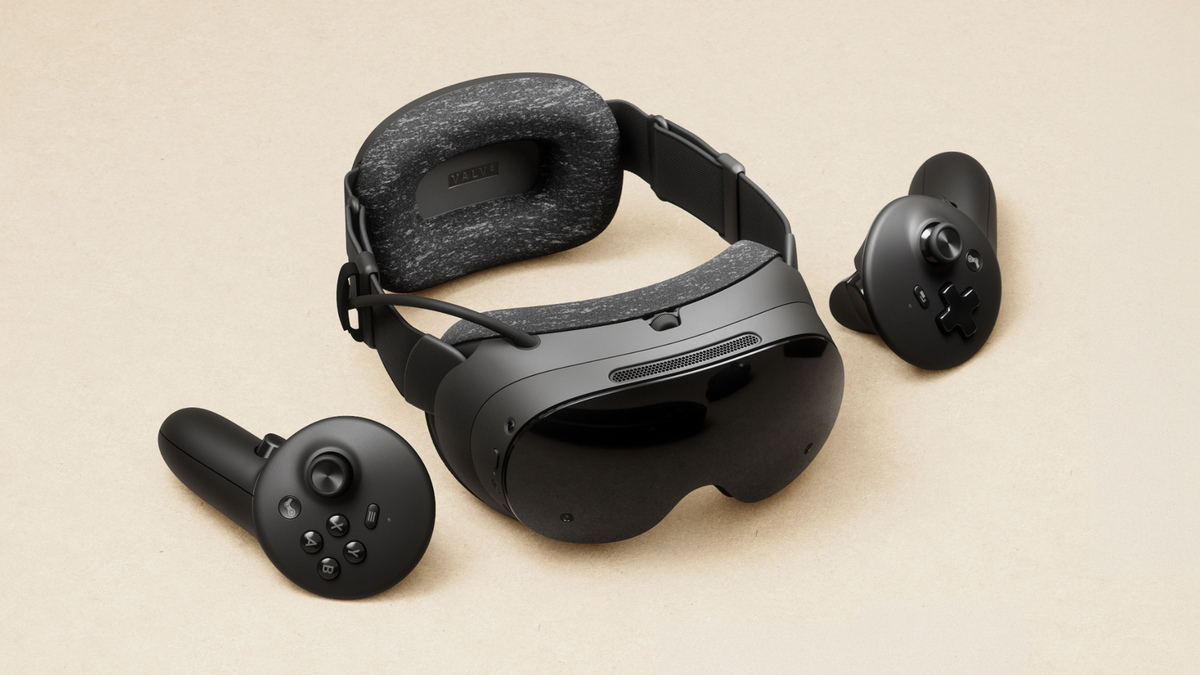
About six weeks after release, Valve's Steam Frame ranks as the fifth most used PC VR headset in the October 2026 Steam Hardware & Software Survey. It accounts for 5.49% of SteamVR headsets, up 4.94 percentage points from the September results, where it first appeared. The survey is offered monthly to a random sample of Steam users. If a user accepts, Steam uploads their PC specs, a list of peripherals, and the VR headsets they used with SteamVR in the past month.The September figure says little about demand. Purchases opened on September 18 through a reservation system, and not everyone picked from the waitlist got an immediate offer to buy. Combined with shipping times, most consumers received their headsets only in October. So the earlier number mostly reflected developers, media, influencers with review units, and a few buyers whose devices were delivered quickly.Meta still holds the top three spots with Quest 3, Quest 2 and Quest 3S, followed by Valve Index, the Frame's predecessor. Quest 2 saw the steepest decline, losing 3.57 points, and Index fell 0.93 points. Both headsets are getting old, and their owners are the most likely to upgrade to the Frame.Overall VR usage reached 1.75% of Steam users, up 0.40 points from the prior month. With Steam averaging 130M-135M monthly users, that means roughly half a million more people used PC VR in October, though the long-term trend is still downward. The Frame accounts for roughly 124K-130K users, only about a quarter of that increase. The source of the rest is unclear.Significant Frame growth before the end of 2026 looks unlikely. People who have only added it to their wishlist, and many in the reservation queue, see Steam listing 2027 as the expected time to order. The number would only jump if Valve released a new batch of purchase offers before the holidays. Further shifts are expected next year as more buyers get access to the Frame and Meta's VR Glasses arrive in spring 2027.

- Public
- 18 Nov, 2026
Google Play introduces quality requirements for games on large screens and foldables
Google Play is introducing new quality requirements for games on large screens and foldables. Foldable devices give players two ways to play on one device: quick, one-handed sessions when folded, and a tablet-sized experience when unfolded. The new rules address what happens when players switch between these states. Games are expected to transition smoothly, without restarting mid-session, losing unsaved level progress, or showing a stretched or cut-off UI.The guidelines are designed for games specifically. They cover how game engines, in-game viewports, and touch controls behave on unfolded foldables and tablets. There are three progressive tiers, ranging from baseline readiness to the highest level of performance and differentiation. From August 2027, Google Play will require every game to meet at least the baseline tier, Tier 3 (Ready). Apps fall under separate adaptive quality requirements, which take effect in April 2027.Many games may already have much of the groundwork in place. Android has worked closely with Unity and Unreal to expand native resizing and configuration-change handling. Developers using these engines can build dynamic layouts that scale across screen orientations without writing everything from scratch.The store listing requirements change too. Play Console already accepts dedicated foldable screenshots, covering both the unfolded inner display and the folded outer screen. Beginning in April 2027, games must include at least three foldable screenshots in the game's primary orientation, in addition to the standard single phone screenshot. This becomes a standard submission requirement for publishing new games and for updating store listings. The supported screenshot formats are meant to cover the full range of standard phones and foldables in the Android ecosystem.The August 2027 milestone focuses on foldables, but Google plans to extend the requirements to other device types in later phases. Tablets, Googlebook laptops and other large screens are expected to follow. Games that complete the foundational foldable work now should find it easier to scale to these devices and stay compliant with Google Play's quality standards on phones, foldables, tablets and desktops.

- Public
- 18 Nov, 2026
Revopoint MIRACO 2: A Portable 3D Scanner with Gaussian Splatting and Scan-to-CAD
Revopoint will launch MIRACO 2 on Kickstarter on November 18, 2026. It is a portable all-in-one 3D scanner that handles small mechanical components, detailed objects, people, sculptures and larger physical spaces. The 960-gram handheld device computes depth, processes point clouds, shows scan previews and supports basic editing on its own. It is powered by an eight-core CPU and a six-core NPU. The scanner works in three configurations. In Standalone Mode, scanning, previewing, processing and adjustment are done on a six-inch 2K AMOLED touchscreen. In Wireless PC Mode, the scanner connects to a workstation over Wi-Fi 6, while Wired PC Mode uses USB-C 3.0 for a stable, performance-focused workflow. With a GPU-powered PC, Multi-Line Laser scanning reaches up to 120 frames per second. A limited number of Super Early Bird pledges start at $1,425, with savings of up to 38%.The scanner has six modes for different sizes, materials, levels of detail and environments. A 34-Line Blue Cross Laser covers larger surface areas, and a 15-Line Parallel Laser targets fine details. A Single-Line Blue Laser handles narrow gaps and recessed geometry. Full-Field HD captures detail without slower precision-laser passes, and VCSEL Rapid suits larger subjects. Hybrid HD pairs detailed capture with dependable tracking at up to 10 million points per second. Single-frame accuracy in Multi-Line Laser Mode reaches 0.02 mm. Reflective metals, dark objects, intricate structures and human bodies are listed among the supported subjects. The recommended minimum scan volume is 10 × 10 × 10 mm. With the optional Photogrammetric Metrology Kit, the maximum grows to 5 × 5 × 5 meters. When connected to a PC, the laser modes support markerless tracking of textured objects.Raw point clouds usually need to be fused, cleaned up, compared, or reconstructed before they become useful for design, manufacturing, or inspection. Revopoint targets this stage with Revo Agents, an agent-powered 3D reality ecosystem. Instead of manual step-by-step processing, it is driven by natural-language commands. The planned workflow includes real-time point-cloud fusion, automated Scan-to-CAD conversion, and Scan-to-Inspection tolerance analysis. For example, a user could ask the system to turn a specific part of a scan into CAD geometry. A scan could also be compared against a reference model to find dimensional differences. The aim is to cut repetitive work between capture and engineering. Human validation of CAD geometry, tolerances, and inspection results still matters.For game development, VFX, XR, digital preservation, and visualization, MIRACO 2 uses a dual RGB camera system. A 2MP near-field camera handles nearby subjects, and a 50MP far-field camera captures larger objects and environments. Connected to a PC, the device supports physically scaled 3D Gaussian Splatting. It exports .splat models at one-to-one scale with real-world dimensions for XR experiences, spatial documentation, and digital twins. 3DGS preserves real spaces in full visual detail without rebuilding them as polygons. Conventional polygon meshes remain necessary for editing, animation, simulation, and game production. AI Segmentation removes unwanted environmental points, and AI Cropping isolates subjects for further processing.The same device can support several workflows. A designer could rebuild prototype components in CAD, and a quality control team could check a manufactured part against its reference model. A VFX artist could capture an object for production, and an XR creator could preserve a location as a scaled Gaussian Splat. MIRACO 2 is rated for indoor and outdoor use in ambient light up to 100,000 lux. Its 10,000mAh battery lasts about three hours and supports 65W fast charging. Two configurations will be offered: 16GB of RAM with 256GB of storage, or 32GB of RAM with 512GB of storage.
- Public
- 18 Nov, 2026
Daviator accelerates VASP on NVIDIA GPUs: batched k-point calculations and mixed precision
Training machine learning interatomic potentials (MLIPs) requires tens to hundreds of millions of DFT calculations of energies, forces, and stresses. Most often they are produced with VASP, the dominant plane-wave DFT code. These workloads typically use small unit cells and dense k-point grids, which leave GPUs underused. VASP's OpenACC port handles k-points sequentially, so for small systems hundreds of tiny kernels are launched at every step, and launch overhead eats up all the time. A single-atom iron system with 752 k-points ran 8x slower on GPU than on CPU, and researchers had to route jobs by size by hand. FP64 is also stagnating: FP64 throughput has held flat across Hopper, Blackwell, and Rubin, while FP32 keeps growing. The RTX PRO 6000 has a 64:1 FP32:FP64 ratio.Figure 1. Comparison of FP64 and FP32 performance on various NVIDIA GPUsDaviator is an NVIDIA library of GPU kernels that replaces per-k-point loops with batched operations. It is built around a batched Davidson eigensolver using batched FFTs, GEMMs, and custom kernels. Fewer launches push SM occupancy toward saturation, and data stays in GPU memory. VASP keeps the SCF loop, mixing, symmetry, and I/O, while Daviator plugs in at well-defined call boundaries. It is enabled through the NVIDIA ALCHEMI VASP microservice with LDAVIATOR=True in INCAR and intercepts the Davidson solver (ALGO = Normal). Existing input files need no changes. The example is a single Fe atom with ISPIN = 2, NBANDS = 12, PREC = Accurate, and a Gamma-centered 30x30x30 mesh.Some kernels are specialized for batch sizes and may compile on first use. Therefore, job scripts should set CUDA_CACHE_PATH to fast storage such as /tmp/cudacache rather than $HOME, and set CUDA_CACHE_DISABLE=0. Runs launch as usual, e.g. mpirun -np 1 vasp_std. For now only a single node is supported; multi-node support, vasp_ncl, and vasp_gam are planned. The baselines were VASP 6.6.0 on CPU and with OpenACC on H100/H200 and B200. One iron atom runs more than 2x faster than on CPU, LiFePO4 with r2SCAN sees a 22x Davidson speedup, and 64-atom Bi-doped GaAs cuts time by more than 85%. Even 348 atoms with one k-point run faster, so jobs no longer need to be routed by size. Projected dataset workloads show time-to-solution up to 22x faster and cost up to 75% lower than on CPU.Figure 2. Comparison of standard VASP OpenACC v6.6.0, VASP OpenACC (OpenMP/MPS) with two tuned parameters (the number of MPI processes and OpenMP threads), and VASP with Daviator support: execution timeBatched Daviator still runs in FP64, and a mixed precision Davidson solver is hard to build. If you move kernels to FP32 and compare the result against FP64, you only learn "pass" or "fail". Meanwhile, soft failures such as energy drift, wrong convergence, or diverging MD trajectories can look entirely plausible. So the approach uses a generic floating-point type with a configurable number of mantissa and exponent bits. With it, each kernel's minimum required precision is found, and a decision is made: move it to FP32, rework it, or keep it as an FP64 "island". Results depend on the input and the threshold. Instrumentation should also cover dependencies and math functions, and the slow instrumented runs can be parallelized across HPC resources. Implementation starts with FP64↔FP32 conversions around the hot path and type-configurable kernels, and then the FP64 regions are shrunk from iteration to iteration.Figure 3. Required number of mantissa and exponent bits for an instrumented reduction kernel, measured using an implementation of the described analysis process based on VerificarloThe Verificarlo-based analysis showed that FFTs, Hamiltonian application, and orbital updates can be moved to FP32. The subspace eigenvalue problem, energies, convergence measures, and the tall-skinny GEMMs used to build the subspace matrices stayed in FP64. These Rayleigh-Ritz GEMMs feed a sensitive eigensolver, so a split-k algorithm is used: dot products are computed in FP32 chunks, and the final summation is done in FP64. VASP's EDIFF threshold defaults to 10-4 eV and can go down to 10-6 eV and lower, while FP32 offers about 7 significant digits. The mixed solver converges to 10-4-10-6 eV depending on the input, and below the FP32 noise floor the calculation continues in FP64. On GaAsBi-64, FP32 gives a 2x speedup at EDIFF = 10-5 eV, and FP32→FP64 at 10-8 eV runs 1.5x faster than pure FP64.Figure 5. a) Naive GEMM for tall-skinny matrices: dot products produce long sums in FP32, and FP64 is required to reach the target accuracy; b) Mixed precision algorithm that performs small GEMMs in FP32 with final accumulation in FP64On H100 and H200, where FP64 Tensor Cores match FP32 throughput, the gains are marginal. On the RTX PRO 6000, however, the FP32 Davidson solver runs 3x-7x faster, and the whole calculation roughly 2x faster. Mixed precision is enabled with the LDAVIATOR_MIXED_PRECISION parameter (0 means FP64). Each ionic step starts with data stored in FP32 until DAVIATOR_EDIFF_FP32 or DAVIATOR_SWITCH_TO_FP64_AFTER_STEP is reached; 10-4-10-5 suits most inputs. The example sets EDIFF = 5e-07, LDAVIATOR = True, LDAVIATOR_MIXED_PRECISION = True, DAVIATOR_SWITCH_TO_FP64_AFTER_STEP = -2, and DAVIATOR_EDIFF_FP32 = 5e-05. A VASP license is required, and Daviator with mixed precision will run on any NVIDIA GPU through the ALCHEMI VASP microservice.Figure 4. Memory layout of typical floating-point number formats

- Public
- 18 Nov, 2026
Apple Names 45 Finalists for the 2026 App Store Awards
Apple has announced 45 finalists for this year's App Store Awards. They were chosen by App Store editors around the world for user experience, design, technical innovation and cultural impact. The shortlist covers apps and games for iPhone, iPad, Mac, Apple Vision Pro, Apple Watch, Apple TV and Apple Arcade, plus a separate Cultural Impact category. Winners will be revealed in the coming weeks. App Store vice president Carson Oliver highlighted games built around imaginative worlds and shared play, as well as apps that help people learn new skills and support their communities.On iPhone, the app finalists are ElevenReader, which reads text aloud in natural-sounding AI voices, (Not Boring) Camera, which turns the phone into a customizable old-school film camera, and Raylie, a personalized companion for flights. The iPhone game nominees are BALL x PIT, DAVE THE DIVER and Gambonanza, which bends the rules of chess. iPad apps include Cosmos, Kiddopia and Mockup, a tool for designing websites and apps, while iPad games are Aniimo, Arknights: Endfield and Where Winds Meet.The Mac shortlist features Paste, Things 3 and Ulysses, with Big Walk, Blue Prince and Crimson Desert competing for Mac game. Apple Arcade finalists are Perchang World, PowerWash Simulator and Pusheen's Place. On Apple Watch, Bevel turns fitness data into insights, Moonlitt tracks lunar events and StressWatch reports real-time stress levels. Apple TV nominees are Case Solved: The London Files, Letterboxd and Pocket Casts.For spatial computing, Apple Vision Pro app finalists are Adobe Premiere, which offers video editing on an expansive spatial canvas, MLB, streaming baseball from a behind-home-plate view, and Museas, which turns a living room into an art gallery. Vision Pro game finalists are Cueva de las Manos with light-and-shadow puzzles, Ping Pong Club for table tennis, and Spatial Ops, which stages first-person battles inside the player's home.The Cultural Impact category is the largest. Its apps are Brilliant for math and science, chilli for climate-focused political action, Hearing Buddy for people who are deaf or hard of hearing, Karrot for neighborhood circular economies, setlog for more authentic social media, and Unedo for learning Spanish through culture. Its games are and Roger, Consume Me, which deals with eating disorders, PancitoMerge celebrating Mexican cuisine, Sago Mini Jinja's Garden for family play, Spilled! about cleaning polluted waterways, and the cozy Tiny Bookshop.
- Public
- 18 Nov, 2026
Playtesting your first game: a working loop for solo creators and anyone making games with AI
A playtest is simple: someone who didn't make the game plays it while its creator watches, and the game changes based on what that observation reveals. No team, budget or programming background is required. What it takes is a playable build, one or two clear questions, and a handful of people other than the creator. The method applies equally to traditional development and to games shaped with an AI game maker such as Unity Spark.Testing covers two separate jobs. One is technical: nothing freezes, buttons keep responding, there are no stutters and no way to fall out of the world. Much of that can be checked alone. The other is human: do players understand what to do, and does the game feel as intended? That part needs outsiders, because the creator can never experience the game for the first time and unconsciously fills in gaps. Timing matters as well. Start once the core action works, even with placeholder art and no sound. If players will mostly jump, test jumping; if they will match tiles, test matching. Feedback on a confusing core is cheap to act on early and expensive after levels, menus and story have been built around it.Before each session, write down one or two questions that can be answered just by watching. Will players figure out jumping without hints? Will they head toward the exit as the level intends? Will the first enemy feel fair on a first try? Does the opening create the intended mood? Is it clear whether the player won or lost? Sessions without a goal tend to produce vague feedback. Build the test build around these questions: typically 15-30 minutes of play, only what is being tested, and a main action that doesn't crash. A short objective screen or a couple of lines of instructions keep testers from stalling before the part that matters. Working beats looking pretty.Before inviting anyone, try to break the game yourself by playing as extreme player types. The cautious player avoids all risk: if they win easily, the challenge isn't working. The all-in player hammers one strategy: if it always wins, the other options need rebalancing. The random player acts without thinking: if a skill-based game can be beaten that way, it has a flaw. The wanderer ignores the goal for a minute to see whether the game still makes sense without it, and the button masher presses everything at once to find out what gets stuck. A simple log with the date, what was tested and what was noticed will help you see patterns later.Friends and family are fine for a start, but they are often too kind. Mix frequent and rare gamers, people with different needs, and people who have and haven't heard of the game. In early rounds, three to five testers are usually enough to surface the most common problems, though that is a rough guide, not a rule. Several small rounds beat one big one, and each distinct audience deserves a few testers. You can find more people on forums and chat servers where players expect early games: post a short version, say what feedback you need, reply, and consider a small thank-you, such as a line in the credits. Sessions can be live, via screen share or in person, which shows every moment of hesitation. They can also be recorded, which lets you reach more people than one calendar allows, but you need clear instructions and permission to share clips. Either way, don't help: confusion is the data. Ask testers to think aloud, then pose three to five targeted open questions like "What was the first moment you felt lost?" instead of "What did you think?" or a one-to-five rating.If one player struggles with something, that's an opinion; if three stumble the same way, it's a problem. Give the most weight to repeated observations, and park one-off taste comments unless they match your own instincts. Testers are good at locating problems but not always right about fixes, so their suggestions are clues, not instructions. Every big change needs a retest, since a fix can shift a problem elsewhere. With an AI tool the process is the same. Unity Spark works in the browser, starts from text prompts, uses artist-created assets from the Unity Asset Store, requires no code and is heading into closed beta soon. Observations become specific changes, which are applied one at a time and then tested again.

- Public
- 18 Nov, 2026
Crayola and Beekeeper's Naturals ad combines 2D animation in the style of children's crayon drawings with 3D products
A commercial for Beekeeper's Naturals and Crayola combines 2D and 3D elements to recreate the naïve, warm look of children's crayon drawings. The campaign was meant to feel imaginative, fun and colorful, as if it came straight out of a kid's drawing session.Cel animator André Dias handled nearly all of the 2D work: animation, rigging, cleanup, character design and compositing. Jean Carvalho did the storyboarding, and Nuno Leal and André Ruivo built the 3D assets. The client allowed full creative freedom, and the team chose a crayon-style art direction.The work spanned three tools. Original artwork was drawn in Krita, rough animation was blocked out in Adobe Animate, and the final animation was polished in Moho. Moho's textured brushes and its built-in line boil tool gave the frames a hand-drawn look with a slight tremble, and there was no need to redraw each line by hand.The Crayola pencils and Beekeeper's Naturals lollipops were modeled and rendered in 3D, then composited into the drawn scenes. This blend of 2D and 3D shows how imagination and reality intertwine, which is exactly the state a child's mind constantly lives in.