NVIDIA Introduces gds-diag: An Open-Source Diagnostic Tool for Configuring and Optimizing GPUDirect Storage
 Public
- 31 Oct, 2026
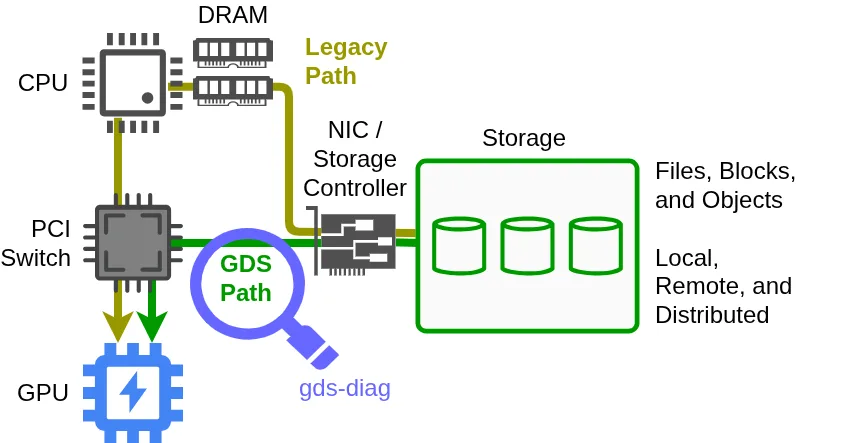
NVIDIA GPUDirect Storage (GDS) accelerates data transfer between GPUs and storage targets, significantly increasing bandwidth while reducing latency and CPU and system memory overhead. While extensive documentation exists for configuring GDS across various architectures, finding the optimal settings for a specific deployment remains a complex task for developers and system administrators. To address this challenge, the GPUDirect Storage team developed gds-diag, an open-source command-line utility that simplifies assessing environments, identifying configuration problems, and suggesting targeted improvements for production systems.
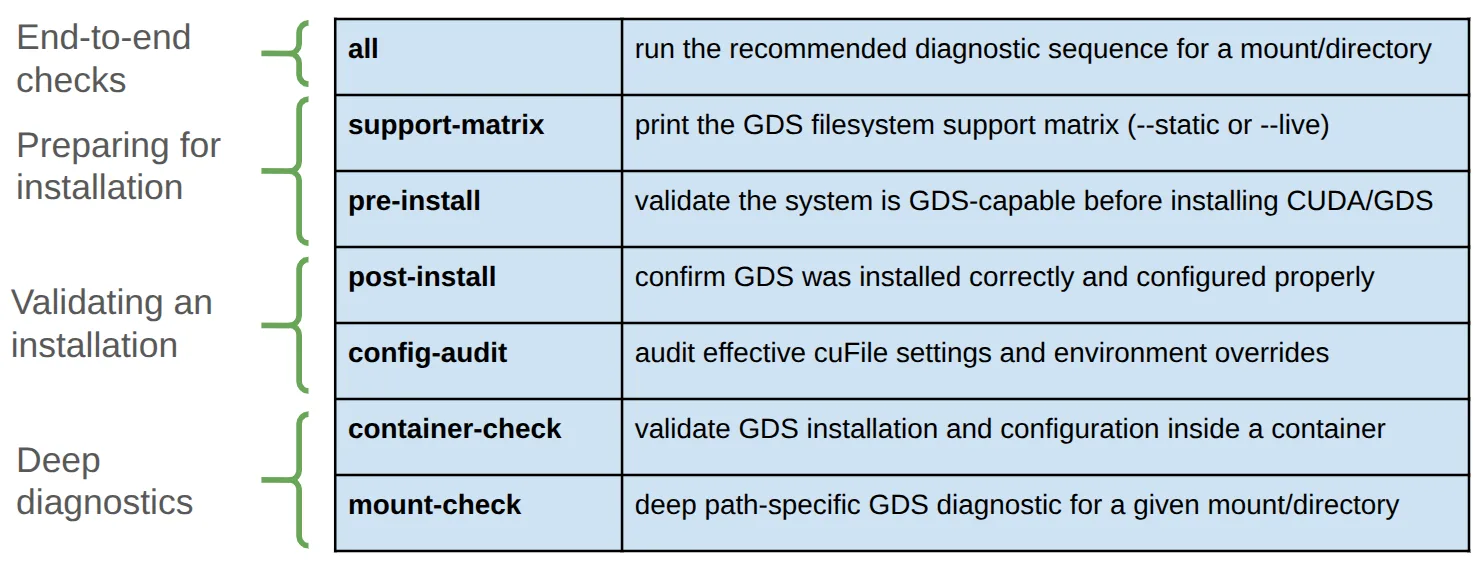
The gds-diag tool runs on Linux systems with Python 3.8 or newer and is distributed in the NVIDIA Magnum IO GitHub repository with no additional dependencies. Note that while GDS itself requires an NVIDIA datacenter-class GPU and CUDA Toolkit 12.2 or newer, gds-diag does not need these components to run its diagnostic checks. The tool is a single Python script with multiple subcommands, which can be browsed via the --help flag. The subcommands are organized into four categories, so users can choose diagnostic tasks based on their current deployment stage or the specific issues they are investigating, such as environment validation or performance tuning.
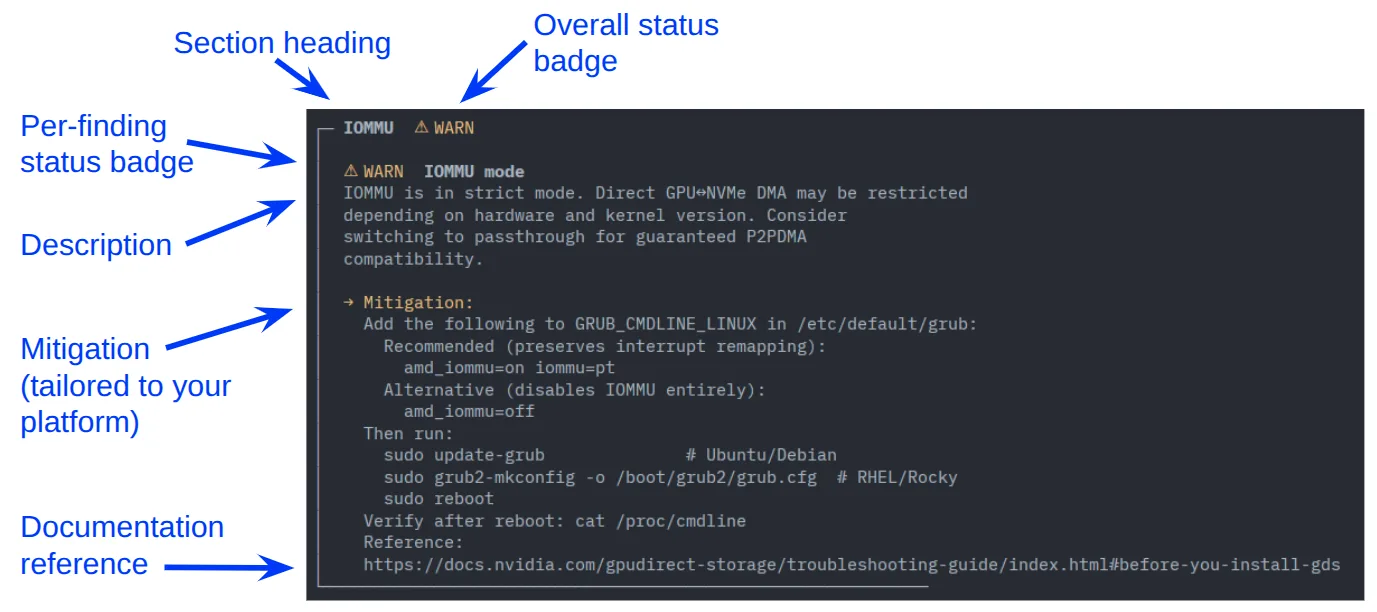
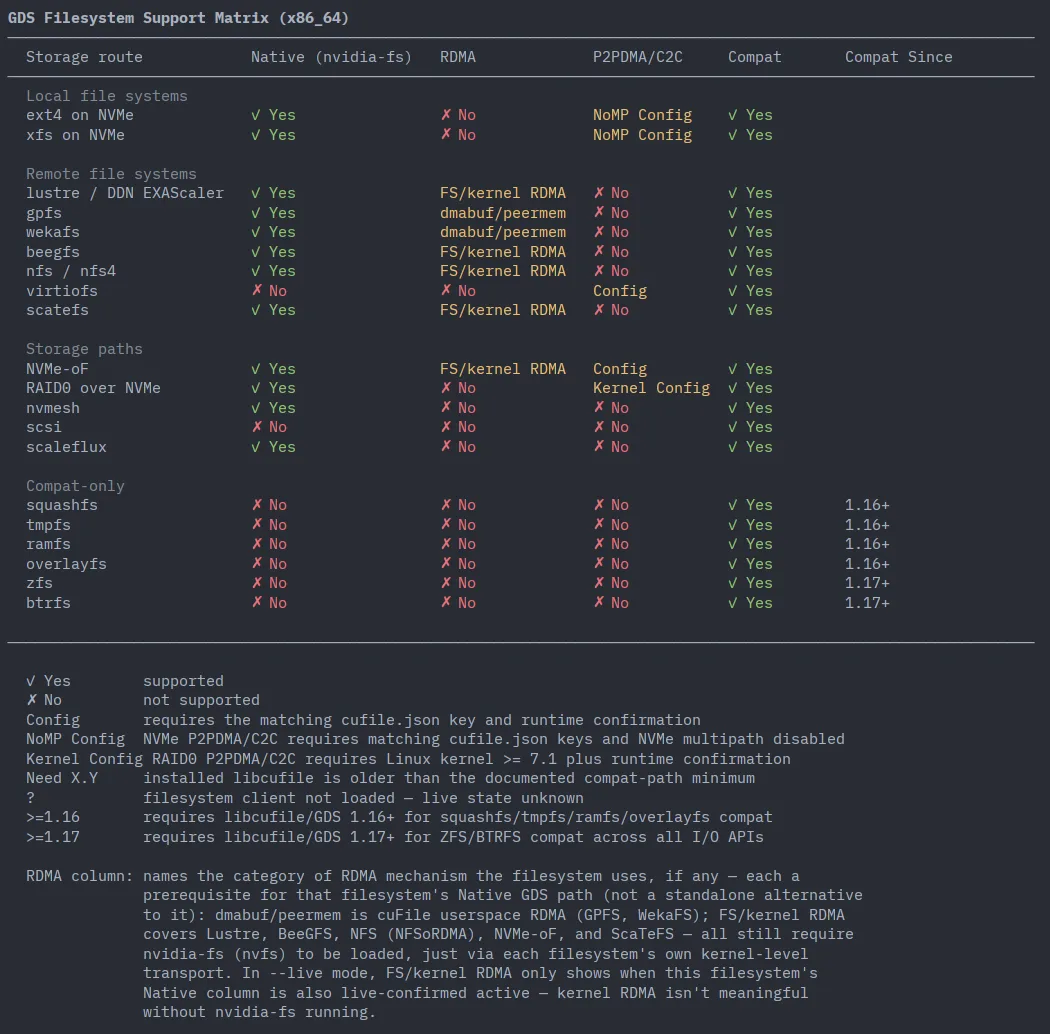
The output of most gds-diag subcommands presents findings grouped into sections, each marked with a status badge indicating the severity or nature of the issue. Every finding includes a detailed explanation and a recommended mitigation plan. Crucially, gds-diag is designed as a diagnostic aid rather than an automated fixer: it does not make changes or modify the system configuration on its own. Instead, it enables users and administrators to make informed decisions about system improvements. A notable exception to the standard output format is the support-matrix command, which displays a table of supported platform combinations, using color coding to distinguish between fully supported, conditionally supported, and unsupported configurations.
For users preparing new or modified GDS configuration files for production, the config-audit subcommand provides a robust verification mechanism. When executed, it audits the current effective configuration, taking into account both static configuration files and dynamic environment variable modifiers. The tool can identify subtle errors, such as misspelled entries, and confirm validity once corrections are applied. Additionally, gds-diag offers a --static option for reviewing general data and a --live option that incorporates real-time system information, ensuring that diagnostics reflect the actual state of the hardware and software stack.
Beyond the command-line interface, gds-diag includes an optional agent skill that introduces a natural-language interface and orchestration layer for the tool. This skill activates automatically when the repository is opened in coding assistants like Claude or Codex. It interprets user intent, selects the appropriate subcommands, and coordinates multi-step diagnostic workflows. Unlike the deterministic checks of the CLI, the agent skill applies model-guided reasoning to interpret results and propose remediation steps. It can even inspect system scripts, such as container launch configurations, to identify issues and offer to modify them, adhering to local settings and site policies for user confirmation.