Blog

 Public
- 31 Oct, 2026
Unity Industry: Q4 2026 Release Preview - AI Agents, USD Round-Trip, and Android XR Expansion
Unity Industry is preparing a significant Q4 release cycle that introduces experimental tools for AI-driven asset management and bidirectional simulation workflows. A key highlight is Industry AI Workflows, which allows developers to connect custom AI agents to Asset Manager, Asset Transformer, and Pipeline Automation. By describing the desired outcome, users can have an agent automatically execute complex pipelines: importing STEP files, repairing geometry, optimizing assets, rendering scenes for QA, and managing version tags. This experimental feature aims to cut weeks of manual preparation down to hours, though availability may shift as development continues.Simulation and robotics teams will get a new experimental USD Toolkit. It enables a full round-trip OpenUSD workflow between Unity and NVIDIA Isaac Sim. The integration preserves hierarchy and metadata while maintaining live scene synchronization: object positions, rotations, and scales are updated in real time. Developers can prototype robotics workflows, validate digital twins, or iterate on synthetic data scenes without manual re-exports. The toolkit supports reading and writing USD stages used in simulation pipelines, which ensures data integrity across both environments for high-fidelity industrial applications.For application developers, this quarter brings official Unity plugins for Claude, Codex, and Grok. They give AI agents specific skills for common development tasks. The agents verify project states, use current APIs, and validate results before returning work, which reduces coding errors thanks to logic maintained by specialists. Additional plugins for Kimi and Antigravity are scheduled for later this year. On the UI side, an early release of a Figma plugin is coming. It allows designers to push frames into Unity as editable UI Toolkit documents. Figma variables translate into Unity themes, and style edits can be pushed back to Figma, keeping the design and build processes synchronized.The platform continues to expand support for embedded and mobile environments, adding compatibility with Android XR devices such as XREAL AURA. A shared Unity runtime instance for Android applications reduces startup times and resource duplication compared to running a separate instance for each app. Performance improvements include Fast Enter Play Mode, faster asset loading via Content Directories, and a new Hierarchy window. These updates are part of a broader strategy aimed at enabling real-time 3D on factory floors, in car dashboards, and on robot test beds. This will let industrial teams get up to speed with the tools faster through structured, role-based training programs.Security and collaboration features are also being refined to protect intellectual property without getting in the way of external partnerships. New capabilities allow users to share nested folders with specific roles, ensuring collaborators access only the assets they need. External partners can be granted access to specific asset collections while the rest of the repository remains private. These updates arrive with the next Long Term Support release, which extends a year of Unity 6 performance and workflow gains to teams shipping at scale. The focus remains on making real-time 3D accessible to more people in diverse industrial contexts, from digital twins to HMI and embedded systems.
- Public
- 31 Oct, 2026
Boris FX Continuum 2027.0: Advanced Tools for Titling and Procedural Noise
Boris FX has officially released Continuum 2027.0, the latest generation of its comprehensive suite of plugins for compositing and editing. The update significantly expands the capabilities of the package. The main highlights are a new 2D titling system, a procedural 3D noise generator, and five distortion effects. The existing masking tools and the particle system have also been substantially improved. This gives creators more precision and freedom in post-production.The key feature of this version is BCC Text, a new vector-based 2D titling system. It works faster than the legacy BCC Title Studio. Users can place text in 3D space and animate it on a per-character basis. Built-in generators create counters, timecodes, dates, countdowns, and randomized text. The system supports OpenType and TrueType fonts, including Japanese scripts. Extensive background styling options are available: fills, gradients, borders, bevels, and shadows. The tool streamlines the creation of complex 2D titles right within the compositing environment.The update also introduces BCC+ Noise Map Studio, a procedural 3D noise generator. It is designed for creating organic backgrounds, mattes, and maps. The tool combines multiple noise layers into a single composite, forming rich, evolving textures. Five new warp and distortion effects have been added. BCC+ Time Displacement creates glitchy temporal pixel shifts. BCC+ Curl provides fluid swirling distortions. BCC+ Waves generates travelling waves. BCC+ Bulge imitates lens-style effects. BCC+ Vector Blur performs directional blurring. The last three effects have corresponding transition modes for seamless scene changes.BCC PixelChooser, the matte-generation and masking system, has been significantly improved. A new Drive Effect mode has been added. It allows users to control not only the location but also the intensity of a masked effect. The feature is supported in 18 filters, including blur and depth of field effects. The AI masking tools from the previous version have also been refined. BCC+ Face ML now follows the full shape of the face, including ears, for more complete coverage. BCC+ Matte Refine ML better preserves fine details, such as hair. BCC+ Witness Protection ML uses precise masks instead of generic ovals to obscure faces more effectively.The Particle Illusion system in Continuum has received support for tilt-shift effects and vignette blur. This makes depth of field rendering more convincing. New options for drawing and styling lines between particles have been added. A new caching system has appeared, ensuring smoother real-time playback. Users can now import 3D models in STL format. Continuum 2027.0 is compatible with After Effects, DaVinci Resolve, and Nuke. It runs on Windows 10 or later, as well as macOS 12.0 or later. Pricing depends on the host application. Perpetual licenses cost from $365 to $2,195. Subscriptions are available from $32 to $112 per month.
- Public
- 30 Oct, 2026
Trimble releases SketchUp 2027.0 with procedural tools and USDZ support
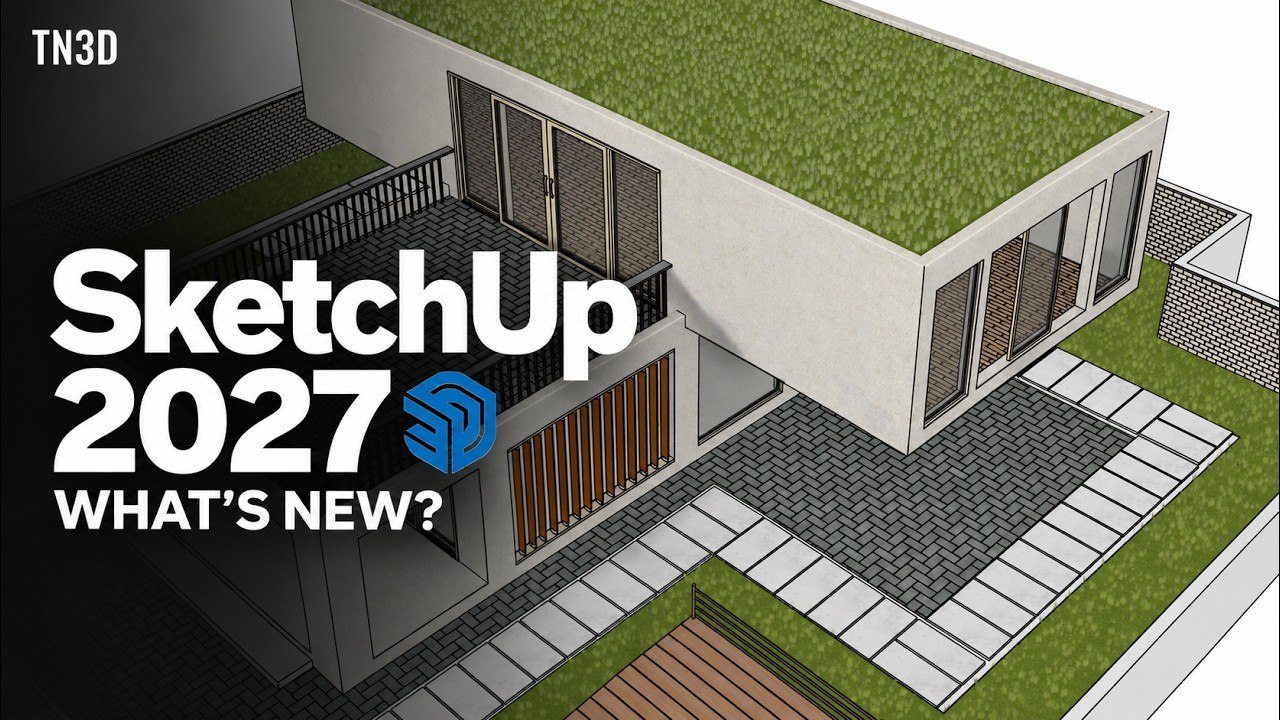
Trimble has officially released SketchUp 2027.0, the latest version of its architectural modeling software, which is also widely used by concept artists for roughing out hard-surface assets. This major update brings significant changes relevant to entertainment and development workflows, most notably the introduction of SketchUp Procedures. This new set of procedural tools allows users to create components that remain editable in a non-destructive manner, offering a distinct advantage over traditional fixed geometry approaches. The feature is described as an evolution of existing workflows, providing greater flexibility for artists who need to modify complex structures without starting from scratch.The new procedural capabilities include the Copy Along tool, which lets users distribute objects along a specified path. In addition, the existing Follow Me tool, which extrudes a face along a path, and several of SketchUp's Solid tools used for Boolean modeling now support these Procedural Components. Beyond procedural generation, the desktop edition introduces a new set of hatch patterns that can be assigned to the interiors of objects when they are revealed along a section plane in cutaway renders. The Add Location command has also been upgraded to support coordinate reference systems, allowing users to assign precise geolocation data directly to their models.Workflow improvements in SketchUp Desktop include a new interactive placement method for Live Components and the ability to sort component instances by tags in the Outliner. LayOut, the companion application for generating 2D documentation from 3D models, receives a new paperless canvas that allows drawing at a 1:1 scale. An Image Adjustments panel has been added to LayOut, letting users make simple adjustments such as opacity, hue/saturation, and brightness/contrast directly in the viewport, eliminating the need to switch to an external editor for minor tweaks.SketchUp and LayOut now share a common interface on Windows and macOS, based on the existing Windows UI and supporting dockable toolbars and trays for panels. Hidden line rendering performance has been improved, reducing the time required to generate vector linework for complex models, although specific speed metrics were not provided. File import and export options have been expanded to include support for USDZ files in addition to USD, along with new tessellation quality, annotation, and metadata controls for DWG and DXF imports. The software is compatible with Windows 11 and macOS 15.0 or higher. Subscription plans range from $19.99 for the basic Go tier to $859 per year for the Studio tier, which includes a Revit importer.
- Public
- 30 Oct, 2026
Packer-IO 1.5 doubles UV packing speed for Blender users
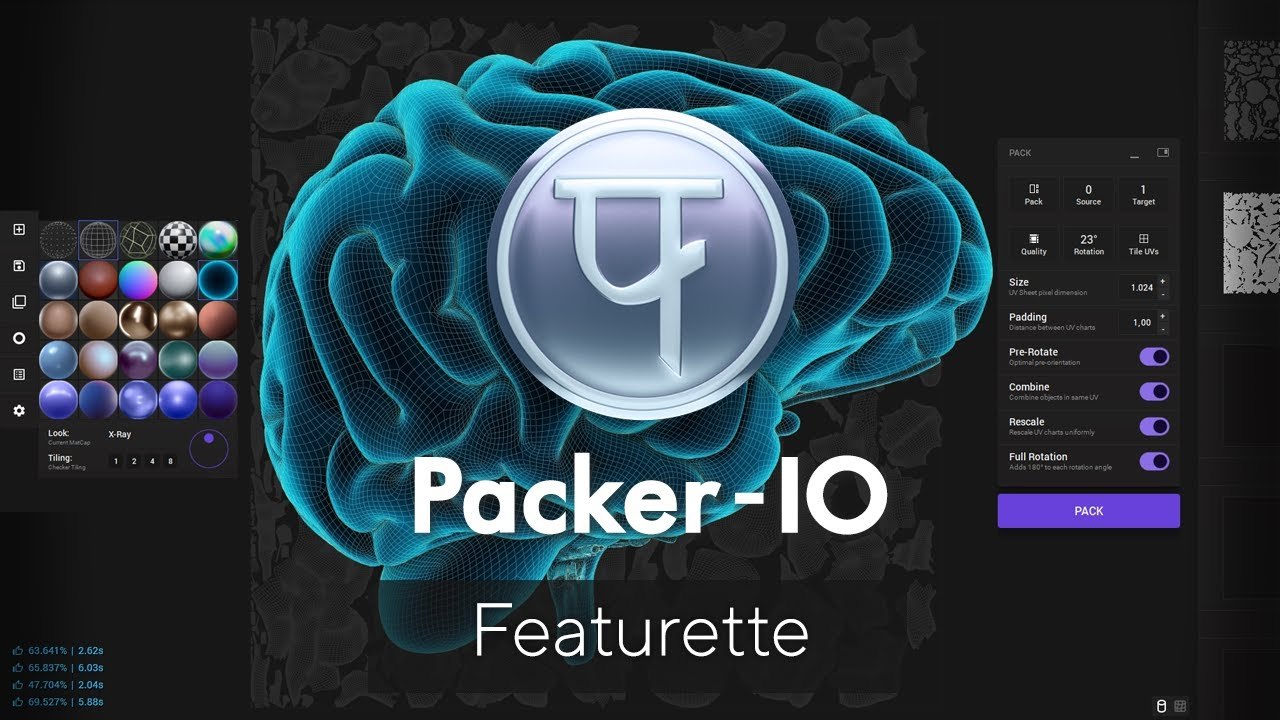
Packer-IO is a free standalone UV packing application developed by 3d-io for games, motion graphics, VFX, and visualization. Version 1.5 has been released. The update focuses on performance: packing speed is up to two times faster than in previous versions. The tool automatically arranges the UV islands of imported 3D models to minimize wasted space. Optimizing the layout reduces the total file size of texture maps. This is critical for efficient production pipelines.The core functionality of Packer-IO is resolution-independent. Packing time stays constant regardless of texture resolution. The tool supports both hard surface and organic models, as well as tiled UV layouts commonly used in ZBrush. It can handle complex assets with thousands of charts and millions of polygons. Important: Packer-IO is strictly a packing tool. It does not perform the initial UV unwrapping. Artists must provide already-unwrapped geometry for processing and optimization.Version 1.2 introduced scale-aware packing, allowing users to specify real-world scene scale units in both metric and imperial measurements. It was followed by version 1.3, which added support for texel density. Games artists can now specify a target resolution in pixels per centimeter, ensuring that packed textures maintain visual consistency with other assets in a project. Additionally, version 1.3 provided vastly improved hole filling, enabling the software to more intelligently pack smaller UV islands into the spaces left between larger ones, further maximizing texture space utilization.The latest 1.5 update includes a separate free Blender integration plugin named UnwrellaConnect. This plugin allows users to operate Packer-IO directly inside the open-source 3D software, streamlining the workflow for artists who rely on Blender. By integrating the packing process directly into the DCC tool, the update removes the need for constant file exports and imports. This direct integration, combined with the doubled packing speed, makes the tool a more efficient solution for managing texture layouts in modern game and visualization pipelines.
- Public
- 29 Oct, 2026
JetBrains Rider unifies GDScript, C#, and C++ development for Godot Engine
JetBrains has renewed its Platinum sponsorship of the Godot Foundation through 2027, marking a significant commitment to the engine's ecosystem. Over the past year, the company has transformed Rider into a unified development environment that handles GDScript, C#, and C++ GDExtensions simultaneously. This integration allows developers to manage all aspects of a Godot project within a single IDE, eliminating the need to switch between different tools for scripting and native code. The software remains free for non-commercial purposes, including hobby projects, learning, open-source contributions, and content creation, lowering the barrier to entry for independent developers and studios.The core of the update is the deep integration of GDScript support, which was bundled in Rider 2025.2 based on a previously community-driven plugin. This release introduced essential features such as code completion, Find Usages, Rename refactoring, documentation lookup, and static inspections. A key component is the Scene Preview tool window, which displays the nodes of the current scene directly within the IDE. This allows developers to navigate complex project structures by following connections between scripts, signals, resources, and scene nodes. Practical workflows include finding function usages before editing, navigating to declarations, and catching missing return types in real time, which significantly improves code maintainability and reduces errors.Rider 2026.2 further streamlined the interaction between scenes and code by enabling direct manipulation of scene nodes within the editor. Developers can now drag nodes from Scene Preview into their scripts to automatically insert paths or generate @onready and @export variables. The update also added a configurable GDScript formatter and improved the resolution of Autoloads and uid:// resource references. For C# projects, Rider combines powerful .NET editing and refactoring tools with Godot-specific navigation. Debugging capabilities have been expanded with conditional and logging breakpoints, which let developers inspect values without interrupting the game loop. In addition, the .NET debugger can now be attached to GDScript sessions, enabling simultaneous debugging of both languages in mixed projects.On the native side, Rider's C++ support covers GDExtensions, engine contributions, and custom forks, ensuring that native code lives in the same environment as scripts. CMake support exited beta in Rider 2026.2, and the release added Natvis support to the C++ debugger on Linux and macOS, including specialized visualizers for godot-cpp types. This makes inspecting native types during debugging much more intuitive. For addon developers, the release introduced project templates for Godot games, assets, and editor plugins, with an optional C++ GDExtension managed through CMake. These templates provide a structured starting point with pre-configured build and run settings, speeding up the development and debugging of new addons.The official JetBrains Rider Integration addon simplifies setting up a dual-editor workflow by detecting Rider installations and adding a toggle to Godot's toolbar. It applies recommended editor settings, reducing manual configuration. The Rider 2026.3 Early Access Program brings further improvements, including the ability to use the Remote Scene tree and node inspector while debugging C# code. This feature allows developers to see the running game's live node tree and inspect properties in real time. The EAP also improves reliability when working with multiple Godot projects by allocating separate ports for language servers and debuggers to avoid conflicts. These preview features are available in early builds, with the stable 2026.3 release expected later this year.Beyond the IDE, JetBrains contributes directly to the Godot engine to enhance compatibility. In October 2025, an upstream contribution extended Godot's Debug Adapter Protocol support with scene selection and command-line arguments, enabling more precise debugging sessions. Feedback from the community, including reports from Photon Engine regarding GDExtension singletons, has led to specific fixes in the 2026.3 EAP. The team continues to refine GDScript support based on insights gathered from events like GodotCon. Developers are encouraged to test the Early Access builds and share feedback through YouTrack to help identify areas for improvement. This collaborative approach ensures that Rider remains a powerful and responsive tool for the Godot development community.

- Public
- 29 Oct, 2026
Autodesk Arnold 7.5.4: interactive Imager shader and expanded viewport support
Autodesk has released Arnold 7.5.4, the latest version of its production-grade rendering engine. This substantial update adds a new Imager shader that lets artists design post-processing effects interactively right in the viewport. The Imager shader works by reading a shader network and evaluating it in real time, writing the result directly into the beauty render. In essence, it is a small compositing network built entirely from ordinary Arnold shaders. It allows for the creation of slap comps and various stylized effects, such as screen-space distortion, color remapping, and tiling. The shader supports any standard Arnold shading node and OSL shaders that output a value, but it does not support nodes that output closures, such as the OpenPBR Surface shader. This feature provides a flexible way to achieve retro and stylized looks without leaving the primary rendering environment.Complementing the Imager shader is a new Rim Light shader designed to enhance non-photorealistic rendering (NPR) workflows. This standalone node outputs the same rim lighting effect generated by the Toon shader but offers greater control over the visual appearance. By decoupling rim lighting from the Toon shader, artists can layer it as an adjustable component rather than relying on a fixed effect. This change provides more precision for designing NPR looks. Additionally, the update includes new options to pause and resume renders without losing previous progress, which is particularly useful for long-running jobs. A new max_render_seconds option has also been introduced to stop batch renders after a fixed duration, allowing for timely delivery of noisier but completed frames.The Advanced Viewport system, previously limited to Maya, is now available across all supported host applications. For 3ds Max and Cinema 4D users, this marks the first time they can render directly into the standard viewport on both CPU and GPU. Houdini users gain a new Accelerated Viewport option when rendering on the GPU inside Solaris, while Katana users receive a new accelerated rendering setting for GPU workflows. In Maya, the underlying technology has been updated to make the Accelerated Viewport more responsive and visually sharper during interactive navigation. It now also supports motion blur and Maya's cached playback system, which significantly speeds up the playback of animated characters. These changes streamline the iteration process for artists working in diverse DCC environments.Performance improvements are evident in several areas, particularly for scenes involving deforming meshes or motion blur with varying motion keys. GPU renders of scenes containing large numbers of objects or instances now start faster and react more quickly to interactive edits. Autodesk reports that the delay for interactive edits in a scene with 100,000 instances has been cut to a third. The Global Light Sampling system now offers an option to use more indirect lighting samples to reduce noise in complex scenes, though this comes at the cost of increased calculation time. The native Noice denoiser has been updated, and the integrated NVIDIA DLSS technology now uses the newer DLSS 4.5 Ray Reconstruction model for improved image quality.Outside the core application, the experimental Flow Render cloud service, launched with Arnold 7.5.1, has received several updates. It now supports setting a per-frame time limit, ensuring render jobs can be completed by the deadline despite noisier output. Flow Render also supports custom OCIO configurations and UDIM tile tokens in texture filenames. Currently free for all Arnold users, it offers up to 40 hours of rendering per month, targeting indie artists who want to avoid tying up local machines. All integration plugins have been updated to support the new features, including MAXtoA 5.9.5, C4DtoA 4.9.5, HtoA 6.5.4, KtoA 4.5.4, and MtoA 5.6.4. Arnold 7.5.4 is available for Windows 10+, Linux with glibc 2.28+, and macOS 12.0+, with GPU rendering supported on Windows and Linux with compatible NVIDIA GPUs. The software is rental-only: a single-user subscription costs $55 per month or $430 per year.
- Public
- 29 Oct, 2026
MetaWrap Add-on Automates MetaHuman Creation in Blender
Character artist Elvis Morelli has introduced MetaWrap, a specialized add-on suite for Blender that streamlines the conversion of existing 3D models into Unreal Engine MetaHuman characters. The toolset addresses a common workflow gap by allowing artists to perform topology transfer and texture mapping directly within Blender, rather than relying solely on Epic Games' external Mesh to MetaHuman system. The primary MetaWrap component wraps source models onto the standard MetaHuman topology, supporting digital sculpts, 3D scans, and AI-generated characters. It handles both complete bodies and isolated heads, with the option to attach a base body later. The process can be fully automatic or guided, with matching pairs of landmarks identified manually to ensure accurate alignment.The workflow includes a Smart Paint tool that transfers skin textures from the source model to MetaHuman UVs while cleaning up minor artifacts. To enhance facial fidelity, the accompanying MetaSculpt toolset allows artists to recover fine details like skin folds and wrinkles from 3D scans or sculpt custom wrinkle maps for specific facial expressions. For hair management, the MetaGroom toolset enables the creation and editing of hair grooms inside Blender using native grooming tools. It also facilitates the transfer of existing grooms between Unreal Engine and Blender, allowing for blending and modification without leaving the DCC environment. This integration ensures that high-quality hair assets are ready for immediate use in the final render pipeline.For users starting from scratch without a source model, MetaWrap integrates GNM Head, Google's open-source parametric head model, to generate a base head directly within the application. The resulting MetaHuman assets retain the full, authentic MetaHuman rig, ensuring compatibility with standard animation and control systems. Once the character is finalized, it can be sent to Unreal Engine with a single click for use in real-time games, VFX, animation, or visualizations. Since Epic Games updated the MetaHuman license terms last year, these assets are also legally cleared for use in other game engines and CG software, including Blender itself, expanding their utility beyond the Unreal ecosystem.The MetaWrap suite is available for purchase at a price of $158. It requires specific software versions to function correctly: Blender version 5.0 or higher and Unreal Engine 5.6 or newer. The system is currently supported exclusively on Windows operating systems. This targeted compatibility ensures that the add-on leverages the latest features in both Blender's modeling tools and Unreal's character pipeline. By consolidating topology transfer, detail sculpting, and grooming into a single non-destructive pipeline, MetaWrap reduces the technical overhead typically associated with creating production-ready MetaHuman characters for commercial projects.
- Public
- 29 Oct, 2026
Godot 4.8 Beta 2 Released: 144 Regression Fixes and Feature-Complete Status
The Godot team has officially released version 4.8 beta 2, marking a significant milestone in the development cycle. In the two weeks following the release of beta 1, the team focused on ensuring stability, detecting and resolving nearly 150 regressions. Because Godot 4.8 is now considered feature-complete, this beta snapshot is lighter in new features compared to previous dev snapshots. The primary goal of this release is to give the community a chance to thoroughly test the engine and identify any remaining issues before the final launch. Developers are encouraged to download the latest build and integrate it into their projects to help improve the overall quality of the upcoming stable release.This particular update includes 144 distinct fixes submitted by 59 different contributors, addressing various bugs and regressions present in the previous beta. The release is built from commit cafc17a19 and supports both the standard build, which features GDScript and GDExtension, and the .NET build, which adds C# support alongside the scripting languages. Users can access the new version through standard downloads or by using the web, XR, and Android editors. For those who want to test the Android editor specifically, access to pre-release builds requires joining a dedicated testing group. The team has also provided an interactive changelog that details every change made since beta 1, allowing developers to track specific modifications and understand the scope of the fixes applied in this snapshot.As this is a pre-release piece of software, users are strongly advised to maintain frequent backups or use version control systems such as Git to prevent data loss or project corruption. While the maintainers strive for stability, beta versions are by definition unstable and may contain unresolved issues. The current beta stage focuses on fixing regressions, which are features that worked in previous releases but are now broken, as well as significant new bugs introduced by recent feature additions. The team maintains a dynamic list of regressions and significant issues that they aim to address before the final 4.8 release. This list will be updated as more users test the beta snapshots and report new showstopping issues that could impact the final product.Developers are encouraged to actively participate in the testing process by reporting any bugs they encounter. It is crucial to check the existing issues on the GitHub tracker using relevant keywords to ensure that a reported bug is not already known to the team. Particular attention should be paid to any changes that cause regressions in existing projects, such as functionality that worked fine in previous 4.x releases but fails in this snapshot. Reporting these specific issues is vital for the team to prioritize fixes and ensure a smooth transition to the final release. By providing detailed feedback and bug reports, the community helps the maintainers identify and resolve critical problems, ultimately contributing to a more robust and reliable final version of the Godot engine.
- Public
- 29 Oct, 2026
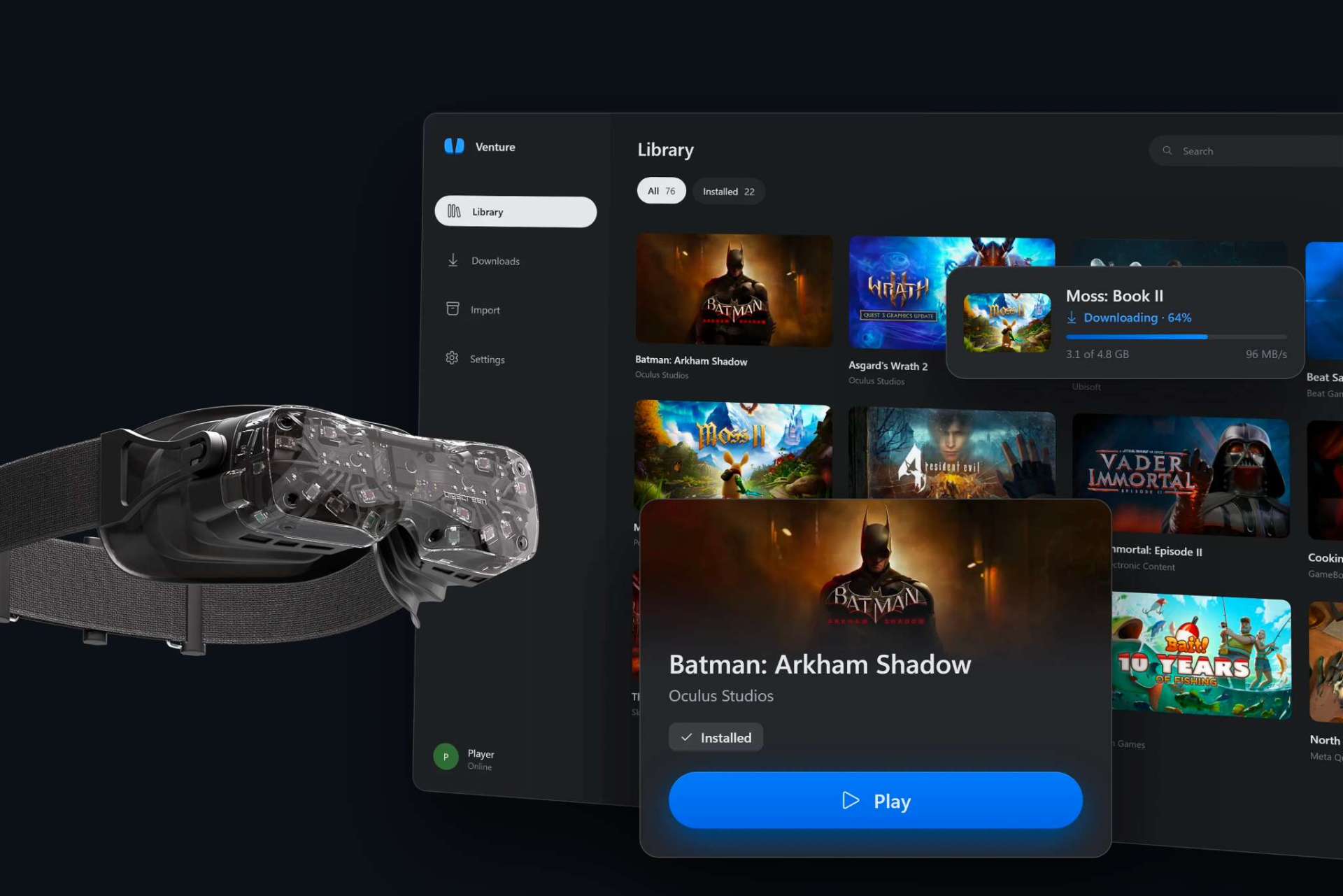
Venture Emulator Lets You Run Quest Exclusive VR Games on Any PC Headset
A new emulator named Venture aims to simplify running Meta Quest exclusive VR games on PC. Unlike previous tools such as Android XR Bridge or Refract, which required users to navigate complex GitHub repositories, Venture offers a streamlined experience. The tool is designed for ease of use, allowing developers and players to bypass the traditional barriers of porting mobile VR titles to desktop environments without extensive technical setup.Working with Venture is straightforward: the user downloads a Windows executable, signs into their Meta account, and downloads games directly to their local PC. The games can then be played on any PC VR headset that supports OpenXR. Under the hood, the emulator uses OpenGL ES through Google's ANGLE library, an open-source graphics abstraction layer. This technology allows games optimized for mobile devices to render effectively on a PC's GPU, bridging the gap between mobile and desktop performance standards.Venture supports a wide range of legacy titles by handling games built on the old Oculus VrApi and enabling them to run through OpenXR. This compatibility extends to older 32-bit ARM titles, not just newer 64-bit applications. The project is currently building a list of certified games that are known to work correctly. While specific system requirements have not been officially published, the developers note that using an Intel Core Ultra 9 285K processor paired with an Nvidia RTX 5090 graphics card allows for high-resolution rendering at 2,800 by 2,856 pixels per eye, outperforming competing solutions in various benchmarks.Despite the technical advantages, significant risks remain for users considering this tool. Venture requires users to sign in with their personal Meta accounts, which could potentially expose personal information to security risks. There is no guarantee that using the emulator will not violate Meta's Terms of Service, which could result in a permanent ban on the user's Quest account. Such a ban would effectively render all purchased games inaccessible. Additionally, there are concerns about potential stability issues that could negatively impact the host computer's operating system.The development of such tools highlights the shifting landscape of VR exclusivity. As Meta reduces its investment in large-scale game development, the necessity of maintaining a strict walled garden for its hardware is increasingly questioned. However, until official support for cross-platform play is established or the legal and security implications are fully resolved, using third-party emulators remains a risky endeavor. Users must weigh the performance benefits against the potential loss of account access and data security when deciding whether to adopt these unofficial solutions.
- Public
- 29 Oct, 2026
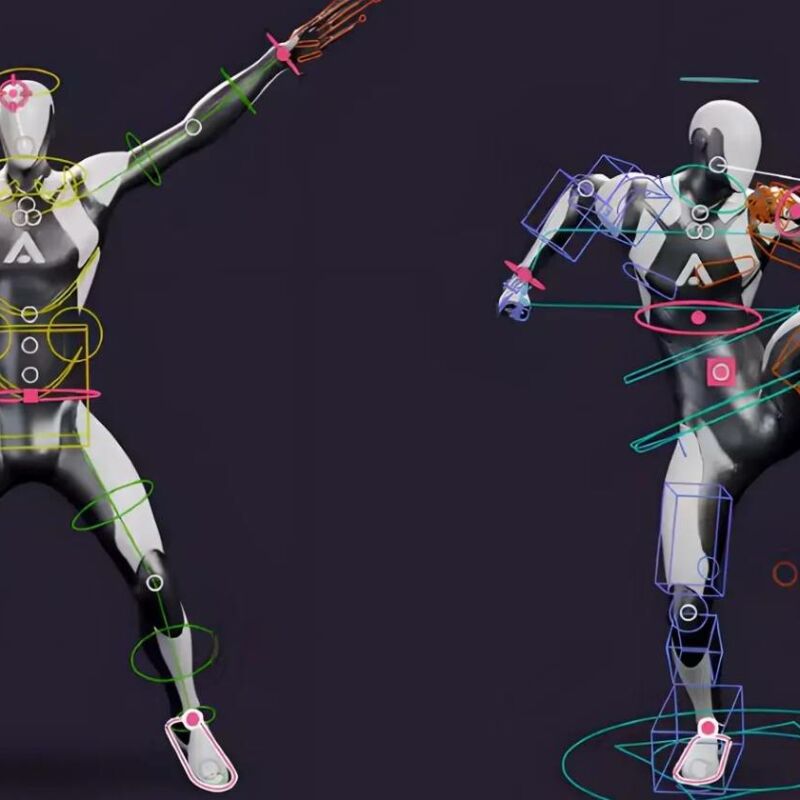
The Marionette add-on revolutionizes character posing in Blender
Marionette, developed by Animatica and co-founded by Matt Tokarz, transforms the character posing workflow in Blender by eliminating the need to tweak individual bones. Instead of manual adjustments, users can drag a hand, foot, or hip, and the rest of the body moves naturally to follow. Initially launched as a free set of posing handles, the tool has evolved into a comprehensive solution for both blocking and polishing character animation. It operates entirely offline, requiring no GPU or user account, ensuring that all created data remains private. The add-on is compatible with a wide range of humanoid rigs, including Rigify, Auto-Rig Pro, CloudRig, Mixamo, Character Creator, Daz 3D, VRoid, the UE5 mannequin, and 3ds Max Biped, without necessitating any bone renaming.The tool integrates directly with existing rigs by writing standard FK keyframes, leaving the original rig structure untouched and making edits easy to undo. It does not generate animation automatically, but rather solves the movement of the rest of the body around poses defined by the user. For refinement, Marionette offers features such as reshaping motion trails, painting over trails to smooth motion, and automatically detecting and fixing issues like foot sliding or popping joints. While it includes presets for posing fingers, it does not support facial expressions. The add-on is available as a one-time purchase and requires Blender 5.0 or later.
- Public
- 29 Oct, 2026
Valve acknowledges the VR content dilemma despite continued support
Valve representatives Tom Giardino and Marc Wilkinson addressed the state of virtual reality at the Steam Indie Connect event in Korea. While the session primarily focused on AI-driven content trends on Steam, Giardino engaged with VR developers regarding curation, visibility, and platform policies. This interaction occurred shortly after the release of Steam Frame, Valve's first standalone VR headset, prompting questions about the company's long-term commitment to the medium.Courtesy Busan Indie Connect FestivalGiardino, a member of Steam's business team since 2012, stated outright that Valve still believes in virtual reality. However, he noted that current Steam Frame users mostly play standard flat-screen games rather than VR titles. He pointed to the persistent chicken-and-egg dilemma as the main problem: developers are reluctant to create VR content without a larger market, while players wait for more games to appear before buying hardware.The growth of diverse and compelling flat-screen games further complicates the situation for VR developers. Giardino emphasized that expensive, popular flat-screen games launch every week, which creates a serious barrier to justifying VR development. This competitive pressure makes it harder for VR projects to secure funding and attention, especially when high-budget PC releases dominate the market and capture consumer interest.Valve positions Steam Frame as one component of a broader VR ecosystem, which includes the Steam Link app for Meta Quest and OpenXR support for various headsets via SteamVR. However, Giardino acknowledged that the ongoing component crisis, specifically rising RAM and memory prices, made Steam Frame more expensive than originally planned. This higher price reduced its appeal to new users, causing potential customers to hesitate or wait for better conditions.Giardino expressed regret about the impact on VR developers, noting that moments when new customers could have been welcomed turned into periods of hesitation. The company appears to be adopting a strategy of presenting Steam Frame as a general-purpose device that also happens to support VR, hoping to build a larger install base. This approach aims to make VR development more viable by increasing the potential user pool, although the high cost of components and the lack of new compelling AAA titles like Half-Life: Alyx continue to pose significant challenges for the ecosystem.