Blog
 Public
- 19 Sep, 2026
Unseen Reality's URXR One raises over $1.2M on Kickstarter: XR glasses that replace your monitor
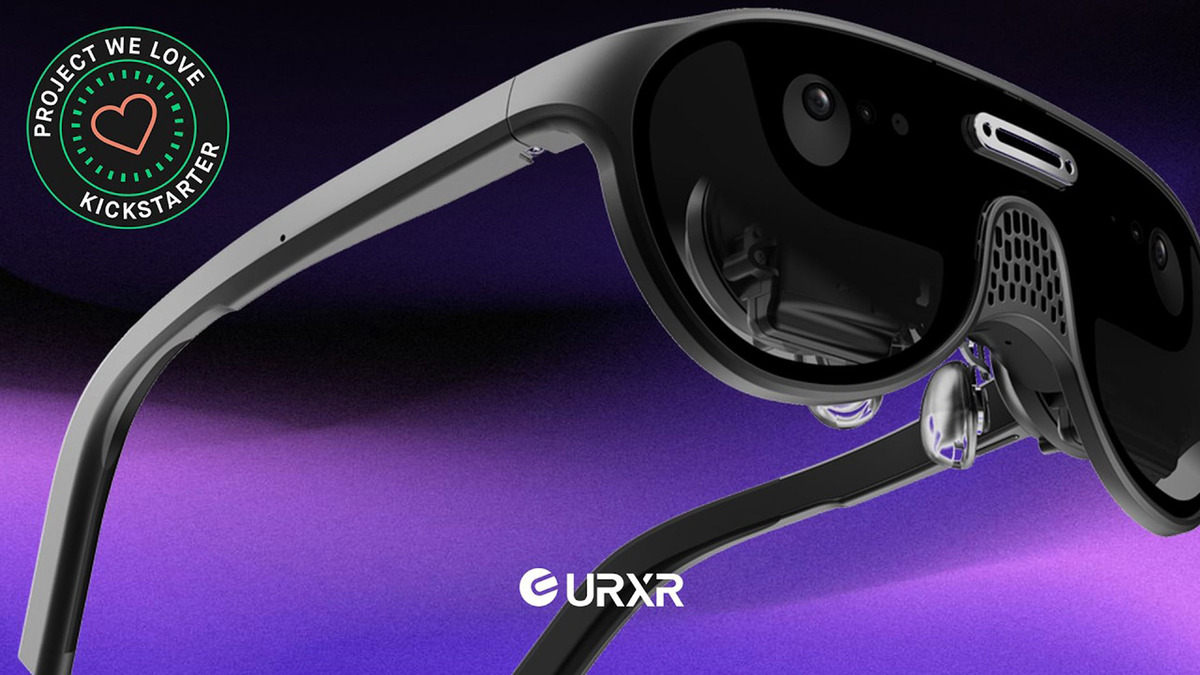
Unseen Reality has closed its Kickstarter campaign for URXR One, a pair of mixed reality glasses designed to replace a traditional monitor. The campaign officially raised $1,288,712. It launched on August 4th and blew past its initial $50,000 goal within minutes.Courtesy of Unseen RealityURXR One is not birdbath-style AR glasses like Viture or Xreal, but a lightweight VR headset with passthrough video, similar to Quest. Crucially, it is not a standalone device: it tethers over USB-C DisplayPort to an external source such as a laptop, phone, tablet, or gaming handheld. That tethering is what keeps it slim and light: at just 93 g, it drops the compute and battery bulk of standalone headsets. The company positions it primarily for displaying traditional content: flatscreen games, film, web browsing, and spreadsheets.Under the hood, it uses very thin pancake optics with dual 1.03-inch micro-OLED displays at 2,448 x 2,064 resolution, roughly 36 pixels per degree, a 90 Hz refresh rate, and a 90-degree diagonal field of view (about 80° horizontal by 56° vertical). An onboard spatial processing unit handles 6DOF tracking. Kickstarter backers secured URXR One at a special early price of $800, with initial shipping targeted for mid-October 2026; regular orders are said to carry a $900 MSRP, with their shipping timeline still unclear.Courtesy of Unseen Reality
- Public
- 18 Sep, 2026
Snap launches Specs glasses with a cellular case, enterprise partners, and a cross-platform AI assistant
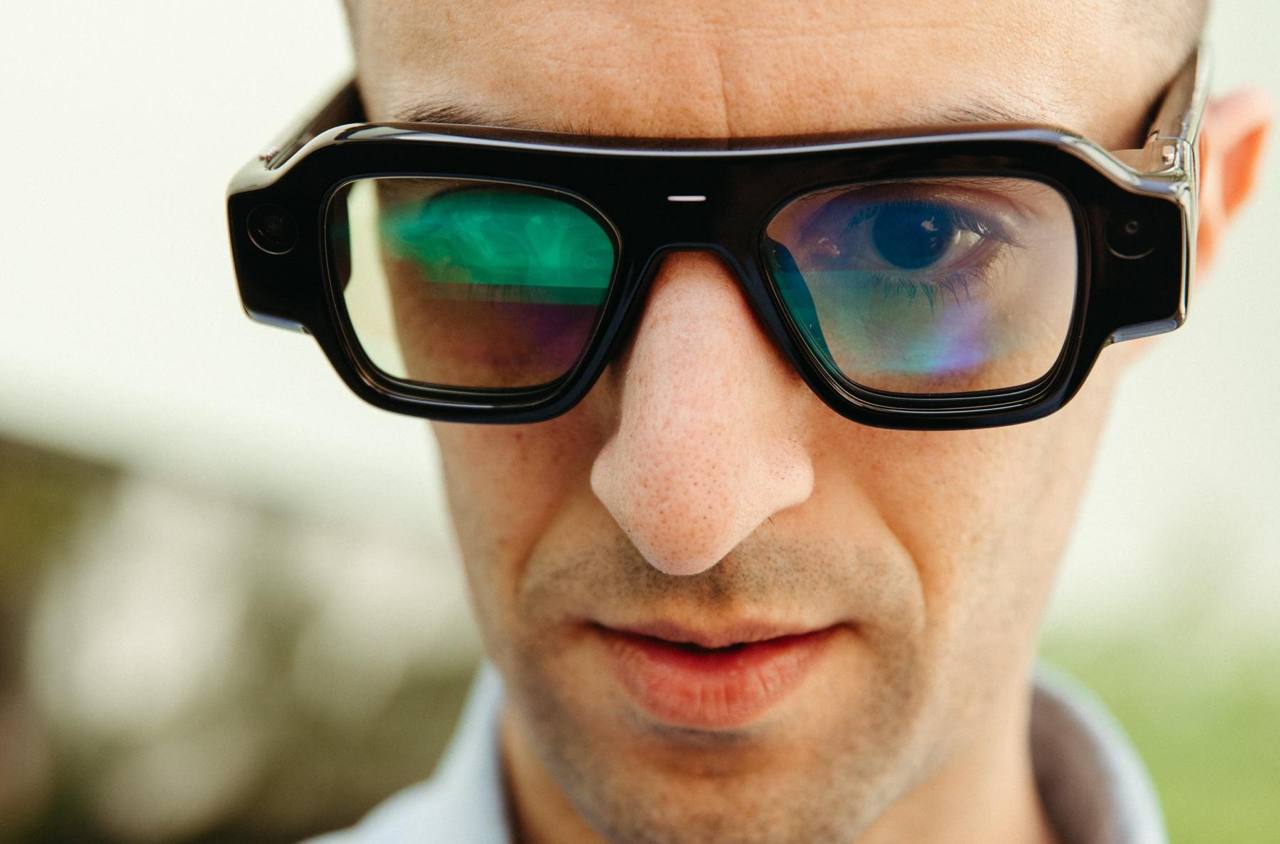
Snap has officially launched its Specs AR glasses and revealed new details about their use cases. The most notable technical addition is the SPECS Charging Case with Cellular, an accessory that does more than just recharge the device. Normally Specs, like other AR glasses, rely on Wi-Fi, but this case gives the glasses their own dedicated network connection. You have to carry the case anyway because the battery cannot last a full day; it charges the device four times and also provides Internet access on the go.In the United States, Snap is partnering with Verizon, which will offer custom data plans, financing and digital setup. The SPECS Connected Case bundle is priced at $2,395, and Verizon will provide payment options including a 36-month plan. Connected Wearable data plans start at $10 per month for Verizon customers and $20 per month for everyone else. Snap is also working with global carriers such as Orange in France and EE in the UK, with pricing through these partners to be announced later. The cellular case is positioned as a significant step for the industry: the glasses no longer depend on a smartphone's connection.Snap is also making a clear move into the enterprise segment. The company has partnered with Salesforce, AWS, HoloLight, Trifork and NVIDIA to build business solutions on Specs. Most of them cover familiar tasks, such as remote assistance and viewing documents in AR while keeping hands free to operate machinery. The NVIDIA partnership focuses on making the XR AI framework compatible with Specs, so employees can use an AI assistant running on a local workstation and keep company data on-premises. Snap is also building out the ecosystem for enterprise use, including compatibility with mobile device management systems.Snap has introduced Specs Intelligence, an AI assistant that runs on Mac, iOS and the Specs glasses. During setup you state your goals and connect apps such as your calendar, and the assistant uses that data along with spatial context when running on the glasses. It can send reminders before appointments, answer questions, help book flights and prepare daily digests. You can try the assistant today through the SPECS app for iOS, even without the glasses. Snap emphasizes privacy: you decide what to connect, Snap personnel cannot view personal content, and personal data from connected accounts is not used to train or fine-tune Snap's AI models or to serve personalized ads, with processing done on the device and in secure cloud infrastructure.On the content side, Snap is building experiences with partners such as the NBA and WNBA, along with a PGA-guided golf lens that analyzes swing mechanics and putting. A Harry Potter lens tied to the upcoming HBO Original Series lets users step into moments from the story, while educational lenses include an interactive Apollo 11 recreation and a Starmap that overlays constellations. The SPECS browser supports streaming from YouTube and HBO Max on a virtual display described as a 115-inch screen about 10 feet away, with a Travel Mode that keeps the picture stable in motion, and Spotify integration recommends playlists based on the moment.From October 1, the SPECS First Look experience will be available at Westfield Century City in Los Angeles, where people can try the glasses and talk to the Snap team. It remains a single location for now.

- Public
- 18 Sep, 2026
AndroidX Security State libraries let apps check device security on a per-component basis
Google has released stable versions of two AndroidX libraries, Security State 1.1.0 and Security State Provider 1.0.0, which give developers a unified way to inspect device security. Instead of relying on a single, coarse Security Patch Level (SPL), apps can now check protection on a per-component basis and see which fixes are still pending installation.The androidx.security.state library targets security-critical and consumer apps, such as banking, fintech, and healthcare apps, as well as Mobile Device Management (MDM) solutions. Its companion, androidx.security.state.provider, is intended for OEMs and Over-The-Air (OTA) client developers, and lets them expose update availability through standardized mechanisms.Rather than granting device access on an all-or-nothing basis, apps can combine DSPL, PSPL, and ASPL to make contextual security decisions. A banking or enterprise app, for instance, can compare the device's current security patch (DSPL) against pending updates (ASPL) before starting sensitive flows, such as high-value payments or credential enrollment. If an update is waiting, the app can require the user to install it first.For finer control, developers can query whether specific high-risk vulnerabilities (CVEs) have been patched, for example, confirming that critical NFC or Bluetooth fixes are applied before authorizing tap-to-pay or proximity data sharing. Feedback and issue reports are accepted through the public Android Issue Tracker.
- Public
- 18 Sep, 2026
Android Bench 2.0 introduces long-horizon tasks and continuous scoring
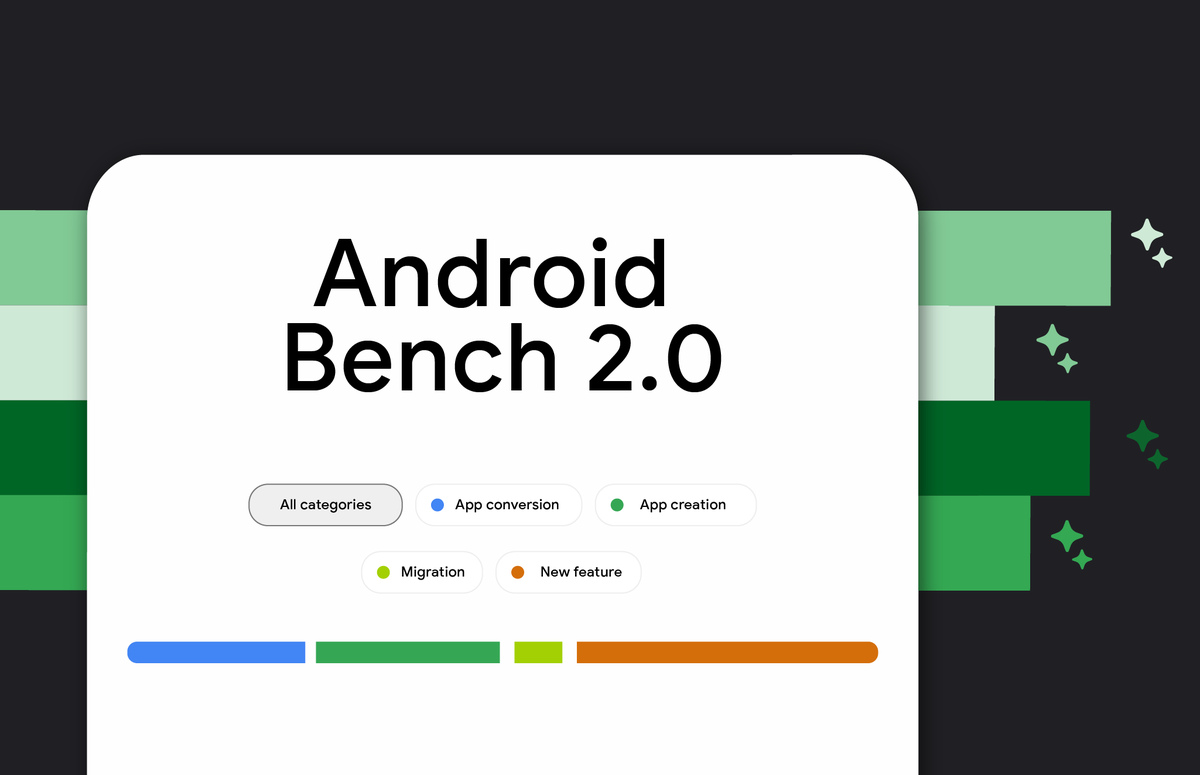
Google has released Android Bench 2.0, a major upgrade to its benchmark that evaluates how well large language models help developers with real-world Android work. The headline addition is the first set of long-horizon tasks (LHT): complex jobs that typically take an engineer several days or, in some cases, up to a week to finish. The release also brings agentic evaluation, beginning with agents from the corresponding model providers, and aligns the framework with the Harbor framework. Early versions of the benchmark focused on incremental changes, mostly bug fixes and small feature requests, which reflected the limitations of AI assistance at the time.The new long-horizon tasks are designed to mirror the ambitious work developers actually delegate to AI. They include upgrading dependencies, adding new features, building apps from scratch, and converting a cross-platform app to Android. To grade these multi-day efforts, Google is moving away from binary pass/fail scoring, which it argues obscures real capability. A run that refactors 40 screens to Jetpack Compose, sets up database tables, and meets 90% of requirements but fails a single edge-case assertion would have scored 0% under the old system. Continuous scoring now yields a completion rate, calculated from factors like functionality, visual fidelity, and avoiding regressions, with objective penalties for deviating from evaluation instructions or structural constraints.The results reveal clear strengths and weaknesses. The highest pass rate on long-horizon tasks is around 28%, far below the roughly 91% seen on the benchmark's original tasks. Across model tiers, AI writes new code better than it refactors existing code, since refactors and migrations hinge on architectural complexity rather than code volume. Models handle well-established, deterministic transformations reliably, such as converting Java to Kotlin, swapping Retrofit for Ktor, or introducing a ViewModel layer, applying these patterns consistently even across 125+ files and 8,000+ lines of code. They struggle, however, when a task requires runtime validation (like missing dependency-injection graphs), involves breaking framework changes, or runs into knowledge gaps with unreleased libraries.Porting cross-platform apps to Android remains an open challenge: no model reaches a 100% pass rate, and frontier models top out at roughly an 80% completion rate. Agentic evaluation is now part of the benchmark, starting with models paired with their provider's agent, for example GPT 5.6 Sol on Codex and Gemini 3.8 Flash on Google Antigravity. This pairing shows that harness design matters, with prompt caching and compact tool windowing reducing token usage. The leaderboard has also expanded, adding Gemini 3.8 Flash, Gemini 3.7 Flash, GPT-6, Fable 5.1, Kimi K3, and Qwen 3.8 Max; OpenAI's GPT-6 Astra leads with a 28% pass rate.
- Public
- 18 Sep, 2026
Speeding Up XR Development with Unity CLI, Meta VR CLI, and Performance Tools for Quest
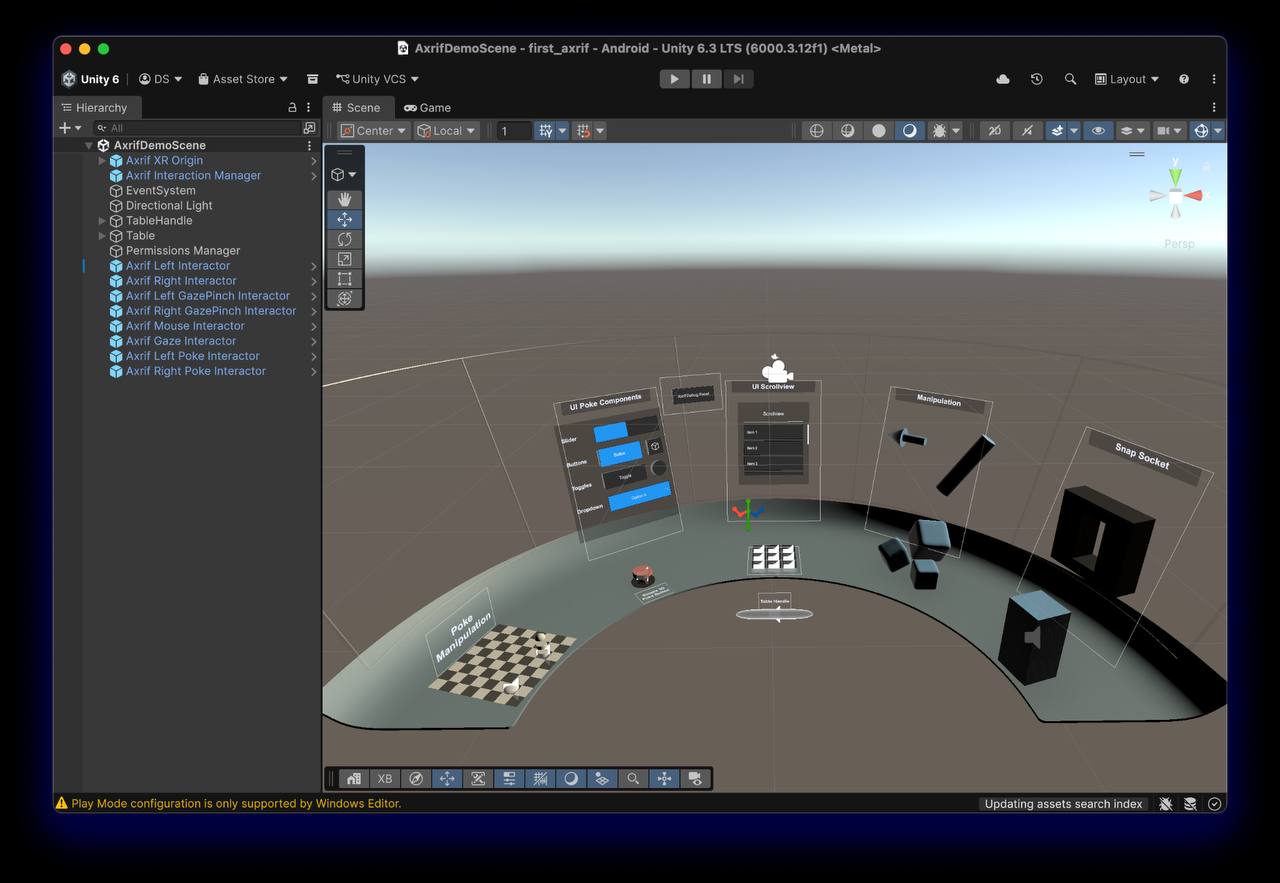
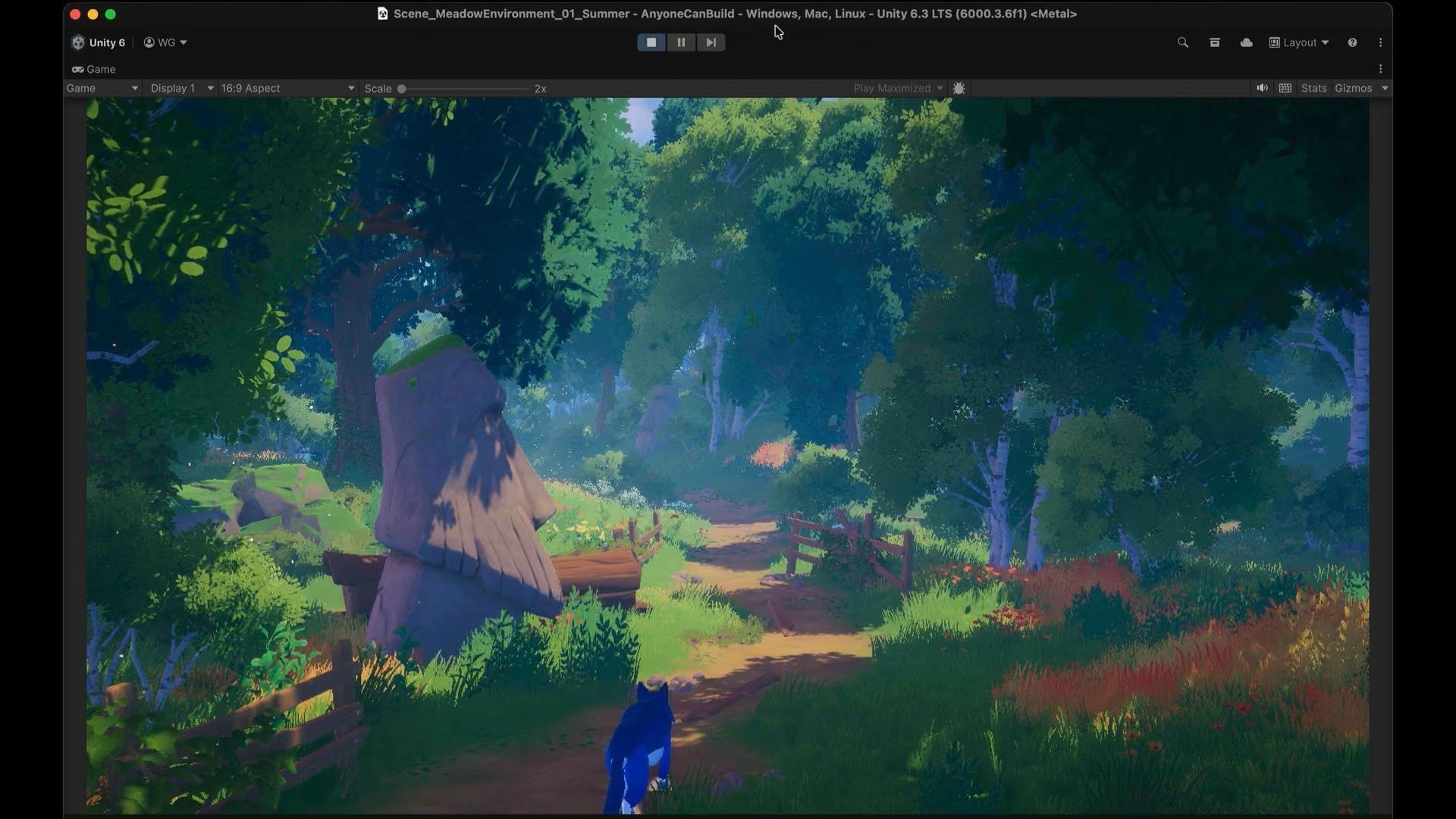
The launch of Unity CLI has given XR developers a much faster way to interact with the Editor and their projects directly from the terminal. Dilmer Valecillos, a Developer Advocate at Meta and the creator of a popular XR and game development YouTube channel, recommends that early adopters who have been working with the Unity MCP server move over to the new Unity CLI and Pipeline package. The CLI ships with its own built-in MCP server that uses the same protocol, so an existing MCP client connects to it without any real effort. The key advantage is dramatically faster iteration, because the CLI uses the Roslyn compiler for code evaluation, removing the need for Editor recompiles and domain reloads. Support also extends to target runtime environments, not just the Editor, and the combination with the Pipeline package is where agentic workflows really shine, since that package is what lets you communicate with the Editor.Knowing a handful of basic CLI commands saves real time simply because you can skip the UI. The most powerful available command is eval: it compiles and runs C# snippets live on the main thread through Roslyn while the Unity Pipeline package is running inside the Editor. Because there is no project recompile and no domain reload, execution takes milliseconds. You can use it to run automated setup scripts, query the Editor state, or execute C# files straight from disk with unity command eval_file "path/to/script.cs". For example, the command unity command eval "return UnityEditor.EditorApplication.isPlaying;" instantly returns the current play state. Another useful habit is keeping an eye on the changelog, since the CLI updates frequently and the changelog makes it easy to see which new features appear as the tool develops.Parameterized commands are another way to save time, especially when installing specific Unity versions with the modules you need. A single install command can set up everything at once, for example unity install 6000.5.0f1 -m android android-sdk-ndk-tools --cm --accept-eula --yes, which grabs the given version, Android build support, the SDK and NDK tools, the Content Manager, and automatically accepts the EULA. Instead of clicking through the Hub, you just run the command and move on. The full set of available CLI commands is documented in the Unity command-line interface reference.Because the Unity CLI supports multiple clients, it pays to connect it to whichever LLM you already prefer. At Meta the focus is on bringing the tools developers like directly into their primary editors, such as Cursor, Claude Code, and Muse Code, and a useful workflow tip is to mix tools, using one LLM for authoring and another for code reviews. However, general-purpose coding assistants are often confident about VR and often wrong, returning answers that work for mobile but not for Quest, for example on hand tracking or reducing draw calls. The Meta VR CLI closes that gap by giving the assistant access to the actual documentation and to the device itself. It ships with its own MCP server that plugs into Codex, Cursor, Claude Code, Gemini, or VS Code via metavr mcp install claude-code, with cursor, vscode, and project as alternatives.Once that connection is in place, the answers change. A question about passthrough camera access pulls current documentation instead of guessing from stale training data, and because the CLI can reach the device, it stops at suggestions far less often. It can install the build, tail logcat while a bug is reproduced, and capture a screenshot of what is actually displayed inside the headset rather than what the Game view shows, which alone saves a lot of putting the headset on and taking it off. Two more pieces are worth wiring in before writing any code: the Project Setup Tool checks a project against what Quest actually requires and fixes configuration errors before build time, while the Meta Asset Library offers 1.5 million royalty-free 3D assets with LODs already authored, searchable directly through the Meta VR CLI, so you are never blocked on placeholder art.Performance is the part of VR development that often takes developers by surprise, since something that feels smooth in the Editor can fall apart on the device. The traditional fixing loop involves capturing a trace, loading it into Perfetto, and scrolling through thousands of slices to find the one costing frames. The new perf commands in the Meta VR CLI are meant to break that loop: you describe what you want, such as "take a 15-second capture with GPU data," and the agent runs the capture and reads the result back, surfacing frame-time spikes and CPU/GPU bottlenecks in seconds. A direct command like metavr perf capture --mode full --duration 15000 --app com.mycompany.myvrapp --output my_vr_trace does the same. Inside Unity, the Quest Runtime Optimizer tackles the problem from the other direction, with bottleneck analysis that flags what is wrong and "What If" analysis to A/B individual GameObjects, while OVRMetrics, the Meta Quest fork of RenderDoc, and Perfetto improvements remain available for those who prefer to stay hands-on.
- Public
- 17 Sep, 2026
Using AI Agents to Prepare 3D Scenes for Simulation
Robotics simulation engineers routinely hit the same bottleneck, and it has little to do with policy, models, or training loops. The hard part often begins before any learning happens: the robot still lacks a simulation-ready world to train in. Getting a 3D scene from a Blender file into a state usable by a simulator is tedious, repetitive, and easy to get wrong, and it frequently falls outside the scope of the simulation engineer's job. That prep work is exactly where agentic systems can help, provided they carry the right tools.The workflow described here connects reasoning, tool execution, and validation into a single repeatable process. Codex, powered by OpenAI GPT-6 Astra, acts as the orchestrator that sets the objective, interprets results, and guides iteration. Specialized subagents built with the Hermes agent harness and deployed through NVIDIA NemoClaw call NVIDIA Omniverse Libraries to inspect the scene, author simulation metadata, configure physics, and render visual preflight views. The stack starts from a concrete objective: the input is a Blender scene, the goal is a robotics-ready world, the output is a USD-based simulation-ready scene, the destination is Isaac Sim or Isaac Lab, and validation combines visual preflight with SimReady checks.The first subagent connects to Blender through a Model Context Protocol (MCP) server and inventories the scene rather than guessing from screenshots. It can call tools to inspect objects, collections, transforms, materials, cameras, lights, and scene metadata, returning a structured inventory that becomes shared context for the rest of the agents. A sample result counts 142 objects and 37 materials while flagging missing semantic labels, collision meshes, camera sensors, and physics materials. Astra uses that inventory along with the robotics objective to identify missing information, plan the next tasks, and delegate them with clear acceptance criteria.Figure 1. A reference workflow demonstrating how Omniverse Libraries are used to activate a Blender scene with agentsFigure 2. A Blender add-on streams scene data to Omniverse Libraries over gRPC, allowing rendering and physics capabilities to flow directly back into the Blender viewportThe inventory then flows into specialized agents that act on the scene. A USD authoring agent preserves hierarchy, transforms, materials, labels, physics metadata, and sensor definitions, using USD's layered, nondestructive composition so agents can enrich the world without flattening the original artwork. A semantic-labeling agent turns anonymous meshes into task-aware objects such as shelves, bins, floors, obstacles, grabbable items, and robot targets, inferring labels from names, hierarchy, shape, and context while flagging uncertainty. In the demo, 118 prims were tagged and 9 labels left for human review. A material agent converts visual appearance into simulation-useful metadata, identifying metal shelving, cardboard boxes, plastic bins, concrete floors, rubber wheels, or glass panels rather than chasing prettier look-dev.Figure 3. USD assembles the final scene from separate sublayers (assets, lighting, and materials), each of which can be edited in isolation before mergingA sensor subagent authors camera and lidar devices early so that placement, field of view, range, polling rate, occlusion, and target visibility can be validated before the scene reaches the simulator. The ovphysx subagent then makes the world physically aware, adding collision shapes, mass, friction, and rigid-body behavior, and turns its findings into a repair plan. It generates simple collision meshes for static props, marks floors and shelves as fixed colliders, assigns rigid-body properties to grabbable objects, and flags anything that depends on task intent. Safe, mechanical fixes run automatically, while ambiguous cases, such as an uncertain semantic label or physical behavior, are escalated to a human with context and a proposed next step. The result is a physics-readiness report that downstream tools can consume.
- Public
- 17 Sep, 2026
Apple has released the first beta versions of iOS 27.2, iPadOS 27.2, macOS 27.2, tvOS 27.2, visionOS 27.2, and watchOS 27.2
Apple has shipped the first beta versions of iOS 27.2, iPadOS 27.2, macOS 27.2, tvOS 27.2, visionOS 27.2, and watchOS 27.2. Developers should confirm their apps work as expected on these releases and build and test with Xcode 27.2 to take advantage of the advancements in the latest SDKs.When iPhone Duo launches on October 23, it will run iOS 27.1. This version builds on iOS 27 and adds features purpose-built for the new foldable design. Xcode 27.1 will add development support for iPhone Duo, including updated SDKs and a simulator that supports its all-new poses and orientations, with a beta available later this month.
- Public
- 17 Sep, 2026
iOS 27 adds subscription bundles, Suites, and multiseat purchases to StoreKit 2
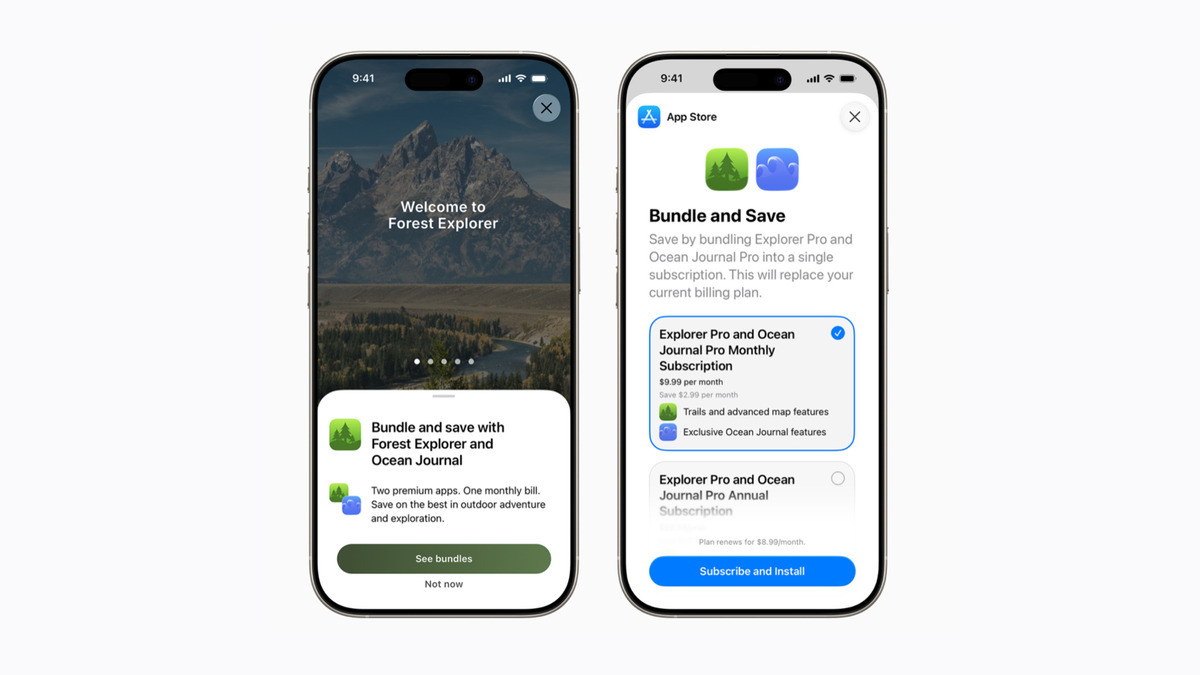
iOS 27 introduces new ways to expand the reach of auto-renewable subscriptions, and developers can start preparing now by making sure their apps handle Apple In-App Purchases through StoreKit 2. The App Store provides the purchase experience for all the new capabilities, displaying every app included in an offering so users can download and access subscription content immediately.Two capabilities package subscriptions into a single Apple In-App Purchase. With Bundles, people access multiple subscriptions in one purchase: across a single app, multiple apps from the same developer, or apps spanning multiple developers. With Suites, a single subscription works seamlessly across a set of apps from one developer. Developers can begin by reviewing the Bundles and Suites page, which lists eligible configurations, technical requirements, and the request form. Both features arrive later this year in iOS 27, iPadOS 27, macOS 27, tvOS 27, or later.Multiseat purchases let organizations and groups buy subscriptions in bulk through Volume Purchasing and Group Purchases. This moves subscriptions beyond single users: small businesses and specific work groups or departments can access content without additional administrative workflows. With Volume Purchasing, organizations using Apple Business and Apple School Manager purchase subscriptions through one Apple In-App Purchase and assign seats via a device management provider.Multiseat purchases are enabled by default for subscriptions in App Store Connect as of today. Developers retain full control over availability and can disable multiseat purchases entirely or selectively manage them across the App Store, Apple Business, and Apple School Manager. Volume Purchasing launches on October 22, 2026, and Group Purchases launches this winter.

- Public
- 16 Sep, 2026
River Modeler for Unity rebuilt on native Splines for Stylized Water 3
The River Modeler expansion for Stylized Water 3, originally released in 2024, has been rebuilt from the ground up to accommodate engine changes and is now relaunching as part of the water asset by Staggart Creations. Built on Unity's native Splines, the tool automatically generates optimized river geometry, cascades, VFX, and spatial audio as you edit. It also picks the appropriate audio type (stream, rapids, or cascade) based on the river's slope and displacement.Under the hood, it runs on Unity's Job System and Burst to stay fast and responsive during editing. Rivers are split into smaller sections for better culling and rendering performance, and automatic LODs optimize them based on distance. The base asset ships with a set of normal map and foam textures that can be switched through a dropdown, with support for custom textures as well.River Modeler requires Stylized Water 3 to be installed, so it is strictly compatible with URP. Owners of the legacy standalone version of River Modeler can get a 40% upgrade discount, while new users can buy River Modeler at 50% off for one week.
- Public
- 16 Sep, 2026
Steam Frame vs. Quest 3: Streaming, Power, and Hackability Compared
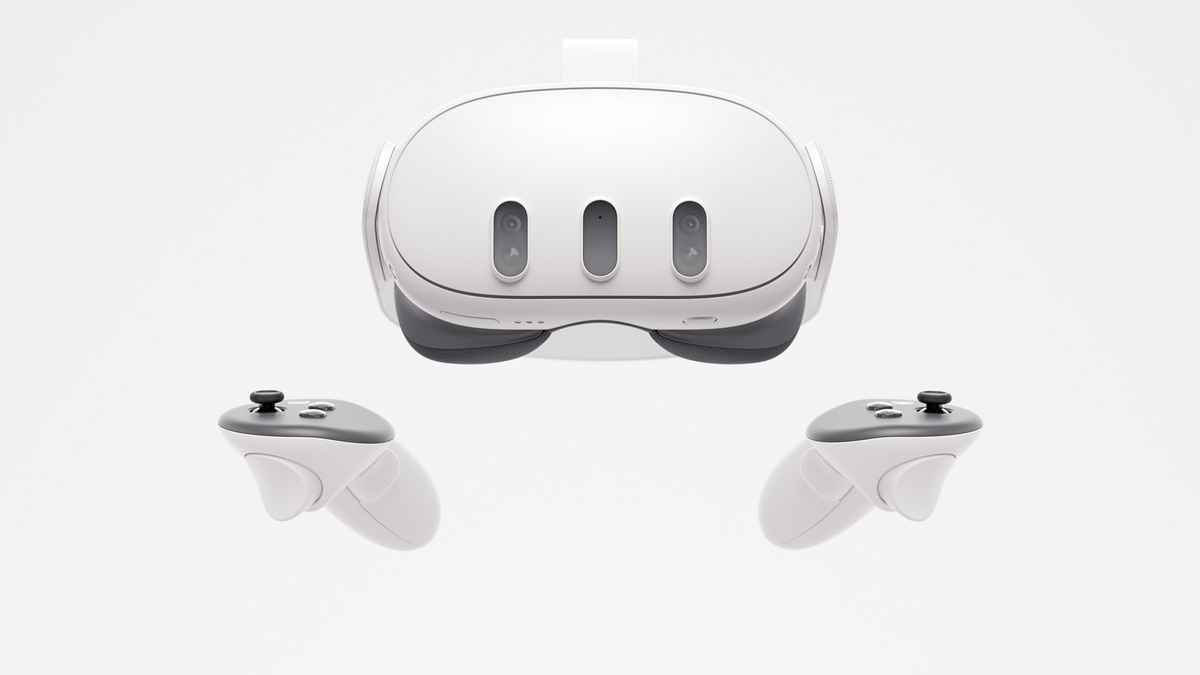
Valve's upcoming Steam Frame is a standalone headset built much like the Steam Deck: out of the box it runs Steam's entire library, including flatscreen x86 titles and now PC VR games. That means you can download modern flatscreen and VR titles and play on the go, with no wires or PC required. At its core, though, Valve positions Frame as a wireless PC VR streaming headset, using a Wi-Fi 6E dongle that plugs directly into your computer or the newly announced Steam Machine. Quest 3 can also stream PC VR, but it has to route video through your home Wi-Fi router, which adds latency; Valve's dongle cuts out that middleman entirely.The bigger difference is raw power and game compatibility. Both headsets use ARM-based Qualcomm Snapdragon processors, with Frame's being the more powerful, but only Frame can natively play x86 Windows and Linux content thanks to its built-in compatibility layer. Quest 3 only runs games compiled for ARM, albeit from a large library that's all certified to work on the headset. Frame has no such guarantees yet. Valve is already distributing dev kits ahead of Frame's 2026 launch so PC VR studios can optimize, and it's expected to roll out a Steam Deck-style badging system marking what works great, okay, or not at all - while still letting you download and try anything on Steam.Hackability is another major divide. Frame natively runs SteamOS and, as an open platform, gives you direct Linux access and lets you install any OS you want. Quest's Horizon OS can't match that because of its locked bootloader and lack of root access. Valve is confident enough in SteamOS that it says the operating system "would be great for other VR devices." Frame also adds a user-accessible gen4 PCIe expansion port supporting up to two 2.5 Gbps cameras or other add-ons, plus a microSD slot for up to 2TB of extra storage. Both are clear wins for makers and tinkerers looking to expand the headset.Photo: Road to VROn comfort, Frame shows promise over Quest 3, though the verdict isn't final. Its front "core" (displays and optics) weighs just 190g, with the remaining 245g of the 435g total placed into a headstrap carrying a rear-mounted 21.6 Wh battery. The default box notably lacks a top strap, which Valve sells separately alongside Knuckles-style controller straps. Displays are roughly even: Quest 3 offers 2,064 × 2,208 per-eye LCD and Frame 2,160 × 2,160, both at 72-120Hz, with Frame capable of up to 144Hz in an experimental mode. Frame does fall short on passthrough, shipping monochrome passthrough (with a color add-on sold separately) versus Quest 3's built-in full-color passthrough. Pricing starts at $1,059 for 256GB and $1,299 for 1TB.
- Public
- 15 Sep, 2026
Mold: a free vector graphics library for Unity and Godot
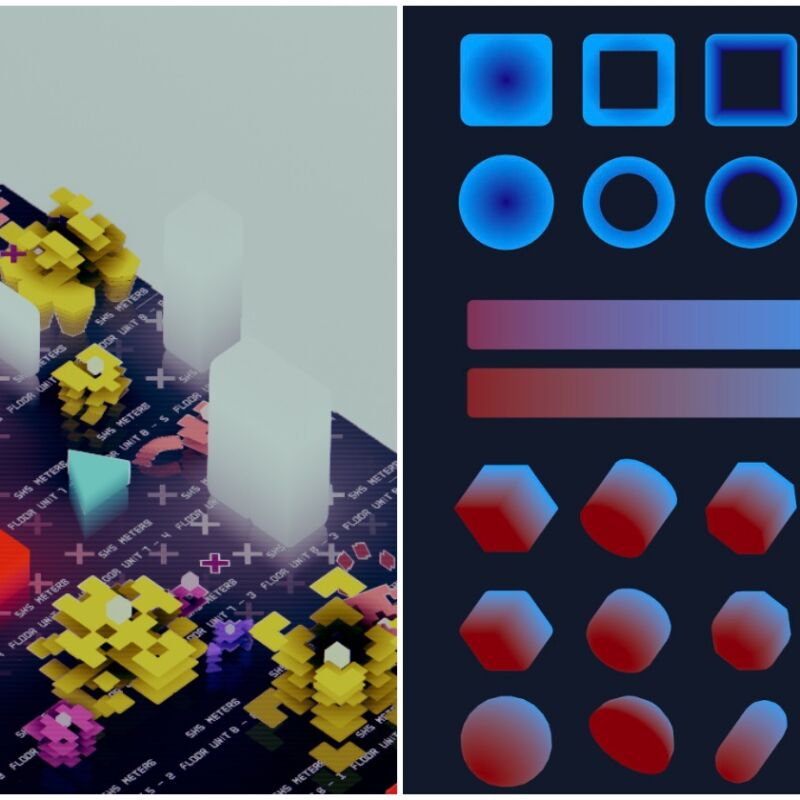
Developer DK Liao has shared Mold, a free work-in-progress real-time vector graphics library for Unity and Godot. The library grew out of the same experience behind a game built with simple 2D/3D geometry. Its capabilities are on display in a recreation of the 22-minute loop of the Outer Wilds universe in miniature: it is made entirely with Mold in the Godot engine, using about 3000 lines of GDScript and zero external assets.The collection is still in development, and pre-release versions are currently shared free of charge for both commercial and non-commercial projects. Once development ends, Mold will become a paid product, but anyone who already holds a licensed pre-release version will be allowed to keep using it without restriction.The download ships with a PDF of comprehensive design explanations. Under the hood, the library items use shader work, with packaged data sent through a color texture and extracted via a shader for Godot, plus MultiMesh for efficient rendering, alongside additional systems such as automatic LOD. Mold is available on itch.io, and it comes from the developer behind Autopanic, Ultra Void, Net Dive, and Autopanic Zero.