Blog
 Public
- 10 Sep, 2026
App Store opens submissions for macOS 27 and the latest OS releases
Xcode 27 Release Candidate is available to download. Developers can build apps and games with the latest SDKs, test them through TestFlight, and submit them for review to the App Store.macOS 26 is the final release supporting Intel-based Mac computers and Rosetta; macOS 27 runs on Apple silicon only. To limit an app to Macs with Apple silicon, set the Xcode build architecture to arm64 only, rebuild the project, and resubmit it. Dropping Intel support lets teams simplify development and optimize apps for Apple silicon.New Time Allowances in age rating questions give parents more flexible ways to manage kids' time in apps across categories such as Entertainment, Games, and Social Media. Apps with social media capabilities must indicate this in App Store Connect. App Store assets are also being refreshed: new product page headers and search result assets, plus design guidance and templates for headers, screenshots, previews, and In-App Events. A new product page preview tool in App Store Connect shows the final page before publishing. Starting April 2027, apps and games uploaded to App Store Connect must meet new minimum requirements.
- Public
- 10 Sep, 2026
Adobe Releases After Effects 26.5 and a Beta of an Agentic AI Assistant
Adobe has released After Effects 26.5, the latest update to its compositing software for motion graphics, post-production and VFX. The release is framed primarily as a workflow and performance update rather than a feature drop, and it arrives alongside a separate beta build that introduces a truly significant new capability: an agentic AI Assistant.The headline improvement in the stable 26.5 release is disk caching support for Object Matte, the AI-powered automatic rotoscoping tool added earlier in After Effects 26.2. Results are now preserved even after a project is closed, so a matte no longer needs to be recalculated from scratch each session. The change also improves interactive performance on first calculation: After Effects no longer needs to hold every propagated frame in memory, which frees up RAM.The update also refines on-screen guides in the Composition, Layer and Footage panels. Guides now support percentage-based positioning, can be pinned to the bottom and right edges of a panel as well as the top and left, and can have their color set on a per-guide basis. The Effect Controls panel has been modernized, letting users assign color labels to individual effect instances on layers.More consequential for developers and technical artists is the new agentic AI Assistant in the accompanying beta. It accepts detailed natural-language instructions, carries out the commands, and reports progress in a text log. Beyond smoothing the learning curve for newcomers, Adobe pitches it as a way to automate tedious or technical tasks: it can inspect compositions or footage from collaborators and return an automatic summary, and it can write custom JavaScript expressions for motion graphics work. It reportedly brings After Effects in line with similar AI Assistant betas already shipped in Photoshop and Premiere Pro.The same beta also includes 3D additions, including the ability to apply Substance materials to text and shapes, not just standard 3D objects, and to use layers as material sources with the Advanced 3D renderer to generate textures from video layers or entire precomps. After Effects 26.5 runs on Windows 11 and macOS 14.0+, is rental-only, and costs $34.49/month or $263.88/year for a single-app subscription. The online documentation refers to it as the September 2026 release.
- Public
- 09 Sep, 2026
Blackmagic Design releases Resolve 21.1 with an MCP server for AI-driven control
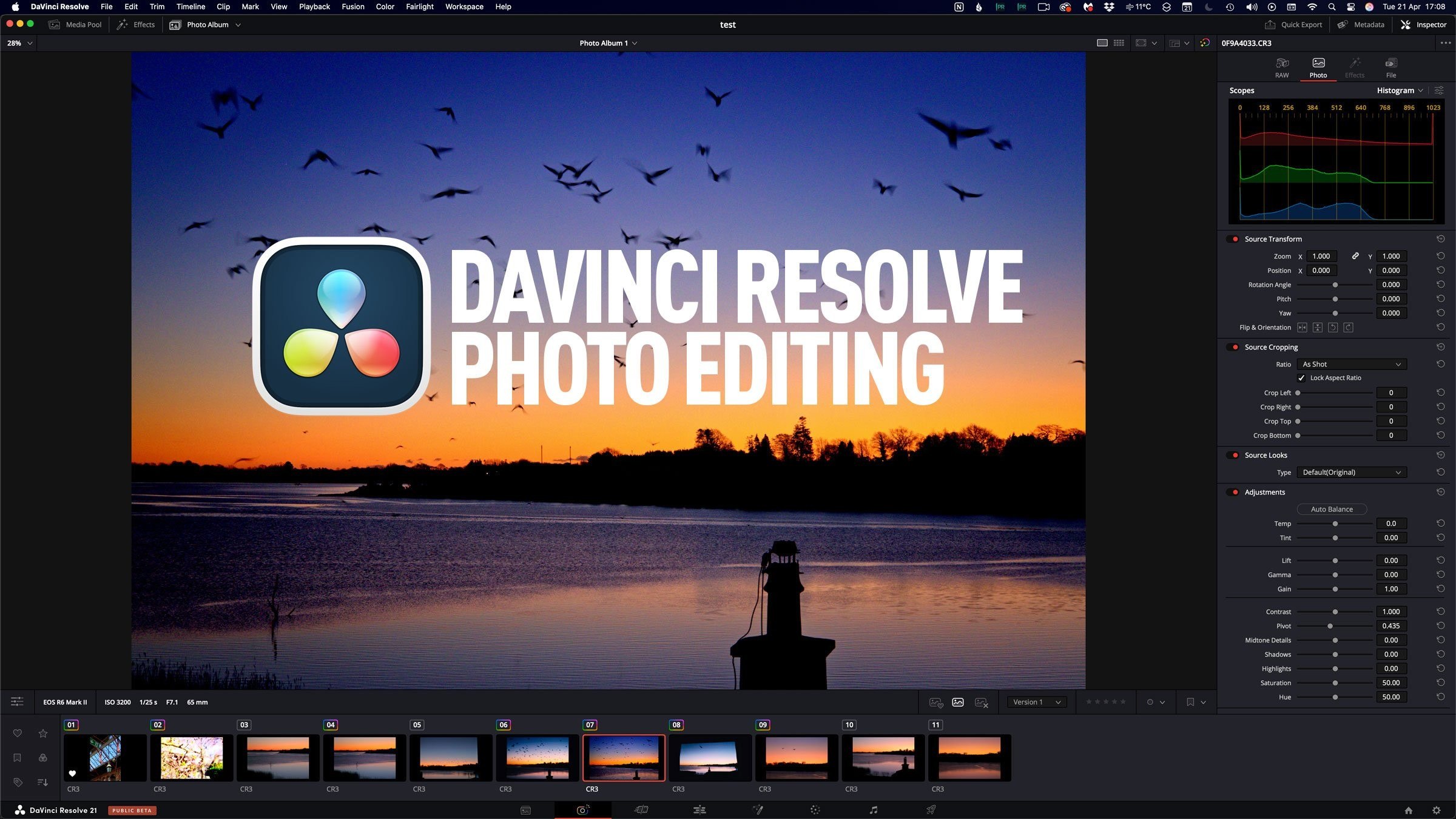
Blackmagic Design has released DaVinci Resolve 21.1, a free update to its color grading, editing, and post-production software, alongside the $295 DaVinci Resolve Studio edition. Despite being a point release, it is substantial: more than 100 new tools are spread across every major page, and the headline addition is aimed squarely at automating repetitive work.The standout feature is a new MCP server that connects Resolve to external AI tools such as Claude and ChatGPT Codex. It lets users drive the software with natural-language commands instead of hunting through menus. Suggested use cases range from organizing media and updating project settings to real editing tasks, such as cutting a highlights reel from longer footage. This makes Blackmagic the latest CG application to expose this kind of AI integration.The Fusion page receives the bulk of the new tooling. The Krokodove library, integrated in 21.0, gains over 25 tools for motion graphics, including a sPrimitive Create node for complex 2D shapes like crosses and stars, plus new edge manipulation tools. For 3D work, new nodes include Connect3D (vertex line networks), HeightFieldCreate3D (bitmap-driven plane deformation), and TubeCreate3D (tubular form networks), alongside utility tools for defining and isolating 3D regions. The Fairlight Animator modifier gains High Pass and Low Pass filters, and MultiText gets new layer alignment options.VFX artists get a new Fusion Division Radial calibration mode in the Lens Distort tool for drawing along straight edges, while the Camera Tracker can now use imported tracks and gains controls for trimming tracks and changing the reference frame. The deep compositing toolset from 20.0 gains flipbook previews, a Hard Mix blend mode, and a Renderer3D that now supports motion blur, matte objects, and hardware-accelerated deep renders that are up to 8x faster. OpenPBR material shaders are also now supported. On the Color page, MultiMaster Trim adds individual passes for Dolby Vision, HDR10+, and HDR Vivid, plus a ResolveFX Panomap node for spherical footage and profiles like DJI D-Gamut2, D-Log2, Leica L-Log, and GoPro Log.The new Photo page gets its first update: it can now be controlled from all of Blackmagic's compatible hardware control panels, and it gains support for Fujifilm GFX and X Series, Leica SL-System, and additional Sony Alpha formats, plus a ResolveFX Sky Replacement tool. Elsewhere, native support arrives for NVIDIA RTX Spark chips, along with more GPU-accelerated decoding options on NVIDIA GPUs and haptic feedback on Windows. Resolve 21.1 runs on Windows 10+, Rocky Linux 8.6, and macOS 15.0+. The base edition is free, and the 21.1 update is free for existing Studio users.
- Public
- 09 Sep, 2026
Meta Virtual Display adds input forwarding and brings macOS to parity with Windows
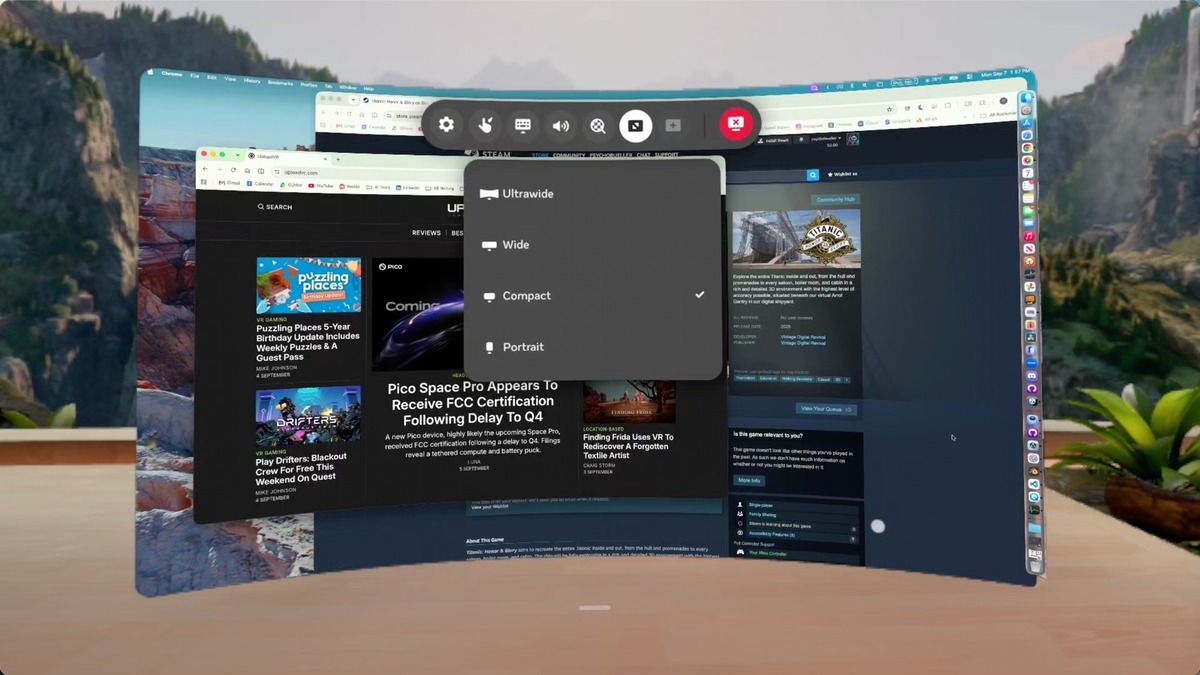
Meta's remote computing feature for Quest headsets is now formally called Virtual Display, with the rename officially documented in Horizon OS 2.7, which began rolling out the week of August 17. The app, previously known as Remote Desktop, is automatically installed on Quest headsets and supports Windows and Mac computers with up to three large virtual screens. The new name also reflects that computers are no longer the only devices the feature can display: the HDMI Link functionality has been folded in, letting consoles, handhelds, and phones appear on a large virtual screen through a compatible HDMI-to-USB-C capture solution. Support for the standalone HDMI Link app will eventually wind down.Meta Virtual Display's new quick-connect interface for MacThe most notable change is input forwarding, now available on both Windows and Mac. Earlier versions of the remote display system were essentially one-way: you could view your computer inside Quest, but you couldn't control it. That has changed: on both platforms, Quest input can now control the connected computer. On Mac, the Touch controllers move the cursor and click around macOS inside Virtual Display, and Windows users get the same kind of forwarding to control their PC. There is still a limitation: the computer's own mouse or trackpad does not become a general Quest system pointer, and a cursor cannot move beyond the virtual screen to control Horizon OS menus or panels.The Virtual Display quick-connect prompt on a 2017 27-inch 5K iMac running macOS VenturaThe macOS client has also caught up to Windows in connection flow and display formats. Looking directly at a physical Mac now brings up a floating "Connect to view in headset" button in passthrough, letting you start a session without opening the app and selecting the computer manually. Meta originally introduced this quick-connect method for Windows 11 in late 2024. Once connected, macOS offers the same core formats previously brought to Windows (Portrait, Compact, Wide, and Ultrawide), along with Larger text, Default, and More space settings for controlling how much of the desktop fits inside the virtual display.The Meta Virtual Display settings panel on MacThe tested macOS client was Meta Quest Virtual Display version 104.0.0.1.109. Testing on an M2 MacBook Air worked well, and a 2017 27-inch 5K iMac with an Intel Core i7 running macOS Ventura connected successfully with the same quick-connect prompt, a machine where the older Remote Desktop app had failed for over a year. A 2017 MacBook Pro with an Intel Core i5 also ran Virtual Display, though the quick-connect prompt did not appear on that machine, showing older Intel Macs are still supported but features may vary by model. Windows 11 and macOS still use different connection software: Microsoft's Mixed Reality Link versus Meta Quest Virtual Display. But the core experience is now largely aligned.
- Public
- 09 Sep, 2026
CUDA Rust Now Offers Two Tracks for Native GPU Kernel Development in Rust
In September 2026, NVIDIA announced it is leaning into native GPU programming in Rust. CUDA C++ and CUDA Python are mature, enterprise-grade toolchains, but the systems layer of AI (inference engines, serving infrastructure, drivers, and agent runtimes) churns constantly and is increasingly written in Rust, which catches whole classes of bugs at compile time without sacrificing performance. NVIDIA itself is part of that shift: the Nova Linux driver is written in Rust, NVIDIA Dynamo is built on a Rust core, and NVTX has Rust bindings. The GPU kernel had been the exception, since kernels could be launched from Rust but usually had to be written in another language. CUDA Rust closes that gap, letting kernels be written in Rust and compiled natively to PTX rather than wrapping code from elsewhere.There are two tracks for using Rust, matching the two tracks CUDA itself already has. SIMT is the familiar model from CUDA C++ or numba-cuda: you describe what one thread does and launch thousands of them. Tile is a newer programming model, also available in C++ and Python, where you express what one tile of data does and the Tile IR compiler handles the rest. NVIDIA's guidance is to reach for Tile first, because the compiler decides how tiles map onto each architecture and your source stays free of architecture-specific choices; you drop down to SIMT when you need that level of control or want to manage memory and threads yourself. The choice of language is separate from the choice of model, and inter-language interop is planned so opting into Rust does not lock you out of the other frontends.The SIMT track is cuda-oxide, a custom rustc codegen backend. It intercepts compilation, routes #[kernel] functions through Rust MIR, the Pliron IR framework, and LLVM IR down to PTX, and hands everything else to the standard backend. The GPU dialects on top of Pliron are NVIDIA's, and every transform stays in Rust until the standard LLVM backend takes over. Requirements include Linux, a GPU with compute capability 8.0 or later, a CUDA toolkit 12.x or newer, clang with its libclang headers, and the pinned nightly toolchain. The cargo-oxide Cargo subcommand drives the build, and cargo oxide doctor verifies the toolchain. A project is scaffolded with cargo oxide new, and the first cargo oxide run builds the codegen backend, so later runs reuse the cache.The Tile track is cutile-rs, which operates one level higher: you perform computations on tiles rather than scalars. Each tile block runs the kernel body once as a single logical thread over one sub-tensor of data, and the compiler decides how many real GPU threads back it. The #[cutile::module] macro embeds the kernel's AST in the host binary and JIT-compiles it through CUDA Tile IR when the kernel is first needed. Requirements are lighter than the SIMT track: a GPU with compute capability 8.0 or later, CUDA 13.3, stable Rust 1.89 or newer, and Linux, with no nightly toolchain and no LLVM of your own. Because cutile is published, you just run cargo add cutile, without cloning anything.Both tracks make the same safety argument about memory. In the SIMT example, the mutable output buffer is a DisjointSlice<f32>, a purpose-built type that hands each thread exclusive access to its own element, because &mut [f32] is the wrong shape when every thread would need the same mutable borrow. The launch is checked rather than trusted: the #[launch_contract] declaration is validated against the LaunchConfig1D and live device limits, and kernels without a contract expose only raw unsafe launch methods. On the Tile side, partitioning hands each tile block one writable sub-tensor that no other block can overlap, and that exclusivity is exactly what &mut already guarantees. Passing a kernel's output buffer as one of its own inputs fails to compile, catching aliasing races that would otherwise pass tests and then fail in production.
- Public
- 07 Sep, 2026
NBA 2K27 Brings NVIDIA DLSS 5 to GeForce NOW
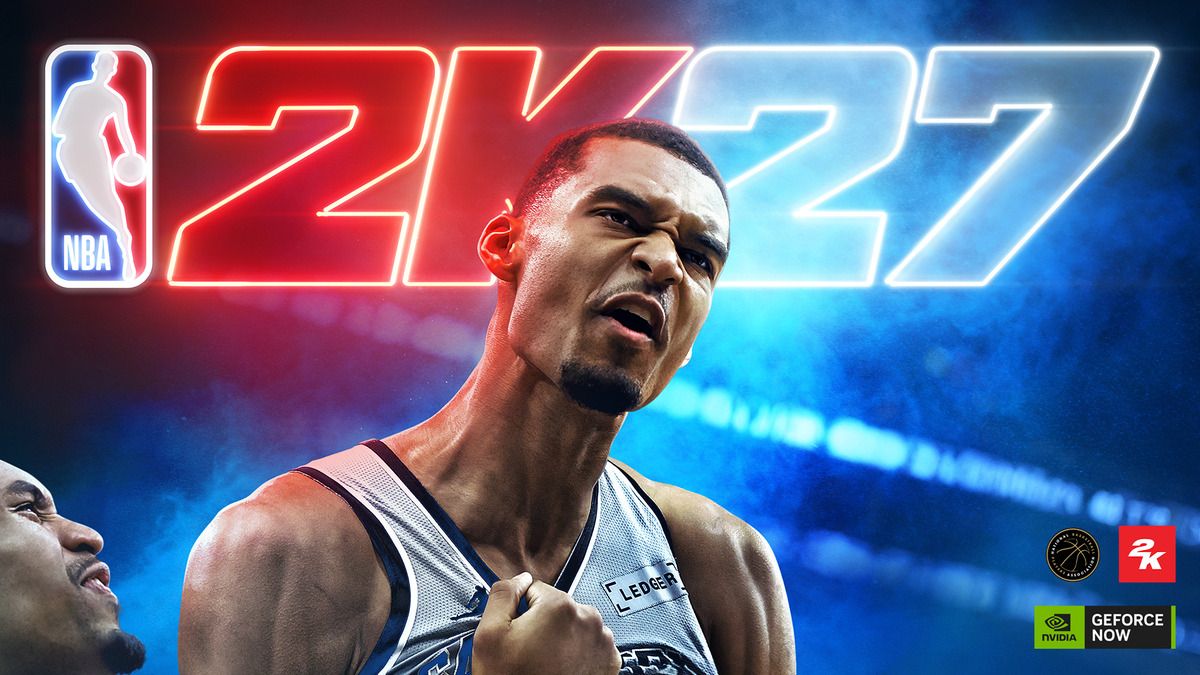
September brings 28 more games to GeForce NOW, led by NBA 2K27 running with NVIDIA DLSS 5 3D-Guided Neural Rendering. Through close collaboration with Visual Concepts and 2K, the feature is tuned by developers to support the game's authentic broadcast-style presentation, delivering a new level of lifelike lighting and material detail straight from the cloud at launch.DLSS 5 enhances and tunes lighting and materials so the action on the court feels more realistic, from how light catches hair and skin to the facial geometry preserved in real-world athletes. GeForce NOW Ultimate members in NVIDIA-operated regions can stream NBA 2K27 across PCs, Macs, handhelds, mobile devices, TVs and more, without waiting for downloads or managing storage. DLSS 5 requires streaming from a GeForce RTX 5080-powered rig in the cloud.Show off your moves.The week's lineup also includes two other notable launches. Rebel Wolves' The Blood of Dawnwalker is an open-world, dark-fantasy action RPG set in 14th-century Europe, where war, plague and rising vampire powers have reshaped history. Players take on Coen, a young Dawnwalker caught between humanity and cursed vampiric strength, whose abilities and choices change between day and night.Human by day. Vampire by night.Capcom's Onimusha: Way of the Sword also arrives on GeForce NOW at launch, letting members jump straight into the series' return. Players fight across a twisted vision of Edo-period Kyoto as a lone samurai wielding the mystical Oni Gauntlet, mastering precise swordplay and absorbing the souls of fallen enemies while battling Genma beneath clouds of Malice.Take up the Oni Gauntlet.Ultimate members can stream both games with GeForce RTX 5080-class performance on PCs, Macs, handhelds, mobile devices, TVs and the newly supported Firefox browser. Ten games join the library this week, with 18 more added throughout the month, on top of the 26 announced last month. Games are onboarded after release, so GeForce NOW availability may vary.
- Public
- 06 Sep, 2026
Pico Space Pro Passes FCC Certification After Delay to Q4
Pico's upcoming Space Pro headset, first teased in March under the codename "Project Swan", appears to have received FCC certification one day before its originally planned launch event. The filings list a "Mixed Reality Computer" split across two entries: the headset under FCC ID 2A5NV-AA1Z0 and an external tethered puck under 2A5NV-B3110. Certification is required before a wireless device can go on sale in the US.Label locations for 2A5NV-AA1Z0 and 2A5NV-B3110, as shown in the FCC database.Some filing documents are withheld under short- and long-term confidentiality requests, but the labels are public. The headset label appears in a PDF named "HMD铭牌_镭雕20060520", and the companion puck's in "BOX铭牌_A_20060520". These labels describe the two components as a "Mixed Reality Headset" and a "Mixed Reality Main Unit" respectively, both with model number B3110.Announcement post from Pico's Bilibili channel.The labels and test documentation reveal key hardware details. The main unit lists a 7,000 mAh battery rated at 54.32 Wh and supports Wi-Fi 7, while the headset's documentation describes a radio operating between 2.402 and 2.480 GHz and an nRF link with a controller. No Wi-Fi authorization appears under the headset's own FCC ID, which suggests that the tethered companion puck houses both the battery and at least some of the computing hardware, similar to XREAL's Aura and Meta's unreleased "Phoenix" device.Delay post from Pico's Bilibili channel.Pico announced an August launch event via its Asia-region social channels and revealed the Space Pro name, only to cancel the event days later and delay the device to Q4 2026. Earlier details point to micro-OLED panels at 4000 PPI, a dual-chip design with a custom computer-vision coprocessor, and a main processor offering twice the CPU and GPU performance of the Snapdragon XR2 Gen 2. In July, Pico also certified a "Wireless Keyboard" (2A5NV-C6110), possibly an accessory for Space Pro. Short-term confidentiality on the filings expires February 28, 2027.

- Public
- 06 Sep, 2026
RayNeo iO Smart Glasses Review: Camera-Free Display Glasses with Long Battery Life
RayNeo, the TCL subsidiary, has launched the RayNeo iO Smart Glasses, a new model aimed squarely at people who don't want a camera on their face. The glasses pair a monochrome display with no camera and no speakers, keeping them both lightweight and privacy-oriented. At just 33 grams, they are thin enough to read almost like regular glasses, and RayNeo clearly set out to make them as comfortable as possible for a device meant to be worn all day. They sit in the same category as Even Realities glasses, acting as an AI companion that surfaces text and notifications.RayNeo iO smart glasses: impressions and hands-on testThe display is a dual monochrome setup with a field of view just above 23°, which is plenty for showing text-based notifications. Text is highly readable and brightness is strong, peaking at 1200 nits, so the screen is even somewhat visible outdoors on a sunny day. The lenses are very transparent, so the real world is never darkened. The one notable design choice is placement: the display sits in the upper part of the field of view. That means notifications never occlude normal vision, which is a genuine plus, but looking upward for prolonged reading, such as when using a teleprompter, caused mild eye strain during testing. The screen also has no privacy mode, so people nearby can see and even read what's on it.Comfort was a mixed result. The weight and size are genuinely impressive, but the large protrusions at the ends of the arms press into the area between the ears and skull, and there is also pressure on the top of the bridge of the nose. After roughly 90 minutes of continuous wear, the reviewer felt noticeable discomfort and relief on taking the glasses off. The device is intended as a day-long companion, so long-term fit will be retested in a follow-up review.There is no USB-C port on the device. Instead, two pins sit under the lens bridge, and charging happens through a special adapter that adds a USB-C port; attaching it is described as a bit clunky. The battery is a standout: RayNeo claims up to two days of normal use and more than six hours of continuous translation. Notifications stay on screen only a few seconds before disappearing, which both reduces visual clutter and saves power. The absence of a camera and speakers also contributes to the long battery life.Interaction happens through the crown and display: the glasses go into standby after about 15 seconds and wake automatically when the user looks up. The RayNeo AI companion app is required, offering a dashboard of configurable widgets such as time, weather, and stock market, plus an app menu scrolled with the crown. Early software impressions were mixed: Live Captions worked better in English and Chinese than in Italian, and the Live Cues beta did not always detect questions, though poor Wi-Fi during testing may have played a role. Notably, the glasses have no speakers at all, so there is no phone-call support and the AI gives only written responses; the microphone array, by contrast, performed well.Privacy is where the story gets complicated. The camera-free design is a real advantage, but features like Life Log, which continuously analyzes surrounding audio, raise questions, especially since a Life Log seems logically odd without a camera. RayNeo holds certifications such as GDPR, and there is a privacy LED that lights up during audio recording, but it sits at the end of the frames near the ears, where nobody is likely to notice it. The RayNeo iO Smart Glasses are available now at $499 with a standard case, or $549 with a charging case, plus a $50 launch discount.Promotional image of the RayNeo iO smart glasses (image: RayNeo)
- Public
- 05 Sep, 2026
How the "Grabber Tools" in Red Matter 2 Turn the Controller Into the Most Immersive Interface in VR
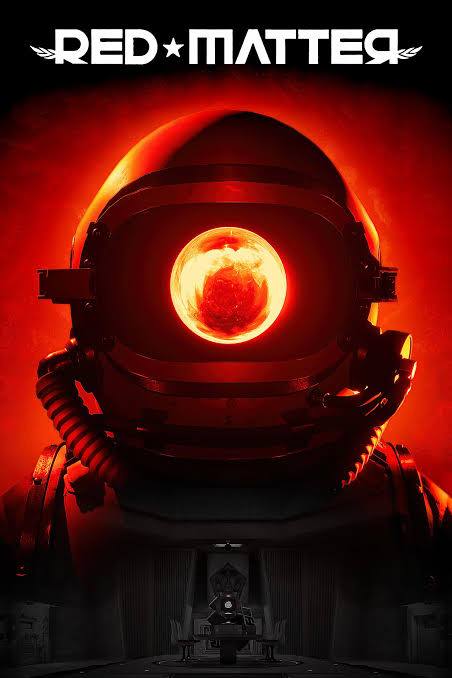
Red Matter 2, the retro-future adventure puzzle game released in 2022, contains a deceptively simple design choice that does far more for immersion than it appears to at first glance. The game has no visible hands, no floating menus, and no conventional heads-up interface. Instead, everything is driven through a set of "grabber tools," and, as it turns out, those tools quietly remove a whole range of small disconnects that gradually break the sense of presence in VR.At the most basic level, the grabber tools take on the exact shape of the player's real controller. Whether you play on Quest, Index, or PSVR 2, you see a custom tool whose body, button layout, and even center of gravity match the hardware physically in your hand. That means the in-game hand is held exactly the way your real one is, eliminating the classic mismatch where a game renders an open hand while your fingers are actually wrapped around a controller. Because the tool mirrors your real controller, you can simply look down and read the buttons: an instant reminder of the controls, with no menu and no peeking outside the headset.Red Matter 2: Index controllerRed Matter 2: Rift / Quest controllerThis button-mirroring is the core of what the developers call a diegetic interface: an interface contextualized inside the game world rather than overlaid as floating text that has no place in the narrative. Red Matter 2 Game Director Norman Schaar put the philosophy bluntly: "The best UI is no UI at all." The grabber tools also serve as a literal interface in the world: the player physically connects them to terminals to gather information. Under the surface, this is simply a more believable replacement for the familiar "press X to interact" prompts of flat-screen games.The tools also resolve a deeper physical disconnect. A rendered human hand implies five-finger dexterity that a VR controller cannot actually provide, since the controller offers essentially a single point of grab. The grabber tool honestly reflects that one input point: because you can't manipulate its fingers, your only option is to grab at a single point, so the limitation stops feeling like your own failure and instead feels like learning to operate a futuristic device. On top of this, the grabber acts as a mechanical pivot between your hand and objects, an "insulation gap" that visually explains why you feel no force against your fingers when moving heavy props driven by the game's inertia-based weight system.

- Public
- 05 Sep, 2026
Metro 2039 launches February 4, 2027, with 4K 60 FPS and ray tracing on base consoles
4A Games has confirmed that Metro 2039 will launch on February 4, 2027, for PC, PlayStation 5, and Xbox Series X|S. The announcement came alongside the first console gameplay footage shown during PlayStation's State of Play broadcast, captured on a PlayStation 5 Pro at 60 FPS. The sequence follows the Stranger as he leaves the Metro's tunnels and ventures onto the thawing, irradiated surface of post-apocalyptic Moscow.The most significant detail for developers is that the game targets high-end performance even on base hardware. 4A Games stated that at launch a Performance Mode with 4K 60FPS and ray tracing will be available across PlayStation 5, PlayStation 5 Pro, and Xbox Series X consoles. This is notable because ray tracing at 60 FPS on base consoles remains a demanding bar, and it signals how far the studio's proprietary engine has come since its earlier releases.Metro 2039 is built on the latest iteration of the 4A Engine and is the first Metro title created from the ground up around ray tracing. It builds on the technology introduced in Metro Exodus Enhanced Edition, the 2021 release that replaced traditional lighting with fully ray-traced global illumination while still targeting 60 FPS on current-generation consoles.The game remains a solo, story-driven first-person shooter combining survival, exploration, stealth, and direct combat, with players managing radiation exposure and equipment while choosing between silent and aggressive approaches. It launches February 4 in most territories and February 5 in regions including Asia, Australia, and New Zealand. Wishlisting is open now, with pre-orders scheduled to open later this year.

- Public
- 03 Sep, 2026
Unity Studio adds real-time collaboration right in the browser
Unity Studio has moved from a single-user browser tool to a genuinely collaborative one. Several people can now edit the same draft at once, and changes appear live with no save and no refresh. This covers assets, materials, skyboxes, and Inspector properties alike. For teams building games, interactive apps, or XR scenes, that removes the friction of passing files back and forth or serialized editing sessions that slow iteration to a crawl.The collaboration features go beyond just seeing edits happen. Each participant gets a named cursor, along with a participant camera that shows exactly where that person is looking in the scene. Color-coded selection outlines make it obvious who has what selected, and follow mode lets one person guide the rest through a walkthrough. The whole thing runs in a browser, so there is no install or version mismatch standing between a designer, an artist, and an engineer.There are concrete limits worth knowing before you rely on it. A draft currently supports up to 12 simultaneous participants. Inside a Logic script, only one person can work at a time, so script-heavy workflows stay effectively single-threaded. These caps matter for larger studios and should be factored into planning, but they are generous enough for most real-time review and co-editing scenarios.The significance for developers is that real-time 3D iteration now happens in the same tool across disciplines, not just in an editor on one machine. The browser-based delivery means onboarding new collaborators is fast and hardware-agnostic, which matters for remote and distributed teams. Combined with live feedback, this shifts prototyping and scene assembly from an asynchronous hand-off model toward a shared, concurrent workspace.