Blog

 Public
- 06 Oct, 2026
Java 27 is released with day-one support in IntelliJ IDEA
Java 27 was released in September, and IntelliJ IDEA ships day-one support for it. Developers who want a full rundown can read the breakdown in "Java 27 in IntelliJ IDEA" or catch the release stream if they missed the launch. IntelliJ IDEA Conf 2026 videos are also starting to appear on the IntelliJ IDEA YouTube channel, alongside episodes of IntelliJ IDEA Tech Talks for those looking to catch up on recent talks.Beyond the release itself, the team has been busy on the tooling side. Igor Kulakov published a Logpoints Walkthrough covering a new debugging feature in IntelliJ IDEA. Anton Arhipov shows how to tie the different parts together, giving developers a practical path from reading about a feature to actually using it in a debugging workflow. This is a useful addition for anyone who spends time tracking down runtime behavior in Java applications.On the education front, Siva Prasad Reddy K announced a course called Building with AI Agents From Idea to Production, which teaches agentic development using IntelliJ IDEA and Spring Boot. This ties into JetBrains Air, newly announced as one system for building software with agents, now available to try via an EAP inside the IDE. The course gives developers a concrete route from experimenting with agents to shipping something production-grade.For anyone who wants to sharpen their modern Java skills, Marit van Dijk and Piotr Przybył updated their talk Learning modern Java the playful way and presented it at GOTO Copenhagen, with a Deep Dive version planned for Devoxx Belgium. They are also scheduled to appear at JDD and Hello Stavanger later in the month.
- Public
- 06 Oct, 2026
New Creative Assets and Asset Management Tools in App Store Connect
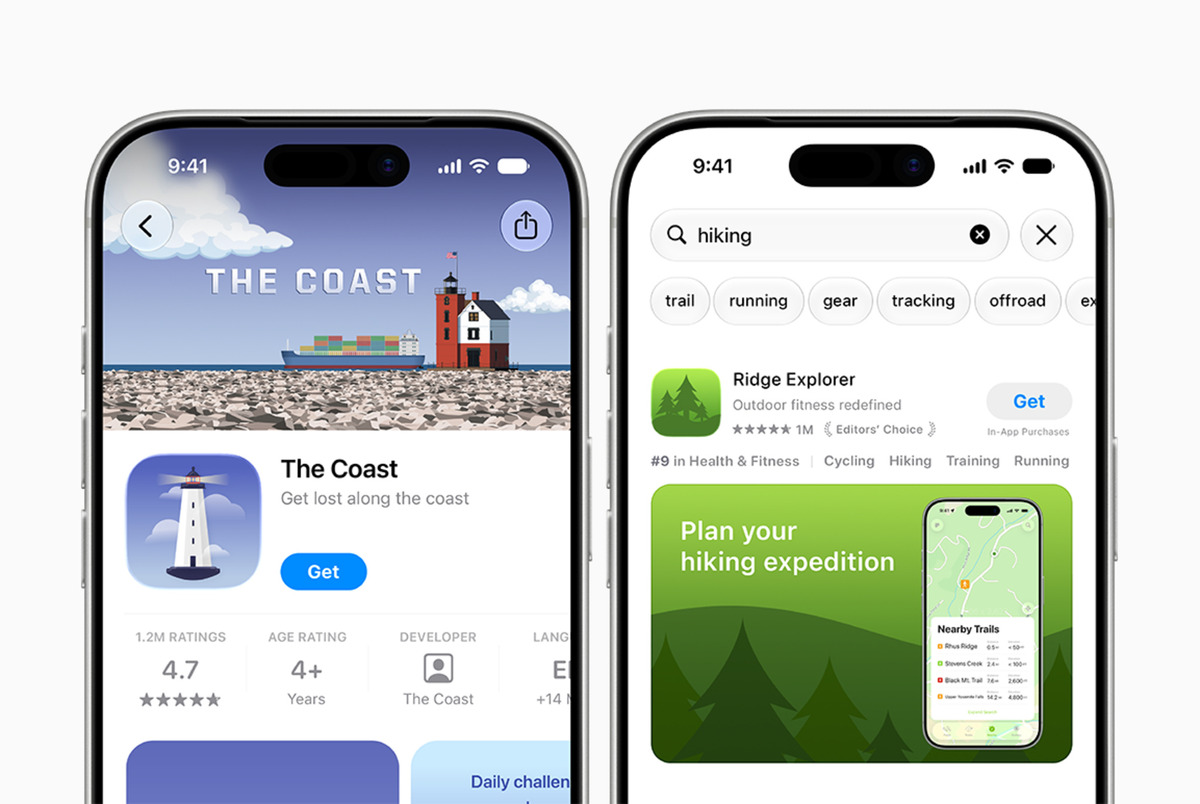
Apple has introduced new creative assets for product page headers and search result assets in the App Store. With these images and videos, developers can highlight their brand, promote seasonal offerings, and showcase new content. They complement existing app previews and screenshots, giving apps additional visibility across the App Store. Design guidance and downloadable templates are available to help build captivating visuals.A new preview tool in App Store Connect lets you see how your creative assets, screenshots, and other metadata will appear on your product page and in search results before you submit them. It supports Dark Mode, as well as different devices and orientations, so you can ensure your app makes a good impression everywhere.A new Asset Library in App Store Connect centralizes asset management. You can upload and organize creative assets, screenshots, and app previews in one place, even ahead of when you plan to use them. For example, you can submit creative assets for approval today to use in a future seasonal campaign, then use them immediately once you're ready.

- Public
- 06 Oct, 2026
Get your apps ready for iPhone Duo
iPhone Duo reaches customers on October 23, 2026, and developers can start getting apps and games ready now. Recompile existing projects with Xcode 27.1, which adds development support for the device, then use Device Hub to preview how your app behaves across all poses and orientations.App Store product page assets have new specifications for the latest devices, including iPhone Duo, so you can showcase your app across orientations. Downloadable templates and design guidance cover product page headers, search result assets, app previews, screenshots, and In-App Events. A new preview tool in App Store Connect lets you see how screenshots, headers, and other metadata render on the product page.You can submit iPhone Duo-optimized apps and games in App Store Connect today. Starting April 2027, every submission will need to include iPhone Duo screenshots, so preparing assets early avoids a required update down the line.
- Public
- 06 Oct, 2026
JetBrains Joins the Open Source Security Foundation
JetBrains has joined the Open Source Security Foundation (OpenSSF) as a general member. OpenSSF is a cross-industry initiative under the Linux Foundation that works to secure the software supply chain the industry relies on. The membership was announced at OpenSSF Community Day Europe in Prague, co-located with Open Source Summit Europe, alongside other new members.OpenSSF hosts projects many teams already depend on, including Sigstore for signing and verifying software and SLSA for supply chain integrity. Its AI/ML Security Working Group also publishes guidance on signing machine learning models and on writing safe instructions for AI code assistants. These are practical resources that map directly onto everyday development workflows.The move responds to a concrete shift in how code is produced: as coding agents take on more development work, code becomes cheaper to produce but more expensive to verify, and much of that verification is security work. Developers need to know where their code and dependencies come from, and AI adds fresh questions about how to trust the models and assistants that help write it.JetBrains frames this as a two-track effort. Internally, its JetBrains AI (referred to as JetBrains Air) helps developers understand and verify what agents produce. OpenSSF is where the company can work on the same questions out in the open, with the wider industry, rather than solving them in isolation.JetBrains states its goal as staying ahead of the security questions AI raises and helping guide how the industry answers them. The company emphasizes that developers trust JetBrains tools with their code every day, and supporting the open-source community working on software security is part of how it aims to keep earning that trust long-term.
- Public
- 05 Oct, 2026
WebXR tool lets you compare Meta VR Glasses' 70° FOV with Quest 3 before you buy
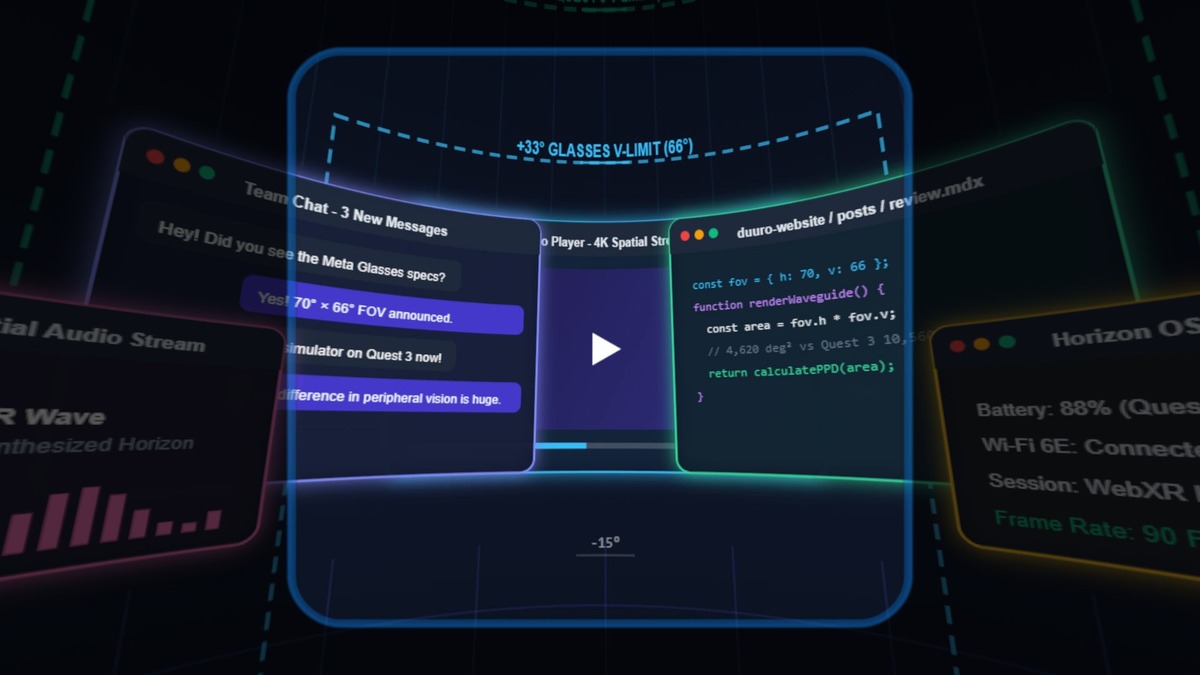
Meta's VR Glasses, announced at Connect last month, aim at productivity and casual content through high-pixel-density micro-OLED displays, but they deliver a noticeably lower field of view that is hard to judge from specs alone: it's a "see it to believe it" difference. The tethered headset, weighing roughly 100 g on the head, ships in Spring 2027 at $1,300. Before upgrading, you can evaluate its FOV yourself with a WebXR app from Duuro Plays that runs on Quest 3 and swaps between Quest 3's full FOV and the VR Glasses' reported FOV.Courtesy of Duuro PlaysFor reference, Quest 3 offers 110° horizontal × 96° vertical, about 119° diagonal, while VR Glasses offer 70° horizontal × 66° vertical, roughly 88° diagonal. The app opens directly in Quest's native browser. If you don't have a Quest 3, Meta has published its own developer tool with a short demo clip. Quest 3's larger FOV comes from bulkier pancake lenses set roughly 40 mm from large LCD panels; with the battery and compute, the headset totals 515 g.One correction: unlike the tool creator's explanation, Meta VR Glasses also use pancake lens optics, only smaller and paired with micro-OLED panels, not silicon carbide waveguides. The creator confused VR Glasses with Meta's Orion AR glasses prototype.

- Public
- 05 Oct, 2026
RailClone 7.3.5 exposes 3ds Max graphs as XML for LLM-based AI workflows
iTooSoft has released RailClone 7.3.5, a new update to its parametric modeling plugin for 3ds Max, which is most notable for what it unlocks under the hood. The release adds new MAXScript functions that expose RailClone graphs as XML for the first time. This single change carries significant implications for pipeline developers.By serializing graph structure to XML, the update lays the groundwork for language models to work with procedural setups directly. According to iTooSoft, the change opens up experimental AI-based workflows where LLMs like Claude and ChatGPT are now potentially able to inspect and modify RailClone graphs. For developers already scripting around MAXScript or building automation around 3ds Max, that is a meaningful shift rather than a cosmetic tweak.The release follows RailClone 7.3.4, which introduced RailClone Conform, a feature for projecting RailClone geometry onto uneven surfaces. The new 7.3.5 build is compatible with 3ds Max 2023 and later. New perpetual licenses cost $289, an increase of $24 since the launch of RailClone 7, with the full changelog available online.
- Public
- 05 Oct, 2026
Modeler 26.3 for Houdini gets a built-in tool search engine
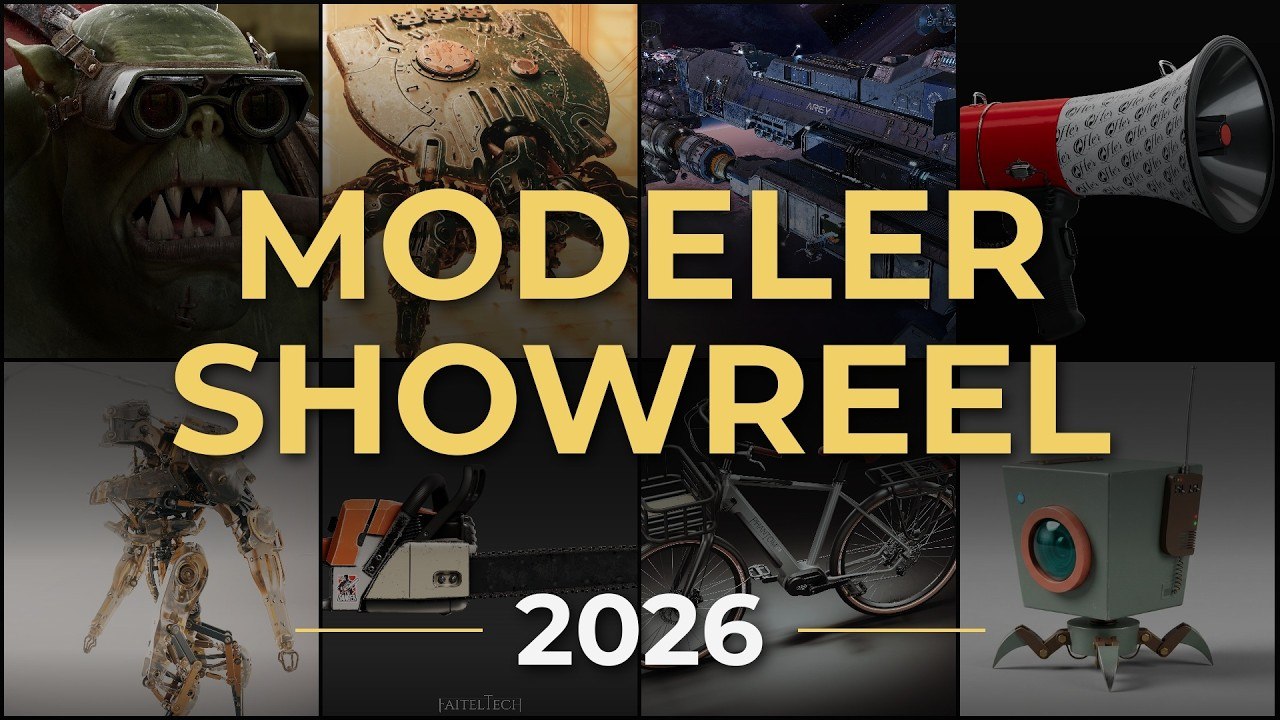
Alexey Vanzhula has released Modeler 26.3 for Houdini, the latest update to his 3D modeling toolkit for Side FX's software used in VFX, motion graphics and games. The headline addition is a new built-in tool search engine, which replaces the previous approach of searching by typing directly in the context menu.The new search engine lets users search for tools across OBJ, SOP and LOP nodes, covering the broader set of contexts where the toolkit operates. This makes it faster to locate the right tool without manually navigating menus, which is especially useful as the toolset keeps growing in scope.Alongside the search engine, the context menu itself has been updated. The changes include visual refinements intended to make it easier to use, as well as proper scaling on macOS, so the menu now renders correctly on Apple systems rather than at an awkward size.The release also carries a slight change in version numbering: under the previous system, this would have been Modeler 2026. Originally launched in 2018 as Direct Modeling HDA, Modeler provides a classic modeling environment for Houdini with tools for polygonal and subdivision modeling, retopology, and increasingly organic and character work.
- Public
- 05 Oct, 2026
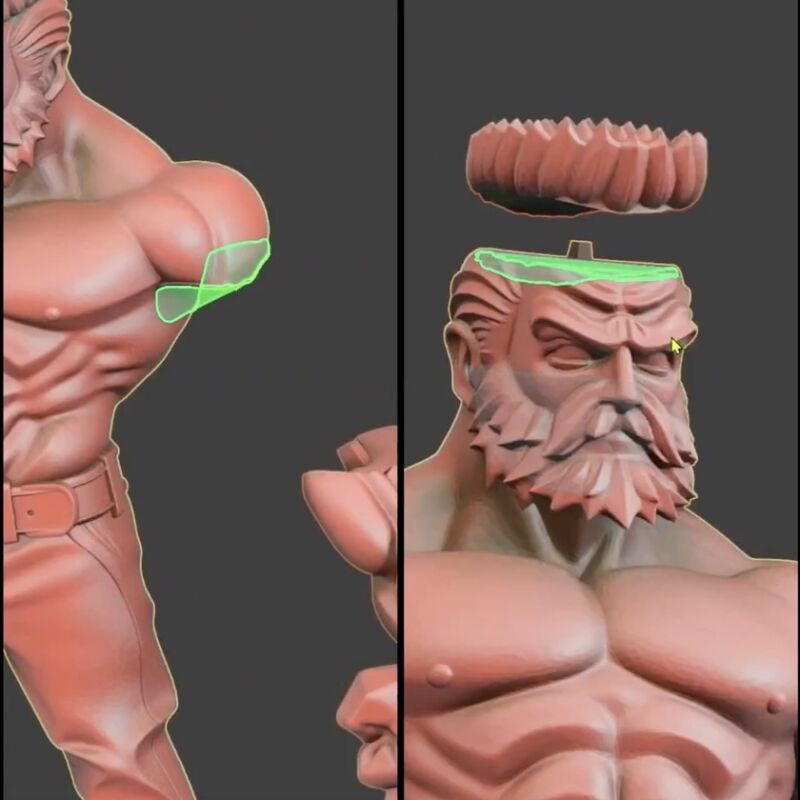
CatPin: a Blender add-on that prepares 3D models for FDM and resin printing
CatPin is a Blender add-on that prepares 3D models for FDM and resin 3D printing. It lets artists split a model into parts with matching pins and sockets, apply either straight or custom curved cuts, and export the result while preserving the original mesh. It is aimed at printing figurines, statues, and busts, and supports Blender versions 4.2 through 5.2.The cut tools give close, precise control over complex shapes. A Manual Cut is created by drawing a line or placing points, while Polygonal Cut lets you carve out a small area of the model by defining a region, which is useful for window openings in cars, mouths on character figures, and similar details. Straight Cut and Curved Cut produce predefined shapes, either straight or wavy.The add-on runs in two modes. Draft Mode offers a fully editable, non-destructive workflow with full control over planned cuts and connectors. Easy Mode finishes a cut and connector setup in fewer steps and suits light to medium-complexity models.The 1.0.7 update adds support for up to five different connectors in a single cut, a double-sided connector, and an adaptive surface feature that improves cut quality. It also allows adding extra connectors and holes, plus a mesh check that helps fix open edges and other mesh problems.
- Public
- 05 Oct, 2026
Meta Horizon+ adds free game add-ons and monthly featured titles for October 2026
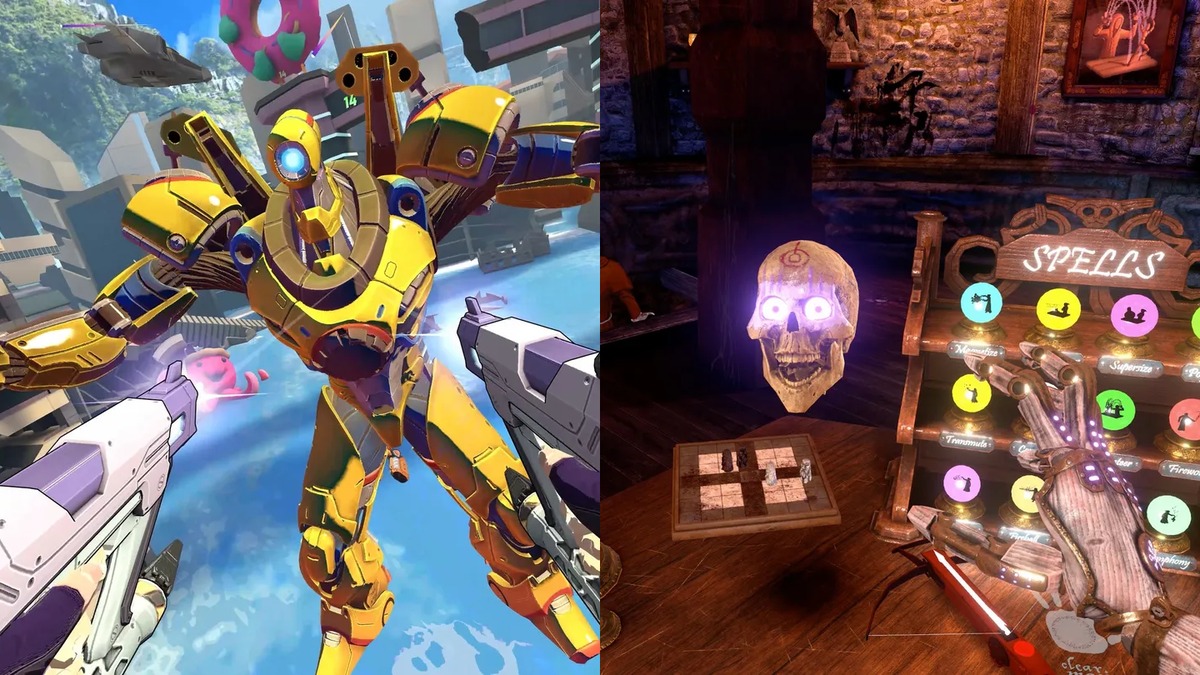
Meta's Horizon+ subscription now bundles free add-ons for games alongside its rotating catalog, giving developers a new path to reach Quest players. For October 2026, Swarm 2 and Waltz of the Wizard join as the month's featured titles, while Demeo x Dungeons & Dragons: Battlemarked and Deadly Delivery are added to the Horizon+ games catalog.Swarm 2 is a fast-paced roguelike shooter that pairs deadly guns with acrobatic grappling hooks, letting players zip through battlefields at speed while blasting enemies in every direction. Waltz of the Wizard is described by its creators as "a Reality Experience": an open world where you can do anything, bend time, create and reshape objects, and conjure fireballs and storms, and where NPCs respond realistically with thousands of reactions when you speak to them.The combined Horizon+ Games Catalog and Indie Games Catalog now includes over 100 games in the US. The service costs $7.99 USD per month or $59.99 USD a year, and new subscribers get a one-month free trial.
- Public
- 03 Oct, 2026
Insydium releases NeXus 2026.1 beta, unifying the Blender and Cinema 4D editions
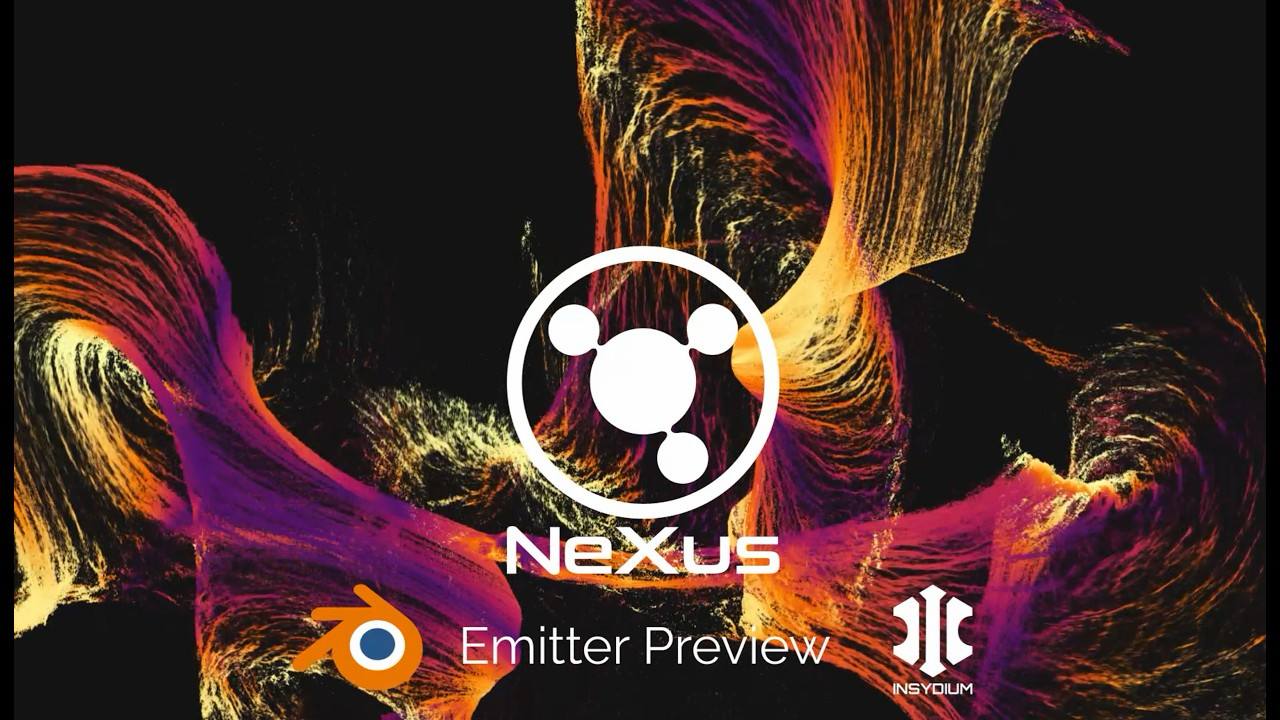
Insydium has released NeXus 2026.1, the latest version of its GPU-accelerated particle-based simulation add-on for Blender and Cinema 4D. The beta is free for anyone with a license for any of the company's products. The headline change: both editions now run on the same version of Theron, the platform-neutral GPU simulation engine underlying the system. This makes NeXus a unified system across the two hosts: the same setup behaves identically in Cinema 4D and Blender, using the same solvers, modifiers, and results. Thanks to its Vulkan foundation, the beta is also compatible with GPUs from AMD, Apple, Intel, and NVIDIA. It supports Blender 4.3+ on Windows, Linux, and macOS, as well as Cinema 4D 19+ on Windows and macOS.The update introduces nxMPM, a new unified multi-material solver that lets artists mix liquid, elastic, snow, sand, brittle, metal, and foam materials within a single simulation. It includes built-in material blending, so one material type can transform into another based on properties such as particle age, speed, or material stretching and damage. To preserve performance, the solver adds an auto-sleep system that stops computing particles at rest until a collider or force wakes them again.Several new tools expand what can be done with simulations. nxPin holds selected particles still to anchor cloth, rope, and soft bodies. nxDeformer makes a mesh deform to follow the particles of a simulation while preserving its UVs. nxBind keeps particles in place inside a deforming volume. The release also adds nxBioLogic, a cellular growth system with modes that mimic reaction-diffusion effects, differential growth, and the forms of slime molds and corals.Existing features received updates as well. The particle-meshing system nxMesher now supports UV advection, so textures move with the liquid surface. The nxCollider object gains surface adhesion, variation for a wider range of properties, and more input types for surface maps, including images and noise. There are nine new falloff shapes, including Torus, Capsule, Cone, and Spline, plus 11 new falloff layer types. A new viewport renderer, shared by both host applications, improves voxel drawing for smoke, fire, and FLIP fluid simulations. New perpetual licenses cost £140 (around $185). NeXus is also available as part of Fused, Insydium's Cinema 4D add-on bundle.
- Public
- 03 Oct, 2026
Android CLI now connects real devices to AI agents and adds a Wear Compose Material 3 skill
Android CLI now gives AI agents remote access to real physical devices through Android Device Streaming. Agents work with the hardware as if it were plugged in over USB, using a secure ADB-over-SSL connection. Right from the terminal, an agent can spin up a device, build and deploy builds, collect logs and traces, and even capture screenshots headlessly. To start, developers link their project, ask the agent to list available remote devices, and pick the one they want; full setup is documented in the Android Device Streaming docs and the Android CLI release notes.The same release keeps growing the Android skills repository. Skills are structured instructions, SKILL.md files, that ground agents in official guidance from developer.android.com instead of a model's outdated training data. They provide fresher data, API references, samples, and architectural patterns directly in the agent's context. With over twenty skills available, agents can take on increasingly specialized work, and skills remain environment-agnostic, working across Android Studio, Antigravity, and third-party agents such as Claude and Codex.Among the new additions is the Wear Compose Material 3 skill (wear/wear-compose-m3). Wear development brings distinct constraints: round viewports, rotary input, ambient display, minimizing power use, preferring TransformingLazyColumn, and using the AppScaffold and ScreenScaffold containers. LLMs typically lack these patterns without explicit guidance, so the skill fills that gap.Early adopters report strong results. FotMob's engineering team used the skill to modernize an existing Wear M3 app, migrating multiple lists to TransformingLazyColumn with ScreenScaffold content padding, ListHeader titles, SurfaceTransformation on cards and buttons, theme typography, and Wear previews. The changes compiled and passed emulator verification for scrolling, rotary, edge morphing, and RTL, letting the team remove a legacy wrapper plus rotary and focus boilerplate. The skill also caught mistakes the underlying model missed, such as failing to forward ScreenScaffold's contentPadding and using hardcoded sp instead of theme typography.To get going, install Android CLI with one command, then run android init to configure the agent and browse available skills, installing them with android skills add. The Android CLI and Device Streaming documentation cover the rest, including how Device Streaming works inside both Android Studio and through agents.