Unity releases an automotive HMI template for embedded hardware in Unity 6.3
 Public
- 07 Oct, 2026
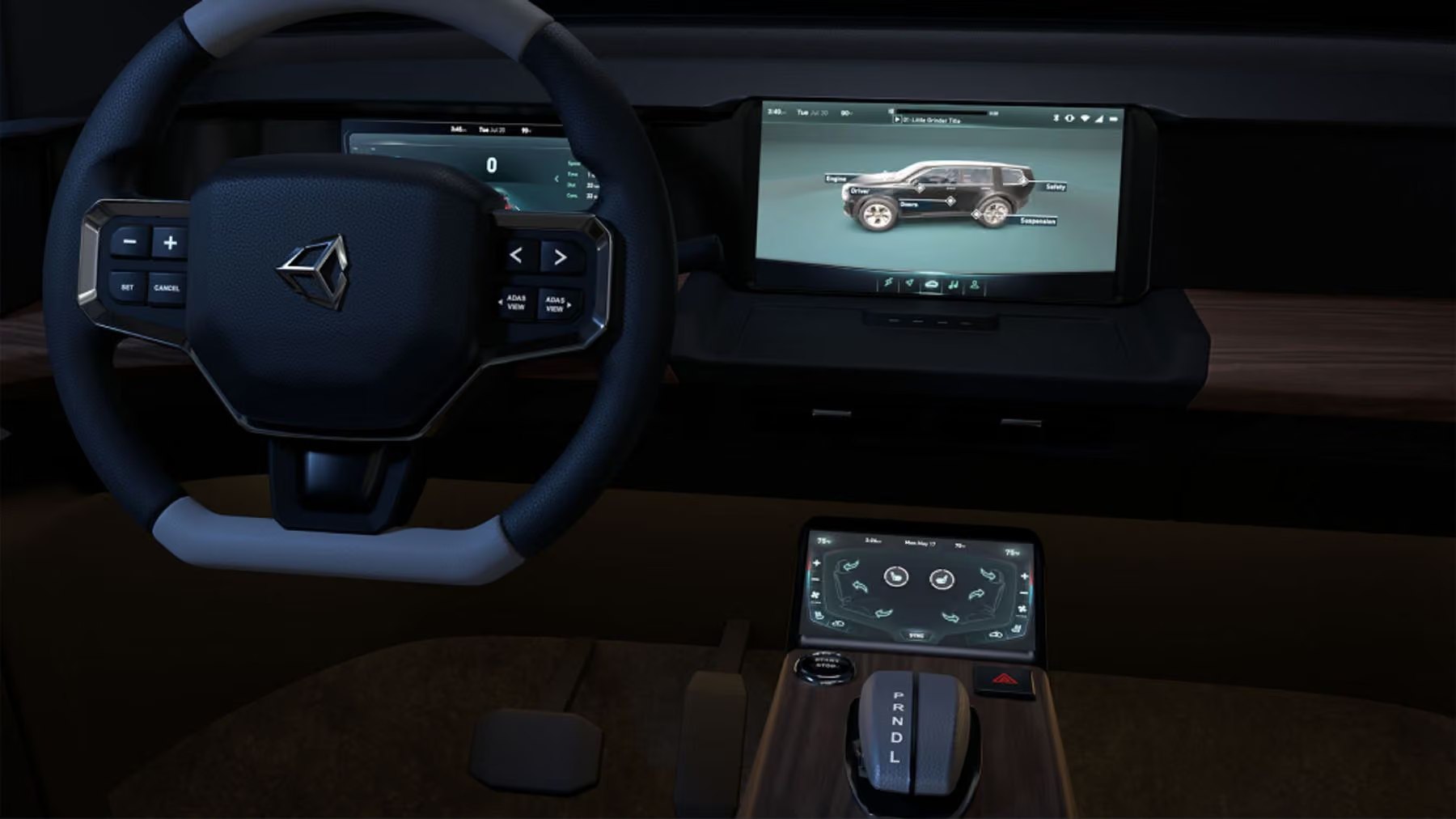
Unity has released an updated automotive HMI (human-machine interface) template for Unity Industry, now available for download in the Unity Hub. Requiring Unity 6.3 or later, this is a major refresh of the original HMI template from 2021, redesigned to serve as a foundation for building custom automotive HMI projects with swappable data, vehicle features, and UI layers. The package includes a digital instrument cluster, an interactive 3D vehicle, climate controls, an ADAS (advanced driver assistance system) backed by a live traffic simulation, and a centralized theme system.
The template targets a Raspberry Pi 5, a small, low-power Linux board, as its reference hardware platform. Running at up to 60 fps on this constrained device demonstrates that production-ready HMIs built with Unity Industry can work reliably on vehicle-embedded systems, including embedded Linux, QNX, and Android Automotive. Even on low-power platforms, it delivers stable frame pacing, predictable memory usage, and responsiveness, all critical for automotive interfaces that must display battery status, power information, driver assistance data, and environmental perception in real time.
The HMI dashboard includes several views. The instrument cluster is connected to the driving simulation and provides fast readability of speed, vehicle state, gear, warnings, and indicators. The ADAS sensor view visualizes surrounding traffic and environmental details from the same simulation. HVAC and body controls handle climate settings, seat heat, fans, locks, and vehicle body interactions. A theming system supports live accent color changes across the entire interface, letting automotive teams incorporate brand styling, accessibility modes, day and night behavior, and regional variants through a centralized approach that reduces rework.
Architecturally, the template separates data, UI, and 3D vehicle layers into modular, data-driven components. Developers can plug in their own data feeds, designers can change the look, technical artists can swap vehicle models, and embedded teams can test target performance independently. A built-in city driving simulation provides vehicle and environment data: spline-based traffic, lane changes, traffic lights, crosswalks, and pedestrians. This way, teams can develop and validate UI behavior, edge cases, themes, and data-driven screen changes before real vehicle telemetry is available.